Minecraft Resource Pack
Fresh Moves by IthanMendoza
This is EMF Player Animation resource pack. Gives fancy animations to the player entity. Compatible with animations from other mods. Like Quark's emotes, Parcool techniques and Not Enough Animations.
Downloads: 12791192 · Followers: 3790 · updated 2 years ago · Latest: BX6pU42f
About Fresh Moves
Fresh Moves is a Minecraft resource pack published on Modrinth by IthanMendoza. This is EMF Player Animation resource pack. Gives fancy animations to the player entity. Compatible with animations from other mods. Like Quark's emotes, Parcool techniques and Not Enough Animations.
On the technical side, Fresh Moves ships for Minecraft. Runs on the player's Minecraft client. Does not need to be installed on the server.
Fresh Moves maintains compatibility with 18 Minecraft releases, from Minecraft 1.18.2 up to Minecraft 1.21.4. Always download the file that matches your Minecraft version, and re-check the version dropdown after any Mojang release to avoid crash-on-launch bugs.
Content-wise, Fresh Moves is categorized as 16x, Equipment, and Modded. That means it fits neatly into a wider Minecraft resource pack category so you can pair it with other resource packs from the same tag on this site.
Popularity: Fresh Moves has been downloaded 12.8M times on Modrinth and was updated 2 years ago. Large download counts combined with recent updates are a strong signal that IthanMendoza is actively maintaining Fresh Moves.
Full description (from IthanMendoza)
**You need the LATEST versions [Entity Model Features](https://www.curseforge.com/minecraft/mc-mods/entity-model-features) (+v2.0.2), [Entity Texture Features](https://www.curseforge.com/minecraft/mc-mods/entity-texture-features-fabric) (+v6.0.1) to use this pack. This are client-side mods that are available for both Forge and Fabric**
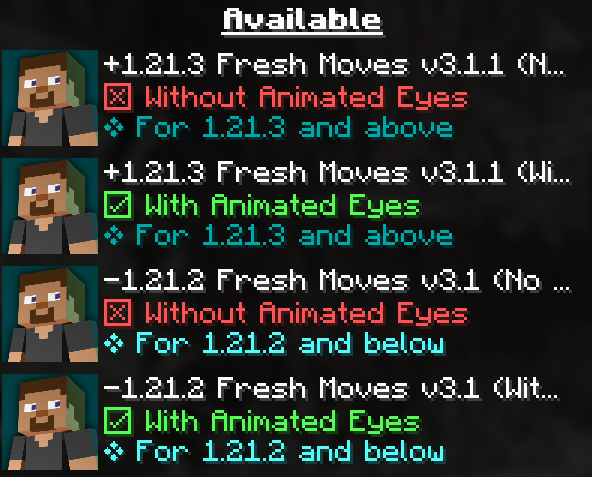
**OPTIFINE DOESN'T SUPPORT PLAYER CUSTOM MODELS ...yet, just in case** ----------------------------------------------------------------------------------------------- Be sure to use the right version of this pack (For Animated Eyes and Minecraft Version)
 ----------------------------------------------------------------------------------------------- Check this tutorial and the new face feaures added in v3.0 in this made by Laynce.
<iframe width="560" height="315" src="https://www.youtube-nocookie.com/embed/uDccyv7FROs" title="YouTube video player" frameborder="0" allow="accelerometer; autoplay; clipboard-write; encrypted-media; gyroscope; picture-in-picture; web-share" allowfullscreen></iframe>
----------------------------------------------------------------------------------------------- [To fix Black eyes follow this quick guide](https://github.com/IthanMendoza/Fresh-Moves/wiki/Fix-Black-Eyes) ↓. For a video demonstration go to this page in the wiki of the resourcepack.
[Fix Black Eyes · IthanMendoza/Fresh-Moves Wiki (github.com)](https://github.com/IthanMendoza/Fresh-Moves/wiki/Fix-Black-Eyes)
If you want your hand to stop moving in the first person perspective. [Go to this page in the wiki to disable it.](https://github.com/IthanMendoza/Fresh-Moves/wiki/Fix-Moving-1st-Person-Hand)
[Fix Moving 1st Person Hand · IthanMendoza/Fresh-Moves Wiki (github.com)](https://github.com/IthanMendoza/Fresh-Moves/wiki/Fix-Moving-1st-Person-Hand)
For this mod to work you have to activate this features in the EMF and ETF settings:
<details> <summary>Spoiler</summary>
First go to resourcepacks
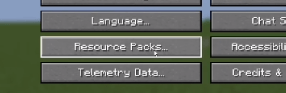
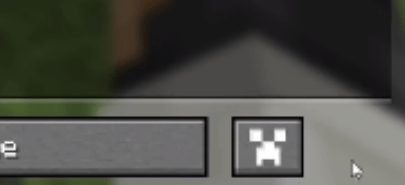
The click in this button (ETF and EMF settings)
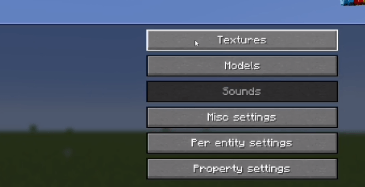
Click in textures
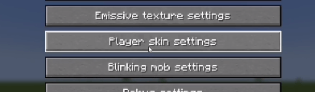
Click on player skin settings
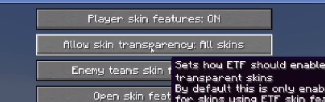
And activate the option that says "Allow skin transparency" and set it to "All skins"
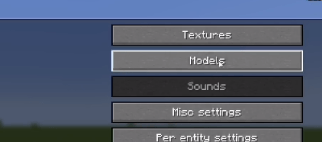
Go back to the mod settings and click on models
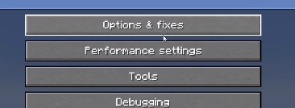
Go to Options and Fixes
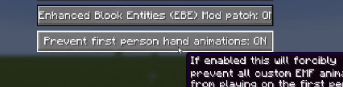
And finally set to On the option that says "Prevent first person hand animation"
</details>
----------------------------------------------------------------------------------------------- To animate the eyes go to the [Fresh Moves wiki](https://github.com/IthanMendoza/Fresh-Moves/wiki/Eyebrows). TLDR you must add extra pixels to your skin and upload that modified skin. [ The positions of those extra pixels are in the wiki](https://github.com/IthanMendoza/Fresh-Moves/wiki). All supported eyes are there. Here are some examples in real skins.
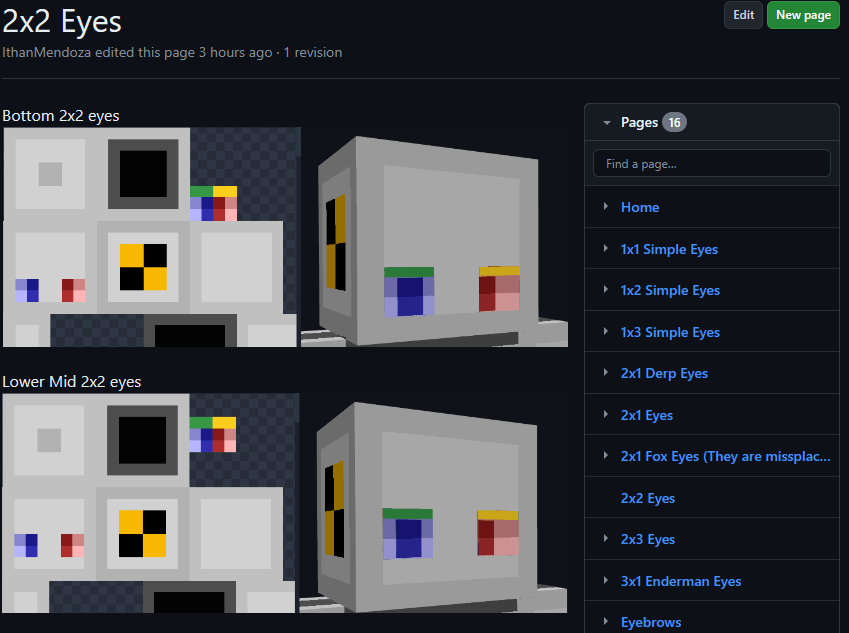
Here are some examples of things you must get in the end in your skin.png. This result must be used as your skin. If other people have these extra pixels on their skin, you will be able to see their animated eyes in multiplayer.
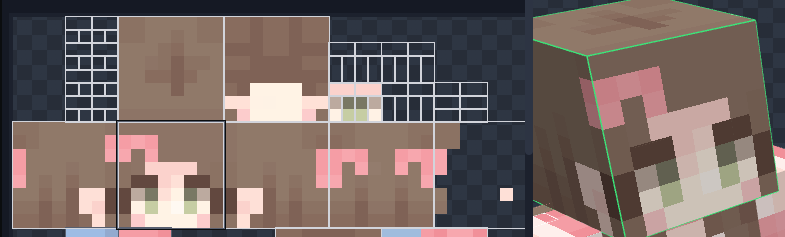 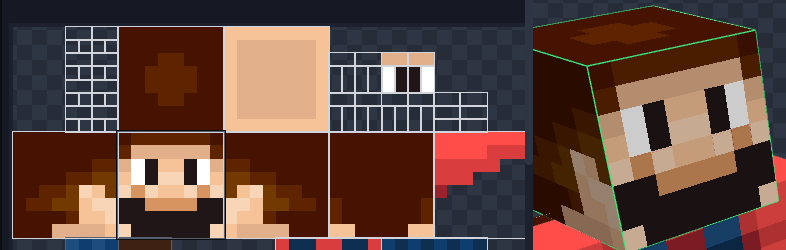 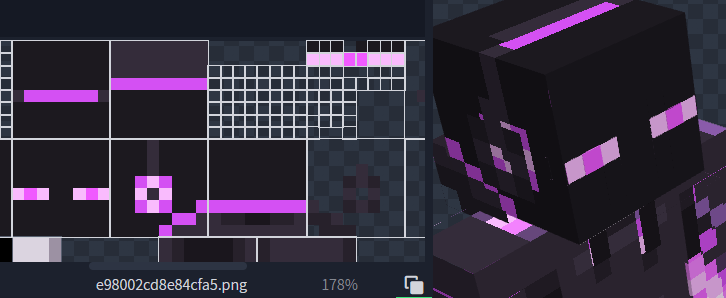
May look like there is some part missing the eyewhites but in game the eyewhites expand to their normal size. Notice that it has the eyebrows at the third position.
The version of this pack with animated eyes (Expressive Fresh Moves.zip) will also have the extra pixels on the default Minecraft skins (Steve, Alex, Makena, Efe, Noor, Kai, Ari, Sunny, and Zuri) as an example. **** ----------------------------------------------------------------------------------------------- **Features in Fresh Moves:** -This resource pack overhauls the idle, walking and swimming animation and gives some othe details to the player.
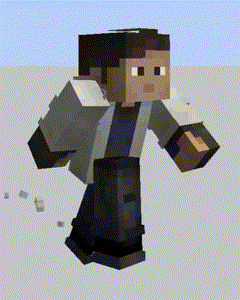 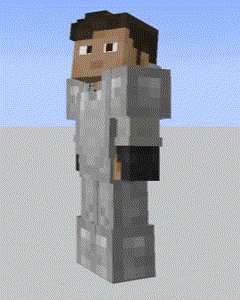
This resource pack has been made with special compatibility for [Parcool](https://www.curseforge.com/minecraft/mc-mods/parcool), [Quark's](https://www.curseforge.com/minecraft/mc-mods/quark) emotes, [Not Enought Animations](https://www.curseforge.com/minecraft/mc-mods/not-enough-animations), [Amendments](https://www.curseforge.com/minecraft/mc-mods/amendments) and [Real Camera](https://www.curseforge.com/minecraft/mc-mods/real-camera) mod. Other mods' animations may work. The resource pack doesn't overwrite the arms animations at all so animations on them should play as normal. For Parcool we recommend dissabling the "Fast Running" and "Fast Swimming" animators in the configuration menu (Use "Configured" for that) Animations/Animators.
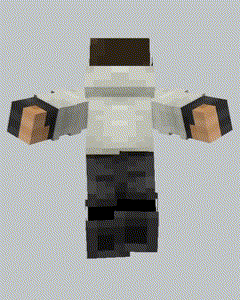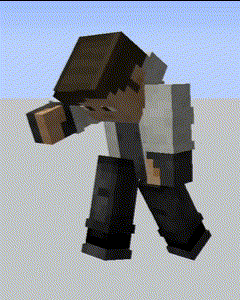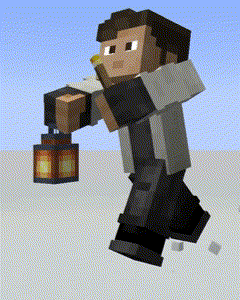
The latest version also comes with fixes for [Sleep Tight](https://www.curseforge.com/minecraft/mc-mods/sleep-tight)'s sleeping position. ----------------------------------------------------------------------------------------------- This pack is also available in [Curse Forge](https://www.curseforge.com/minecraft/texture-packs/fresh-moves) and [Planet Minecraft](https://www.planetminecraft.com/texture-pack/tras-fresh-player/).
**Here are some tutorials for different languages:**
- [Tutorial en Español](https://youtu.be/96cv9srgw7M?si=lbJAVZSIJeOriWue)
----------------------------------------------------------------------------------------------- **Credits:**
FreshLX: Creator of Fresh Animations resourcepack. The pillager, enderman and villager animations of the Fresh Animations pack were used as the base of this pack.
Ithan: Animation editor and responsible for the extensive eye support and other facial features compatibility.
Traben: Creator of ETF and ETM and the custom player models feature. He helped me a lot in the creation of the pack
BoZo-Xo2 & CoolRanchChris: Creators of the original Fresh Player Animations resourcepack (The pack where Fresh Moves is made from) and members of the Traben's discord server
TrasTick: Mantains the Curseforge and Planet Minecraft pages.
Laynce: Creator of the video tutorial for Fresh Moves
Fresh Player and other Player Animation packs can be found in the [Traben's discord server](https://discord.com/invite/rURmwrzUcz) in the etf-emf-pack-list channel. Be sure to take a look.
Compatibility & requirements
Environment: Client only — Runs on the player's Minecraft client. Does not need to be installed on the server.
Loaders / platforms: Minecraft
Supported Minecraft versions (18): 1.21.4, 1.21.3, 1.21.2, 1.21.1, 1.21, 1.20.6, 1.20.5, 1.20.4, 1.20.3, 1.20.2, 1.20.1, 1.20, 1.19.4, 1.19.3, 1.19.2, 1.19.1, 1.19, 1.18.2
Categories: 16x, Equipment, Modded
How to install Fresh Moves
- Match your Minecraft version. Confirm the file you download from Modrinth is tagged for Minecraft 1.21.4.
- Drop the .zip into your resourcepacks folder. Enable Fresh Moves from the in-game Options → Resource Packs menu.
- Launch and verify. Start Minecraft (or your server) and check Fresh Moves appears in the mods / plugins / resource packs list.
Frequently asked questions about Fresh Moves
Which Minecraft versions does Fresh Moves support?
Fresh Moves lists support for 18 Minecraft versions. The most recent supported release is Minecraft 1.21.4, with older support running back to Minecraft 1.18.2. Always match the version of the file you download to the Minecraft version your world or server is running.
What mod loader or server platform do I need to run Fresh Moves?
Fresh Moves publishes files for Minecraft. Install the matching loader (for example, Fabric Loader for Fabric builds or PaperMC for Paper plugins) before dropping Fresh Moves into your mods, plugins, or resource-pack folder.
Does Fresh Moves need to be installed on my Minecraft server?
Fresh Moves is a client-side resource pack. Only the player installs it — you can join vanilla or modded servers without needing them to add Fresh Moves.
Who created Fresh Moves?
Fresh Moves is published on Modrinth by IthanMendoza. The project was first published 872 days ago. All files are hosted and moderated by the Modrinth team, and IthanMendoza's Modrinth profile links to every other project they maintain.
Is Fresh Moves still being updated?
Yes — Fresh Moves was updated 2 years ago on Modrinth. Regular updates from IthanMendoza generally indicate active maintenance and quicker patches for Minecraft version bumps.
Is Fresh Moves safe to download from Modrinth?
Yes. Modrinth moderates every file that IthanMendoza uploads for Fresh Moves. Files are virus-scanned and reviewed against Modrinth's content policy before publication. Downloading Fresh Moves directly from its Modrinth page is the recommended way to avoid malware-laced mirrors. Never install resource pack files from unknown third-party sites.
How popular is Fresh Moves?
Fresh Moves has been downloaded 12,791,192 times (12.8M) on Modrinth and has 3,790 followers tracking new releases. High download counts and active follower bases are strong signals of a trustworthy, well-maintained Minecraft resource pack.
What license does Fresh Moves use?
Fresh Moves is distributed under the Custom / all rights reserved. Read the license on the Modrinth project page before redistributing, forking, or bundling Fresh Moves into a modpack.
Resource Packs similar to Fresh Moves
- Cobblemon Classic Grass Pack — Gives you the real Pokémon feeling in Cobblemon! (4.5M downloads)
- Comforts Modernized — Redone textures for the Comforts mod to make them look faithful to modern Minecraft (3.7M downloads)
- FurSky Reborn — Hypixel Skyblock's most popular resource pack. Now available for 1.21.11 & 26.x! (3.5M downloads)
- Create Style Sophisticated Backpacks — Sophisticated Backpacks but Creatified! (1.6M downloads)
- Translations for Sodium — Unofficial translations for the Sodium Minecraft mod (18.5M downloads)
- Low On Fire — Low fire on your screen! Vanilla Friendly (12.7M downloads)
- Cobblemon Interface — Cobblemon inspired GUI Textures and Sounds (8.4M downloads)
- Bare Bones — Minecraft with the style of the trailers (6.9M downloads)
More by IthanMendoza
- Just Expressions — 2.0M downloads
Source, safety, and licensing
Fresh Moves is indexed by MinecraftBible directly from the official Modrinth REST API. All files are hosted on Modrinth, which virus-scans and moderates every upload from IthanMendoza before publication. Downloading through Modrinth is the recommended safe path — never install resource pack files from unknown mirrors.
License: Custom / all rights reserved (LicenseRef-Custom-License).
Freshness signal: Fresh Moves was updated 2 years ago, which is a positive sign of active maintenance.
Author profile: Visit IthanMendoza's Modrinth profile to see every other project they maintain.
Explore related Minecraft Resource Packs
Browse the full catalog of Minecraft Resource Packs ranked by lifetime downloads on MinecraftBible.