
MINECRAFTBIBLE
Loading...
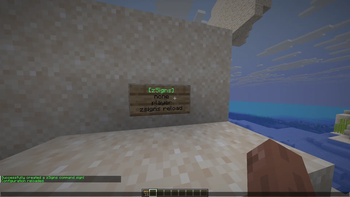

Create signs that execute commands on right-click.
Turn any sign into a clickable command button.
zSigns is a lightweight Spigot/Paper plugin that lets you create signs which execute commands when right-clicked. Warps, kits, shop triggers, server rules — anything you can run with a command, you can put on a sign.
%player% placeholder — console commands can target the clicking player automaticallyzsigns-use flagServer owners constantly set up warps, kits, and utility commands that players need quick access to. zSigns skips the GUI overhead and puts those commands exactly where players are already looking — on signs in the world.
Place any sign and fill in the four lines:
Line 1: [zSigns]
Line 2: <permission node, or "none">
Line 3: <player or console>
Line 4: <command without the />
If the sign is created successfully, Line 1 should turn green. Simple as that.
Public spawn warp
[zSigns]
none
player
spawn
VIP-only kit
[zSigns]
essentials.kit.vip
player
kit vip
Console gives the clicker diamonds
[zSigns]
none
console
give %player% diamond 64
/plugins folder[zSigns] on line 1, and fill in the rest| Server | Spigot and Paper |
| Minecraft | 1.19 and above |
| Java | 17+ |
| WorldGuard | 7.0+ (optional) |