


Z-Auth Backend addon
Auth Backend is the lightweight backend guard for ZCraft Auth. It runs on Spigot, Paper, Purpur, and Folia servers, protecting players until the proxy confirms they are logged in.
📖About Z-Auth Backend addon
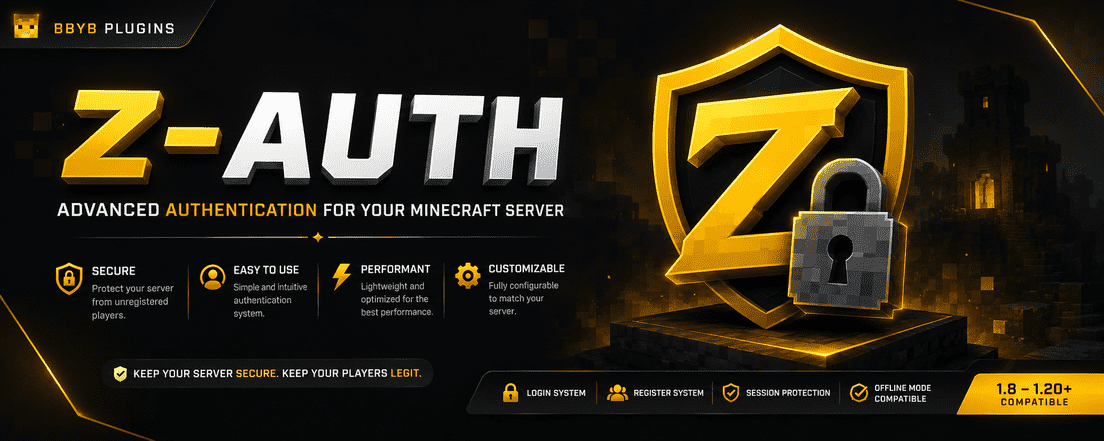
Auth Backend
Auth Backend is the lightweight backend protection layer for ZCraft Auth.
It runs on Spigot, Paper, Purpur, and Folia backend servers, keeping players restricted until the proxy confirms they are logged in.
The proxy handles accounts, passwords, sessions, 2FA, and database storage.
The backend plugin only protects gameplay until authentication is complete.
Summary
Lightweight backend protection for ZCraft Auth. Runs on Spigot, Paper, Purpur, and Folia servers, blocking gameplay until the proxy confirms the player is logged in. No backend database setup required.
Features
| Feature | Status |
|---|---|
| Spigot backend support | Yes |
| Paper backend support | Yes |
| Purpur backend support | Yes |
| Folia backend support | Yes |
| Proxy auth-state sync | Yes |
| Movement protection | Yes |
| Chat protection | Yes |
| Command protection | Yes |
| Inventory click protection | Yes |
| Item drop protection | Yes |
| Item pickup protection | Yes |
| Damage protection | Yes |
| Attack protection | Yes |
| Backend database setup | Not required |
| Backend password hashing | Not used |
| bStats support | Yes |
What This Plugin Is
Auth Backend is made for Minecraft networks using Auth Proxy on Velocity or BungeeCord.
When a player joins a backend server, Auth Backend checks with the proxy to see if that player is authenticated.
If the player is logged in, they can play normally.
If not, the backend keeps them locked down until login, registration, or 2FA verification is complete.
This keeps backend servers protected without requiring every server to connect to your database.
Downloads
Install the backend jar that matches your server type.
| Jar | Install on |
|---|---|
Auth-Backend-SpigotLegacy-<version>.jar |
Spigot-style 1.16-1.19 backends |
Auth-Backend-Spigot-<version>.jar |
Spigot-style 1.20-1.21 backends |
Auth-Backend-Paper-<version>.jar |
Paper/Purpur 1.21+ backends |
Auth-Backend-Folia-<version>.jar |
Folia 1.21+ backends |
Do not install backend jars on the proxy.
Do not install the proxy jar on backend servers.
Required Proxy Plugin
Auth Backend is not a standalone login plugin.
You must also install the proxy jar:
Auth-Proxy-<version>.jar
on your Velocity or BungeeCord proxy.
The proxy plugin handles:
/login/register/logout/changepass/2fa- sessions
- passwords
- database storage
- authentication state
The backend plugin only listens for that state and protects the server until the player is logged in.
How It Works
- A player joins through the proxy.
- The player logs in, registers, or verifies 2FA.
- The player connects to a backend server.
- Auth Backend asks the proxy for the player's login state.
- The proxy replies with the current auth state.
- The backend allows or blocks gameplay based on that state.
Backend and proxy communication uses:
zcraftauth:state
No backend database credentials, ports, tokens, or separate linking setup are required.
Backend Protection
Auth Backend can block unauthenticated players from:
- moving
- chatting
- running blocked commands
- clicking inventory items
- dropping items
- picking up items
- taking damage
- attacking entities
You can still allow authentication-related commands before login.
Default backend config:
block-movement: true
allow-chat: false
enable-bypass-permission: false

allowed-commands:
  - "/login"
  - "/register"
  - "/l"
  - "/reg"
  - "/2fa"
  - "/totp"
  - "/authenticator"
Operators are not bypassed by default.
To allow bypassing, you must enable it manually and give the player:
zcraftauth.backend.bypass
Performance
Auth Backend is intentionally small and low-impact.
It does not:
- connect to a database
- hash passwords
- perform account lookups
- manage sessions
- run the full authentication system
It only listens for protection events and proxy authentication state.
This keeps backend TPS/MSPT impact minimal while still preventing unauthenticated players from interacting with the server.
Requirements
| Component | Supported |
|---|---|
| Java | 21+ |
| Proxy | Velocity or BungeeCord with Auth Proxy |
| Backend | Spigot-style, Paper, Purpur, Folia |
| Minecraft | 1.16-1.19, 1.20-1.21, and 1.21+ backend families |
Installation
- Install
Auth-Proxy-<version>.jaron your Velocity or BungeeCord proxy. - Install the matching
Auth-Backend-<version>.jaron each backend server. - Start the proxy and backend servers once.
- Configure the proxy plugin.
- Restart the proxy and backend servers.
- Join through the proxy and authenticate.
Register:
/register <password> <password>
Login:
/login <password>
Important Notes
- Backend servers do not need database settings.
- Backend jars do not replace the proxy jar.
- The proxy jar does not replace backend jars.
- Install Auth Backend on every backend server that should be protected.
- Use the backend jar that matches your server software.
- Authentication logic is handled by the proxy, not the backend.
Support
If something does not work, include:
- Proxy type and version
- Backend server type and version
- Auth proxy jar name
- Auth backend jar name
- Console error logs
- Backend config