Logo
MINECRAFTBIBLE
Items
Items

All game items

Blocks
Blocks

Building blocks

Mobs
Mobs

Creatures & monsters

Biomes
Biomes

World biomes

Structures
Structures

Generated structures

Recipes
Recipes

Crafting guides

Advancements
Advancements

Achievements

Loot Tables
Loot Tables

Drop rates

Tags
Tags

Item groupings

All Versions
View all data →
Capes
Cape ArchiveNEW

Browse rare Minecon capes, OptiFine capes, and custom capes from players worldwide

Browse

Player Database
Player DatabasePopular

Search any player

Skin Browser
Skin Browser

Browse & download skins

Cape Gallery
Cape GalleryNEW

Minecon & OptiFine capes

Seed Vault
Seed Vault

Curated seeds

Learn

Guides
GuidesNew

Tutorials & tips

Blog
Blog

News & updates

Community

Community Hub
Community HubHub

Posts, discussions & more

All Versions
View community →
Seed Analyzer
Seed Analyzer

World seed analysis

Loot Explorer
Loot Explorer

Drop rates

Crafting Calculator
Crafting Calculator

Material planning

Enchant Calculator
Enchant Calculator

Probability math

Redstone Lab
Redstone Lab

Signal timing

Trading Profit
Trading Profit

Villager ROI

All Versions
View all tools →
Mods
Mods

Browse all mods

Plugins
Plugins

Server plugins

Resource Packs
Resource Packs

Textures & sounds

Shaders
Shaders

Visual enhancements

Datapacks
Datapacks

World logic

Scanner
Mod Intelligence

Scan & analyze any mod

All Versions
View all mods →
Loading...
IntroductionIntroductionVersion HistoryVersion HistoryGuidesGuidesBlog & NewsBlog & News
ItemsItemsBlocksBlocksMobsMobsRecipesRecipesBiomesBiomesStructuresStructuresAdvancementsAdvancementsLoot TablesLoot TablesTagsTags
ModsModsPluginsPluginsResource PacksResource PacksShadersShadersDatapacksDatapacks

MinecraftBible

The Ultimate Wiki

Logo
MINECRAFTBIBLE

The ultimate Minecraft reference. Every item, block, mob, and recipe documented with precision.

Community

  • Skin Browser
  • Cape Gallery
  • Seed Vault
  • Blog
  • Guides

Database

  • Items
  • Blocks
  • Mobs
  • Recipes
  • Biomes
  • Structures

Tools

  • Seed Analyzer
  • Mod Intelligence
  • Crafting Calculator
  • Enchant Calculator

Mods & Packs

  • Mods
  • Plugins
  • Resource Packs
  • Shaders
  • Datapacks

Site & Legal

  • About
  • Authors
  • Editorial Policy
  • Corrections
  • Contact
  • Privacy Policy
  • Terms of Service
  • DMCA
  • Sitemap

© 2026 MinecraftBible. Not affiliated with Mojang or Microsoft.

PrivacyTermsContact
xHubBlocks
PluginMIT

xHubBlocks

xHub Blocks is an extra add-on for lobbies and game modes.

8
Downloads
0
Followers
5 months ago
Updated
📦
1
Versions
game-mechanicsminigameutilitybukkitpaperspigot
Download Latestv2.0.1View on Modrinth

📖About xHubBlocks

🧱 xHubBlocks V2

The Ultimate Lobby Practice Plugin

Infinite blocks. Auto-despawn. Database support.

Version Support Storage

UPDATE COMING SOON!


👋 Overview

xHubBlocks is a lightweight but powerful plugin designed for Hubs and Lobbies. It gives your players an infinite stack of blocks to practice bridging, clutching, or building while waiting in the lobby.

The best part? The blocks disappear automatically after a configurable time, keeping your lobby clean and lag-free.

🔥 What's New in V2?

We have completely rewritten the core to include professional features:

  • Persistent Data: Blocks placed statistics are now saved forever.
  • Database Support: Built-in support for H2 (local, no setup) and MySQL (for networks).
  • Developer API: Hook your own plugins into xHubBlocks.
  • High Performance: Powered by HikariCP for database connections.

✨ Features

  • ♾️ Infinite Items: Players get a stack of blocks that never runs out.
  • ✨ Auto-Despawn: Blocks vanish after X seconds with a satisfying particle effect.
  • 🔒 Secure: Prevents players from dropping the block or moving it in their inventory.
  • 🎨 Fully Configurable: Customize the material, name, lore, slot, and messages.
  • 📊 PlaceholderAPI: Display stats on scoreboards or holograms.
  • ⚡ Legacy Support: Works flawlessly from 1.8.8 up to the latest versions.

💾 Database & Storage

xHubBlocks V2 supports two storage types defined in config.yml:

  1. H2 (Default): Zero configuration required. Stores data in a local file. Perfect for single servers.
  2. MySQL: Connect to an external database. Ideal for networks or if you want to display stats on a website.
storage:
  type: H2 # Or MYSQL
  mysql:
    host: "localhost"
    port: 3306
    database: "xhubblocks"
    # ...

🏀Images
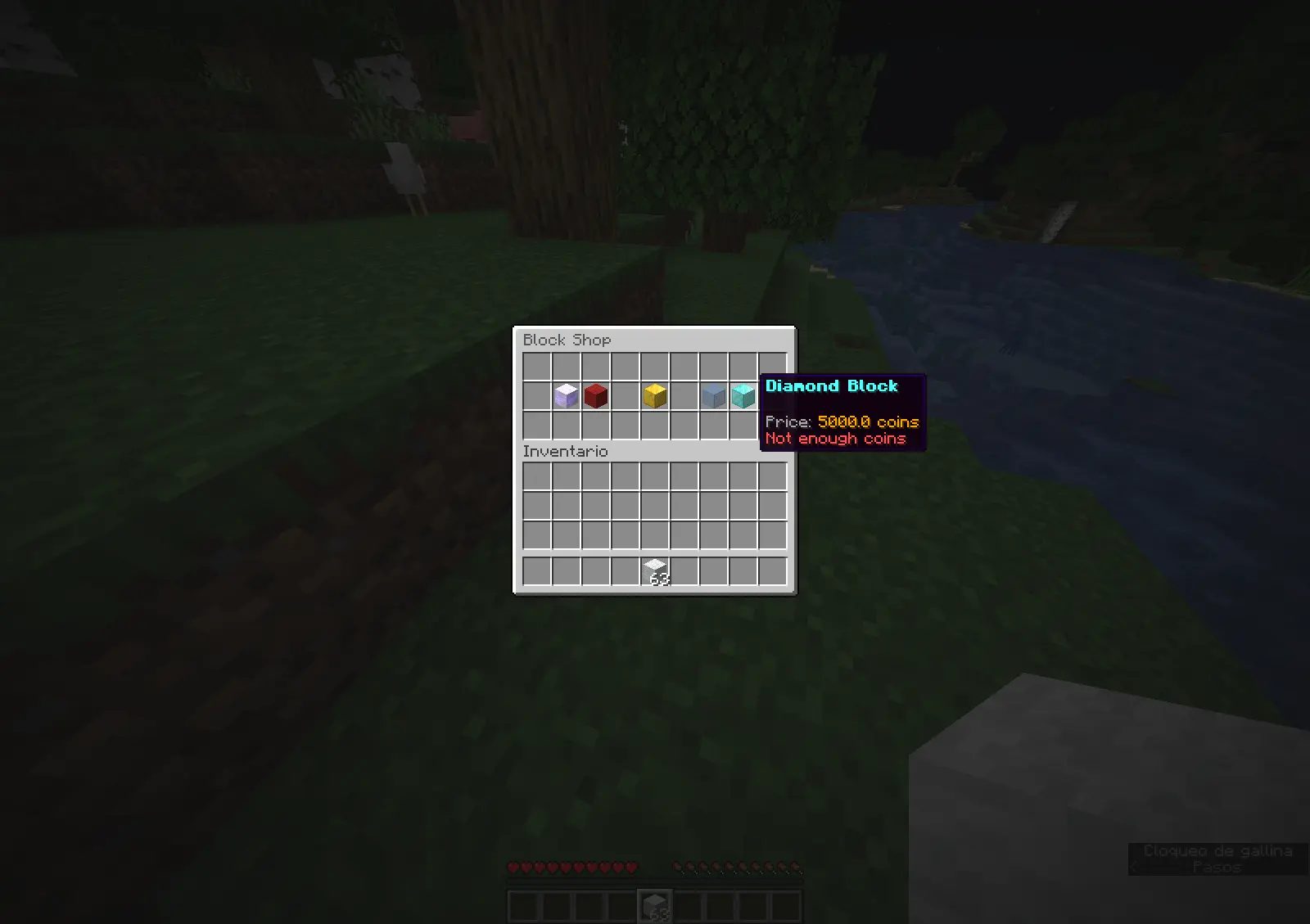
imagen1
imagen2
imagen3

🚀 Commands & Permissions

The commands are editable.

Command Permission Description
/xhubblocks xhubblocks.admin View plugin info and help.
/xhubblocks reload xhubblocks.reload Reload the configuration file.
/blocks shop editable Block store.

📊 Placeholders

Requires PlaceholderAPI.

  • %xhubblocks_placed_player% - Total blocks placed by the player (Saved in DB).
  • %xhubblocks_placed_session% - Blocks placed in the current session.
  • %xhubblocks_placed_total% - Total blocks placed by everyone on the server.

👨‍💻 Developer API

Want to use xHubBlocks stats in your own plugin? It's easy.

1. Get the instance:

if (Bukkit.getPluginManager().getPlugin("xHubBlocks") != null) {
    xHubBlocksAPI api = xHubBlocksAPI.getApi();
    
    // Get stats
    int total = api.getPlayerTotalPlaced(player.getUniqueId());
}

2. Maven/Gradle:
You can add the plugin as a dependency to your project.


📥 Installation

  1. Download xHubBlocks.jar.
  2. Drop it into your server's plugins folder.
  3. Restart your server.
  4. (Optional) Edit config.yml to change the block style or database settings.
  5. Enjoy!

Banner


Created with ❤️ by xPlugins

👥 Team & Contributors

No authors recorded.

⚙️ Compatibility

Environment
🖥️ Server-side
Loaders
bukkitpaperspigot
Minecraft Versions
1.8.81.8.91.91.9.11.9.21.9.31.9.41.10+53 more

🔗 Links

Modrinth Page