Logo
MINECRAFTBIBLE
Items
Items

All game items

Blocks
Blocks

Building blocks

Mobs
Mobs

Creatures & monsters

Biomes
Biomes

World biomes

Structures
Structures

Generated structures

Recipes
Recipes

Crafting guides

Advancements
Advancements

Achievements

Loot Tables
Loot Tables

Drop rates

Tags
Tags

Item groupings

All Versions
View all data →
Capes
Cape ArchiveNEW

Browse rare Minecon capes, OptiFine capes, and custom capes from players worldwide

Browse

Player Database
Player DatabasePopular

Search any player

Skin Browser
Skin Browser

Browse & download skins

Cape Gallery
Cape GalleryNEW

Minecon & OptiFine capes

Seed Vault
Seed Vault

Curated seeds

Learn

Guides
GuidesNew

Tutorials & tips

Blog
Blog

News & updates

Community

Community Hub
Community HubHub

Posts, discussions & more

All Versions
View community →
Seed Analyzer
Seed Analyzer

World seed analysis

Loot Explorer
Loot Explorer

Drop rates

Crafting Calculator
Crafting Calculator

Material planning

Enchant Calculator
Enchant Calculator

Probability math

Redstone Lab
Redstone Lab

Signal timing

Trading Profit
Trading Profit

Villager ROI

All Versions
View all tools →
Mods
Mods

Browse all mods

Plugins
Plugins

Server plugins

Resource Packs
Resource Packs

Textures & sounds

Shaders
Shaders

Visual enhancements

Datapacks
Datapacks

World logic

Scanner
Mod Intelligence

Scan & analyze any mod

All Versions
View all mods →
Loading...
IntroductionIntroductionVersion HistoryVersion HistoryGuidesGuidesBlog & NewsBlog & News
ItemsItemsBlocksBlocksMobsMobsRecipesRecipesBiomesBiomesStructuresStructuresAdvancementsAdvancementsLoot TablesLoot TablesTagsTags
ModsModsPluginsPluginsResource PacksResource PacksShadersShadersDatapacksDatapacks

MinecraftBible

The Ultimate Wiki

Logo
MINECRAFTBIBLE

The ultimate Minecraft reference. Every item, block, mob, and recipe documented with precision.

Community

  • Skin Browser
  • Cape Gallery
  • Seed Vault
  • Blog
  • Guides

Database

  • Items
  • Blocks
  • Mobs
  • Recipes
  • Biomes
  • Structures

Tools

  • Seed Analyzer
  • Mod Intelligence
  • Crafting Calculator
  • Enchant Calculator

Mods & Packs

  • Mods
  • Plugins
  • Resource Packs
  • Shaders
  • Datapacks

Site & Legal

  • About
  • Authors
  • Editorial Policy
  • Corrections
  • Contact
  • Privacy Policy
  • Terms of Service
  • DMCA
  • Sitemap

© 2026 MinecraftBible. Not affiliated with Mojang or Microsoft.

PrivacyTermsContact
xHitSounds
PluginMIT

xHitSounds

Free Advanced HitSound Plugin #1

4
Downloads
0
Followers
3 weeks ago
Updated
📦
1
Versions
game-mechanicsmagicmanagementbukkitpaperpurpurspigot
Download Latestv1.0.0View on Modrinth

📖About xHitSounds

xHitSound

A lightweight Minecraft Paper/Spigot 1.20+ plugin that allows players to choose custom sound effects when they hit other entities. Fully configurable and permission-based.

Features

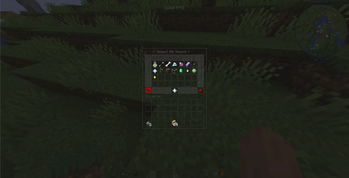
  • 15 Hit Sounds across 5 categories (PvP Classics, High-Tech & Anime, Retro Arcade, Heavy Bass & Impact, Funny Memes)
  • 54-Slot GUI with border frame, status indicator, mute button, and close button
  • Permission-Based Access — grant individual sounds or use xhitsound.use.*
  • 100% Translatable — every message, item name, and lore is in config.yml
  • Reload Command — /hitsound reload to apply config changes without restarting

Commands

Command Permission Description
/hitsound xhitsound.use Opens the hit sound selection GUI
/hs xhitsound.use Alias for /hitsound
/hitsound reload xhitsound.reload Reloads config.yml

Permissions

Permission Default Description
xhitsound.use true Allows using /hitsound command
xhitsound.reload op Allows reloading the config
xhitsound.use.* op Grants all hit sounds
xhitsound.use.orb op Classic Experience Orb
xhitsound.use.ding op Competitive Ding
xhitsound.use.crit op Bone Fracture (Crit)
xhitsound.use.laser op Laser Beam
xhitsound.use.teleport op Ender Zap
xhitsound.use.magic op Amethyst Spark
xhitsound.use.click op Retro Arcade Click
xhitsound.use.level op Arcade Level Up
xhitsound.use.anvil op Heavy Anvil Drop
xhitsound.use.bass op Subwoofer Bass
xhitsound.use.glass op Glass Shatter
xhitsound.use.villager op Angry Villager
xhitsound.use.ghast op Screaming Ghast
xhitsound.use.slime op Squishy Slime
xhitsound.use.plink op Plink Note

Granting all sounds to everyone

# Using LuckPerms:
/lp group default permission set xhitsound.use.* true

Configuration

Edit any text field in config.yml to customize messages, item names, lores, and sounds. Run /hitsound reload after editing.

Installation

  1. Place the xHitSound-1.0.0.jar in your server's plugins/ folder
  2. Restart your server
  3. Edit plugins/xHitSound/config.yml to customize
  4. Run /hitsound reload

Requirements

  • Server: Paper 1.20.4+ (Spigot also supported)
  • Java: 17 or higher

License

MIT License

Author

EMIRLQQ1

👥 Team & Contributors

MoneyApprovEd
MoneyApprovEdOwner

⚙️ Compatibility

Environment
🖥️ Server-side
Loaders
bukkitpaperpurpurspigot
Minecraft Versions
1.2.11.2.21.2.31.2.41.2.51.201.20.11.20.2+16 more

🔗 Links

Modrinth Page