Logo
MINECRAFTBIBLE
Items
Items

All game items

Blocks
Blocks

Building blocks

Mobs
Mobs

Creatures & monsters

Biomes
Biomes

World biomes

Structures
Structures

Generated structures

Recipes
Recipes

Crafting guides

Advancements
Advancements

Achievements

Loot Tables
Loot Tables

Drop rates

Tags
Tags

Item groupings

All Versions
View all data →
Capes
Cape ArchiveNEW

Browse rare Minecon capes, OptiFine capes, and custom capes from players worldwide

Browse

Player Database
Player DatabasePopular

Search any player

Skin Browser
Skin Browser

Browse & download skins

Cape Gallery
Cape GalleryNEW

Minecon & OptiFine capes

Seed Vault
Seed Vault

Curated seeds

Learn

Guides
GuidesNew

Tutorials & tips

Blog
Blog

News & updates

Community

Community Hub
Community HubHub

Posts, discussions & more

All Versions
View community →
Seed Analyzer
Seed Analyzer

World seed analysis

Loot Explorer
Loot Explorer

Drop rates

Crafting Calculator
Crafting Calculator

Material planning

Enchant Calculator
Enchant Calculator

Probability math

Redstone Lab
Redstone Lab

Signal timing

Trading Profit
Trading Profit

Villager ROI

All Versions
View all tools →
Mods
Mods

Browse all mods

Plugins
Plugins

Server plugins

Resource Packs
Resource Packs

Textures & sounds

Shaders
Shaders

Visual enhancements

Datapacks
Datapacks

World logic

Scanner
Mod Intelligence

Scan & analyze any mod

All Versions
View all mods →
Loading...
IntroductionIntroductionVersion HistoryVersion HistoryGuidesGuidesBlog & NewsBlog & News
ItemsItemsBlocksBlocksMobsMobsRecipesRecipesBiomesBiomesStructuresStructuresAdvancementsAdvancementsLoot TablesLoot TablesTagsTags
ModsModsPluginsPluginsResource PacksResource PacksShadersShadersDatapacksDatapacks

MinecraftBible

The Ultimate Wiki

Logo
MINECRAFTBIBLE

The ultimate Minecraft reference. Every item, block, mob, and recipe documented with precision.

Community

  • Skin Browser
  • Cape Gallery
  • Seed Vault
  • Blog
  • Guides

Database

  • Items
  • Blocks
  • Mobs
  • Recipes
  • Biomes
  • Structures

Tools

  • Seed Analyzer
  • Mod Intelligence
  • Crafting Calculator
  • Enchant Calculator

Mods & Packs

  • Mods
  • Plugins
  • Resource Packs
  • Shaders
  • Datapacks

Site & Legal

  • About
  • Authors
  • Editorial Policy
  • Corrections
  • Contact
  • Privacy Policy
  • Terms of Service
  • DMCA
  • Sitemap

© 2026 MinecraftBible. Not affiliated with Mojang or Microsoft.

PrivacyTermsContact
wruJoin
PluginGPL-3.0-only

wruJoin

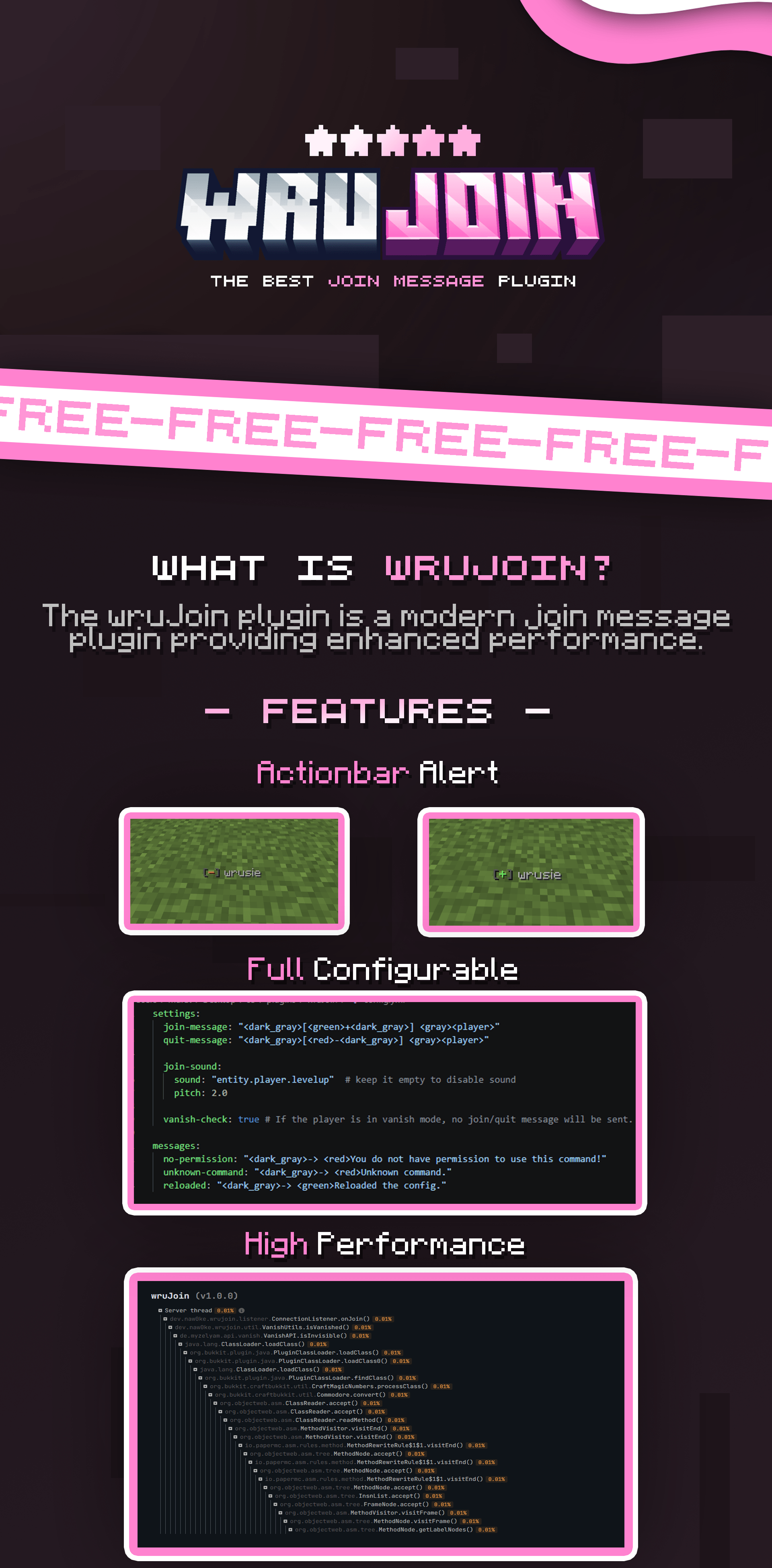
A high-quality join message plugin.

48
Downloads
0
Followers
1 months ago
Updated
📦
4
Versions
managementutilityfoliapaperpurpur
Download Latestv1.1.0View on Modrinth

📖About wruJoin

👀 Click to view plugin preview

wrujoin
wrujoin-content

⚙️ Click to view config preview
settings:
  join-action:
    type: ACTIONBAR # types: ACTIONBAR, CHAT
    message: "<dark_gray>[<green>+<dark_gray>] <gray><player>"

  quit-action:
    type: ACTIONBAR
    message: "<dark_gray>[<red>-<dark_gray>] <gray><player>"

  message:
    enabled: true
    lines:
      - ""
      - "<#D36E97><b>Welcome, <player>!</b>"
      - ""
      - "<gray>- <white>Website<gray>: <#FFA8CB>example.com"
      - "<gray>- <white>Discord<gray>: <#FFA8CB>discord.gg/example"
      - ""

  title:
    enabled: true
    title: "<#D36E97><bold>Welcome, <player>!"
    subtitle: "<#FFA8CB><player> <white>have a good time!"

  sound:
    enabled: true
    sound: "entity.player.levelup"
    pitch: 2.0

hooks:
  # set to "false" to disable hook, requires server restart!!!
  AxVanish: true
  Essentials: true
  PremiumVanish: true
  SuperVanish: true

messages:
  no-permission: "<dark_gray>-> <red>You do not have permission to use this command!"
  unknown-command: "<dark_gray>-> <red>Unknown command."
  reloaded: "<dark_gray>-> <green>Reloaded the config."

🎀 wruJoin

Modern & Powerful Join Message Solution

wruJoin is a high-performance plugin designed for PaperMC and its forks.
It gives server owners complete control over player join and leave notifications with a modern, professional touch.


✨ Key Features

  • 🎨 Full Customization: Powered by MiniMessage for stunning text formatting.
  • 🌈 Modern Colors: Native support for HEX (RGB) and Gradients.
  • ⚡ High Performance: Optimized to ensure zero impact on your server's TPS.
  • 🔄 Instant Reload: Update your configuration on-the-fly without restarting.
  • 📺 Join Titles: Fully configurable title and subtitle that appears when a player joins.
  • 🔊 Join Sounds: Fully configurable sound effects that are triggered when a player joins.
  • 🕵️ Vanish Support: Automatically handles fake join/leave messages when administrators vanish or reappear.

🛠️ Requirements

Ensure your server environment meets the following specifications:

Requirement Version
☕ Java 21 or higher
🖥️ Platform Paper, Folia and their forks (1.21 - 1.21.x)
🧩 Dependencies SuperVanish, PremiumVanish, AxVanish, or EssentialsX (Optional)

⌨️ Commands & Permissions

Command Description Permission
/wrujoin Displays plugin information and help menu. wrujoin.admin
/wrujoin reload Reloads the configuration files. wrujoin.admin

🎨 Configuration (MiniMessage)

Stop using outdated & color codes! wruJoin uses modern formatting for a more professional look.

Example: Use <#03fcb1>Welcome back, <player>! for clean Hex colors, or try <gradient:gold:yellow>Welcome!</gradient> for beautiful text transitions.

📖 Check the MiniMessage Documentation for more details.


📦 Installation

  1. Download the .jar file and place it in your server's plugins folder.
  2. Start your server to generate the default configuration.
  3. Edit plugins/wruJoin/config.yml to your liking.
  4. Run /wrujoin reload to apply your changes instantly.
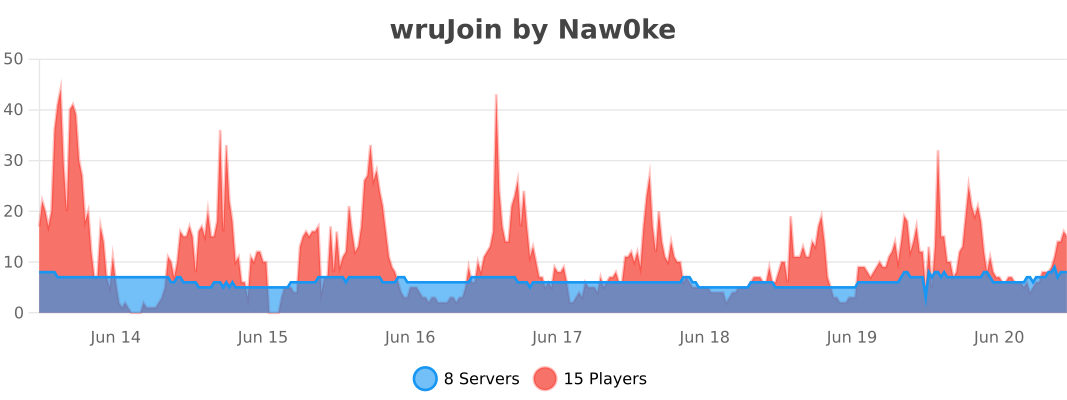
📊 Statistics

bStats

👥 Team & Contributors

Nawoke
NawokeOwner

⚙️ Compatibility

Environment
🖥️ Server-side
Loaders
foliapaperpurpur
Minecraft Versions
1.211.21.11.21.21.21.31.21.41.21.51.21.61.21.7+8 more

🔗 Links

Modrinth Page