Logo
MINECRAFTBIBLE
Items
Items

All game items

Blocks
Blocks

Building blocks

Mobs
Mobs

Creatures & monsters

Biomes
Biomes

World biomes

Structures
Structures

Generated structures

Recipes
Recipes

Crafting guides

Advancements
Advancements

Achievements

Loot Tables
Loot Tables

Drop rates

Tags
Tags

Item groupings

All Versions
View all data →
Capes
Cape ArchiveNEW

Browse rare Minecon capes, OptiFine capes, and custom capes from players worldwide

Browse

Player Database
Player DatabasePopular

Search any player

Skin Browser
Skin Browser

Browse & download skins

Cape Gallery
Cape GalleryNEW

Minecon & OptiFine capes

Seed Vault
Seed Vault

Curated seeds

Learn

Guides
GuidesNew

Tutorials & tips

Blog
Blog

News & updates

Community

Community Hub
Community HubHub

Posts, discussions & more

All Versions
View community →
Seed Analyzer
Seed Analyzer

World seed analysis

Loot Explorer
Loot Explorer

Drop rates

Crafting Calculator
Crafting Calculator

Material planning

Enchant Calculator
Enchant Calculator

Probability math

Redstone Lab
Redstone Lab

Signal timing

Trading Profit
Trading Profit

Villager ROI

All Versions
View all tools →
Mods
Mods

Browse all mods

Plugins
Plugins

Server plugins

Resource Packs
Resource Packs

Textures & sounds

Shaders
Shaders

Visual enhancements

Datapacks
Datapacks

World logic

Scanner
Mod Intelligence

Scan & analyze any mod

All Versions
View all mods →
Loading...
IntroductionIntroductionVersion HistoryVersion HistoryGuidesGuidesBlog & NewsBlog & News
ItemsItemsBlocksBlocksMobsMobsRecipesRecipesBiomesBiomesStructuresStructuresAdvancementsAdvancementsLoot TablesLoot TablesTagsTags
ModsModsPluginsPluginsResource PacksResource PacksShadersShadersDatapacksDatapacks

MinecraftBible

The Ultimate Wiki

Logo
MINECRAFTBIBLE

The ultimate Minecraft reference. Every item, block, mob, and recipe documented with precision.

Community

  • Skin Browser
  • Cape Gallery
  • Seed Vault
  • Blog
  • Guides

Database

  • Items
  • Blocks
  • Mobs
  • Recipes
  • Biomes
  • Structures

Tools

  • Seed Analyzer
  • Mod Intelligence
  • Crafting Calculator
  • Enchant Calculator

Mods & Packs

  • Mods
  • Plugins
  • Resource Packs
  • Shaders
  • Datapacks

Site & Legal

  • About
  • Authors
  • Editorial Policy
  • Corrections
  • Contact
  • Privacy Policy
  • Terms of Service
  • DMCA
  • Sitemap

© 2026 MinecraftBible. Not affiliated with Mojang or Microsoft.

PrivacyTermsContact
Worlds
PluginGPL-3.0-only

Worlds

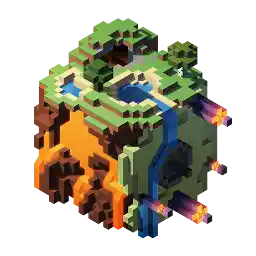
World management plugin for modern Paper and Folia servers

11.5K
Downloads
70
Followers
2 months ago
Updated
📦
30
Versions
managementtransportationworldgenfoliapaper
Download Latestv3.12.3-mc1.21.10View on Modrinth

📖About Worlds

🌍 Worlds – The Ultimate World Management Plugin for Paper & Folia

Worlds is a modern, lightweight world management plugin designed for Paper and Folia servers.

It brings seamless world handling with customization presets, eliminating the need for extra plugins just to create void or custom flat maps.

Simply pick a predefined preset—or define your own!

🔹 Why Choose Worlds?

✅ Vanilla Flat World Preset – No more extra plugins for void or flat maps

✅ No Extra Data Files – Worlds doesn't store extra files, no more messy file syncing when sharing worlds

✅ Drag & Drop Import – Just place the world in the folder & use /world import

✅ Full World Regeneration – Reset any world (even the Overworld!) with one command

✅ Modern & Efficient – Uses up-to-date server mechanics, not outdated methods

✅ World Keys – Worlds are referenced by unique keys, improving compatibility with client mods

✅ Seamless Portal Linking – Restore vanilla Nether and End portal behavior for custom worlds

🔥 What's Next?

  • Custom Dimension Type Support – Like datapacks, but built into the plugin!

    (Currently, Worlds can load custom dimension worlds, but in-game/API creation is coming soon.)

🚀 Simplify world management & unlock new possibilities with Worlds!

🔗 Download now on Modrinth

Versions

[!IMPORTANT]
The latest major version (2.0.0) changed the way how worlds and links are loaded

When updating from any (1.x.x) version you'll have to import your worlds using the command
/world import <world> [<key>] [<dimension>] [<generator>]

To link your worlds again you have to use /world link create <source> <destination>

[!NOTE]
World images (*.image) do no longer exist, and you can safely delete all remanence of them

The files links.json and config.json in plugins/Worlds also no longer exist and can be safely removed

If you didn't change anything about the translations or presets, it is recommended to regenerate them by deleting the
folders (Worlds/translations and Worlds/presets)

As with all major updates that introduce breaking changes, make sure to create backups before updating

If you encounter any issues after updating please report
them to us

Latest version supporting 1.20.6 (Java 21)

Latest version supporting 1.19/1.20.4 (Java 19)

Latest version supporting 1.19/1.20.4 (Java 17)

For further information check out the Wiki

👥 Team & Contributors

No authors recorded.

⚙️ Compatibility

Environment
🖥️ Server-side
Loaders
foliapaper
Minecraft Versions
1.21.91.21.10

🔗 Links

Modrinth Page