Logo
MINECRAFTBIBLE
Items
Items

All game items

Blocks
Blocks

Building blocks

Mobs
Mobs

Creatures & monsters

Biomes
Biomes

World biomes

Structures
Structures

Generated structures

Recipes
Recipes

Crafting guides

Advancements
Advancements

Achievements

Loot Tables
Loot Tables

Drop rates

Tags
Tags

Item groupings

All Versions
View all data →
Capes
Cape ArchiveNEW

Browse rare Minecon capes, OptiFine capes, and custom capes from players worldwide

Browse

Player Database
Player DatabasePopular

Search any player

Skin Browser
Skin Browser

Browse & download skins

Cape Gallery
Cape GalleryNEW

Minecon & OptiFine capes

Seed Vault
Seed Vault

Curated seeds

Learn

Guides
GuidesNew

Tutorials & tips

Blog
Blog

News & updates

Community

Community Hub
Community HubHub

Posts, discussions & more

All Versions
View community →
Seed Analyzer
Seed Analyzer

World seed analysis

Loot Explorer
Loot Explorer

Drop rates

Crafting Calculator
Crafting Calculator

Material planning

Enchant Calculator
Enchant Calculator

Probability math

Redstone Lab
Redstone Lab

Signal timing

Trading Profit
Trading Profit

Villager ROI

All Versions
View all tools →
Mods
Mods

Browse all mods

Plugins
Plugins

Server plugins

Resource Packs
Resource Packs

Textures & sounds

Shaders
Shaders

Visual enhancements

Datapacks
Datapacks

World logic

Scanner
Mod Intelligence

Scan & analyze any mod

All Versions
View all mods →
Loading...
IntroductionIntroductionVersion HistoryVersion HistoryGuidesGuidesBlog & NewsBlog & News
ItemsItemsBlocksBlocksMobsMobsRecipesRecipesBiomesBiomesStructuresStructuresAdvancementsAdvancementsLoot TablesLoot TablesTagsTags
ModsModsPluginsPluginsResource PacksResource PacksShadersShadersDatapacksDatapacks

MinecraftBible

The Ultimate Wiki

Logo
MINECRAFTBIBLE

The ultimate Minecraft reference. Every item, block, mob, and recipe documented with precision.

Community

  • Skin Browser
  • Cape Gallery
  • Seed Vault
  • Blog
  • Guides

Database

  • Items
  • Blocks
  • Mobs
  • Recipes
  • Biomes
  • Structures

Tools

  • Seed Analyzer
  • Mod Intelligence
  • Crafting Calculator
  • Enchant Calculator

Mods & Packs

  • Mods
  • Plugins
  • Resource Packs
  • Shaders
  • Datapacks

Site & Legal

  • About
  • Authors
  • Editorial Policy
  • Corrections
  • Contact
  • Privacy Policy
  • Terms of Service
  • DMCA
  • Sitemap

© 2026 MinecraftBible. Not affiliated with Mojang or Microsoft.

PrivacyTermsContact
Weapon Maker
PluginLicenseRef-All-Rights-Reserved

Weapon Maker

Create your weirdest weapon in Minecraft!

180
Downloads
2
Followers
4 weeks ago
Updated
📦
10
Versions
equipmentgame-mechanicsutilitybukkitpaperpurpurspigot
Download Latestv1.5.9View on Modrinth

📖About Weapon Maker

🚀 WeaponMaker - Custom Weapon v1.5

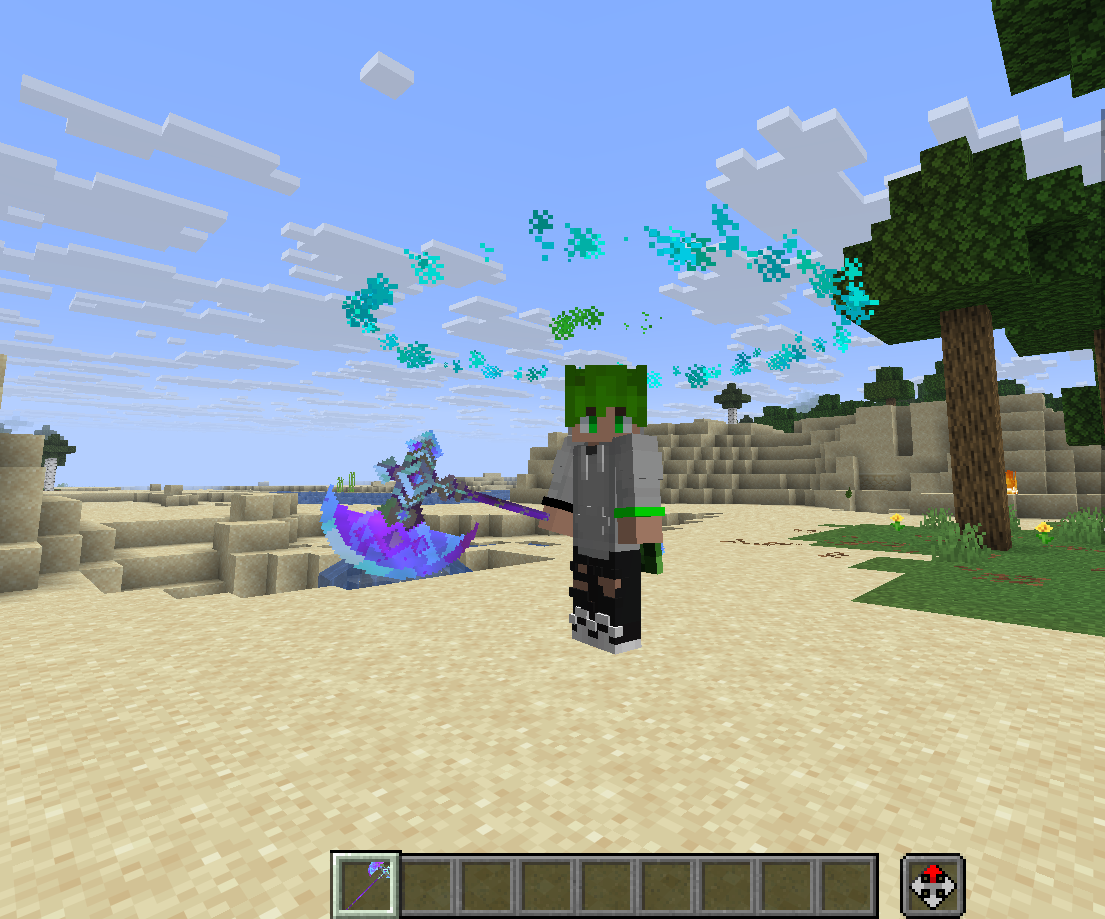
WeaponMaker is a powerful, lightweight, and extremely easy-to-use Spigot plugin that allows you to create, edit, and manage custom weapons with unique physics, projectiles, 3D particle animations (Halos), and special abilities directly from within Minecraft—no configuration files required!


🌟 Why WeaponMaker? (The Simplest Custom Weapon Solution)

  • 100% In-Game GUI Editor: Customize damage, fire rate, particles, ammunition, sounds, and upgrade trees through an intuitive inventory interface in real-time.
  • Turn Any Item into a Weapon: Bind templates to custom resource pack items using CustomModelData. The plugin remembers the item's texture, custom model, and display name.
  • Vanilla Data Preservation: Upgrading a weapon in the Forge preserves all custom names, lore, vanilla enchantments, and persistent NBT tags.
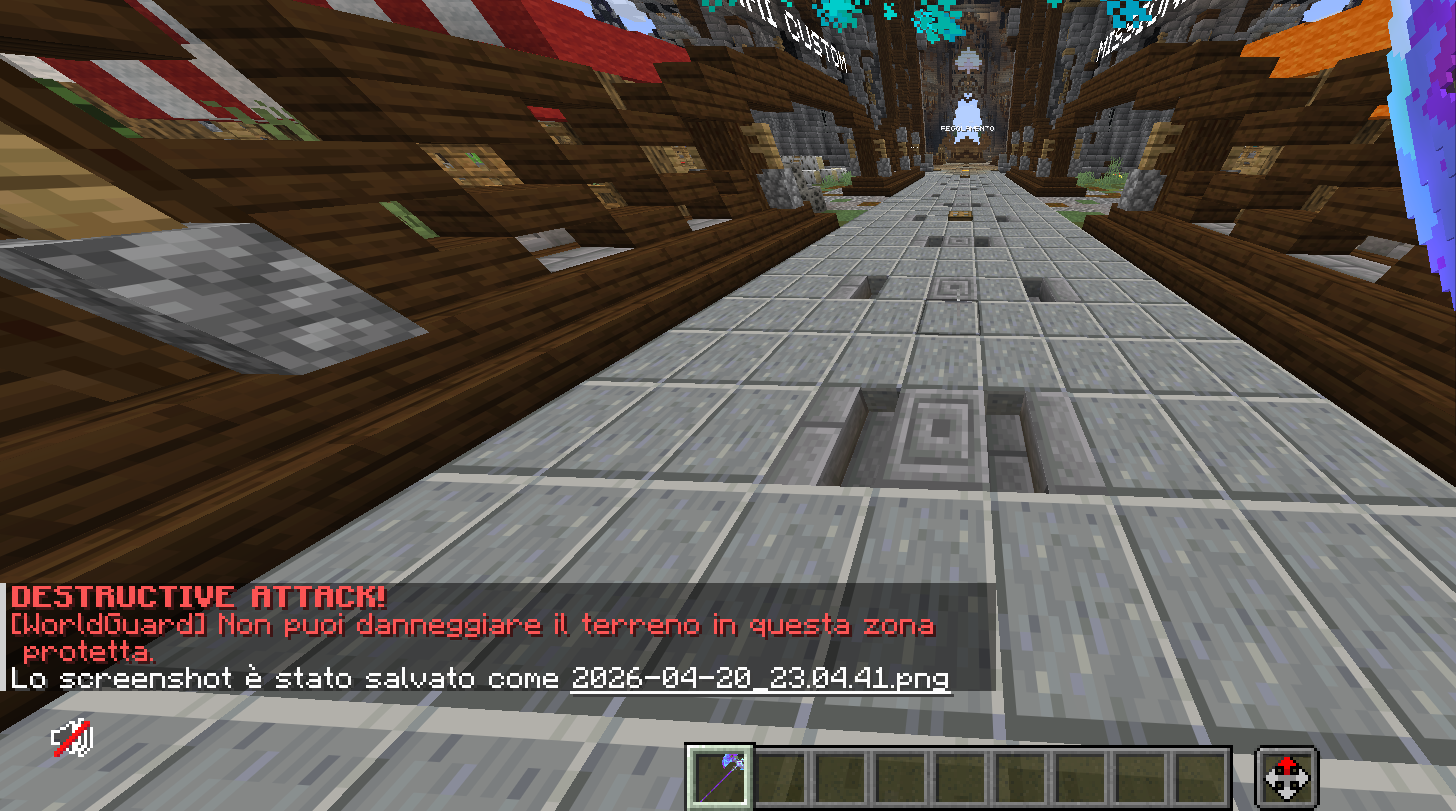
  • WorldGuard Grief Prevention: Automatically checks build permissions. Any terrain-deforming ability (like crater explosions) is blocked in protected regions while still allowing players to damage enemies.

📖 Quick Start Guide (Create a Weapon in 4 Simple Steps!)

  1. Create the Template:
    Initialize a blank template in chat:
    /weaponmaker create sword_lvl1
  2. Bind Your Item:
    Hold any item (vanilla or custom textured sword/gun) and link it:
    /weaponmaker bind sword_lvl1
  3. Customize stats in real-time:
    Open the custom GUI editor for your held item:
    /weaponmaker editorhand
    (Adjust damage, sound, ammunition, particles, and more!)
  4. Clone & Upgrade:
    Want a stronger tier? Clone the template:
    /weaponmaker clone sword_lvl1 sword_lvl2
    Now, hold the cloned weapon, open the editor, make it stronger, and link it as an upgrade path in the Forge!

🔥 Key Features

🔨 Special Ability: Super Hammer & Destructive Leap

Trigger catastrophic ground slams using your weapons:

  • Super Hammer (Shift + Left Click): Launches the player into the air. Upon landing on the ground, it triggers customizable concentric rings (super_hammer_circles). Every 3rd ring summons storm clouds and strikes 3 to 10 random lightning bolts, dealing 12 hearts of damage.
  • Destructive Jump (Shift + Right Click): Slam down, striking 12 lightning bolts in a circle, and leaving a clean crater.
  • Note: Block damage is fully protected by WorldGuard, and players do not take damage from their own leap effects.

🛠️ Weapon Forge & Upgrade Tree

Transform any standard Minecraft Anvil into a functional Weapon Forge.

  • Upgrades: Set custom upgrade costs (like combining a Level 1 sword + 5 custom gems to get a Level 2 sword).
  • Repairs: Define maximum durability and repair costs per weapon.

💫 Cosmetic 3D Halos

Display gorgeous rotating rings of particles above players' heads.

  • Shapes: CIRCLE, SQUARE, TRIANGLE, STAR, STARRY_SKY, and more!
  • Twinkling Starry Sky: The STARRY_SKY shape spawns twinkling stars that drift organically within the boundary ring using randomized harmonic physics.
  • Rainbow RGB: Shifting gradient animations (halo_rgb).

💬 Configuration & Editing Properties

You can edit any weapon property using the in-game GUI (/wm editorhand) or quickly using /wm edithand <property> <value>.

General Information

  • name: Display name (supports MiniMessage color gradients like <gradient:red:yellow>Super Sword</gradient>).
  • material: Base item type (e.g., DIAMOND_SWORD).
  • cmd: CustomModelData texture ID.
  • enchanted: true/false to toggle the glowing enchantment glint.

Combat & Gunplay

  • damage: Base damage dealt.
  • firerate: Delay between attacks (lower values = faster speed).
  • bullets: Number of projectiles fired at once (shotgun spread).
  • spread: Attack accuracy deviation.
  • bullet_potion_effect: Apply effects like SLOWNESS or POISON on hit.

Projectiles & Physics

  • projectile: Type of projectile (HITSCAN laser, ARROW, SNOWBALL, FIREBALL, TNT, BLOCK, MOB, ITEM).
  • projectile_speed: Travel velocity.
  • projectile_block / projectile_mob / projectile_item: Define the visual blocks or entities fired.

Special Abilities (Super Hammer / Destructive Jump)

  • destructive: true/false to enable the Destructive Jump slam.
  • destructive_jumpy: Customize the upward leap velocity of Destructive Jump.
  • super_hammer: true/false/none to toggle the Super Hammer ability.
  • super_hammer_jumpy: Upward leap velocity of the Super Hammer jump.
  • super_hammer_circles: Number of shockwave circles (min 1, max 50).
  • super_hammer_delay: Delay in ticks between expanding waves.

⌨️ Command Reference

Command Description
/wm Open the Global GUI Weapon List
/wm create <id> Create a blank weapon template
/wm bind <id> Bind the held item to a weapon template
/wm unbind Remove weapon properties from the held item
/wm editorhand Open the GUI editor for the held weapon
/wm edithand <property> <val> Edit a single property on the held weapon
/wm clone <old_id> <new_id> Duplicate a weapon template
/wm forge Open the Weapon Forge directly
/wm give <player> <id> Give a custom weapon to a player
/wm delete <id> Delete a weapon template
/wm info View stats of the held weapon in chat

⚙️ Technical Requirements

  • Minecraft Version: 1.21 to 1.21.1
  • Server Software: Paper, Purpur, or Folia
  • Java Version: 21+
  • Dependencies: WorldGuard (Optional - for claim/spawn protection)

Works with custom modeled weapons and pre-made weapons, using /weapons bind

and also works very well in spawn with worldguard (tested in 1.21.11)

👥 Team & Contributors

NikStudios
NikStudiosOwner

⚙️ Compatibility

Environment
🖥️ Server-side
Loaders
bukkitpaperpurpurspigot
Minecraft Versions
1.211.21.11.21.21.21.31.21.41.21.51.21.61.21.7+7 more

🔗 Links

Modrinth Page