

PluginLicenseRef-All-Rights-Reserved
Warden Guard
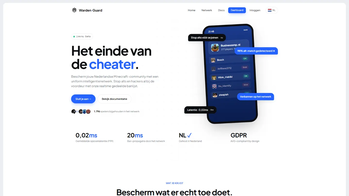
WardenGuard links your server to a global ban network, blocks banned players automatically, and detects alt accounts on join for Spigot servers.
20
Downloads
0
Followers
2 months ago
Updated
📦
1
Versions
📖About Warden Guard
WardenGuard
WardenGuard is a cross-server ban enforcement plugin that connects your Minecraft server to the centralized WardenGuard ban network. Keep banned players off your server automatically, detect alt accounts, and contribute to a shared ban database with your community.
Features
Ban Enforcement
- Checks players against the WardenGuard ban network on every join
- 3-tier ban level system - configure which severity triggers an auto-kick
- Local ban cache with configurable sync interval (default: every 5 minutes)
- Fallback enforcement from cache if the API is temporarily unreachable
- Retry queue for failed checks - no join goes unverified
Alt Account Detection
- Detects linked accounts via exact IP match or /24 subnet matching
- Configurable action: kick or staff-warn only
- Set a minimum ban level threshold to filter false positives
- Logs all detected alts, even those without active bans
Ban Reporting
/wg report <player>generates a direct report URL for any online or recently seen player- Automatic reporting when a ban is issued via LiteBans, AdvancedBan, or BanManager
- Staff receive clickable report links in chat (Spigot/Paper only)
Staff Tools
/wg check <player>- look up a player's ban cache status by name or UUID/wg scan- scan all online players against the ban list/wg sync- force an immediate ban list refresh/wg statusand/wg ping- monitor API connectivity and configuration- Recent player cache: commands work on players who left within the last 30 minutes
Platform Support
| Platform | Min Version |
|---|---|
| Spigot / Paper | 1.21.4 |
Java 17 or newer is required.
Soft Dependencies (optional integrations)
- LiteBans - auto-reports bans to WardenGuard on issue
- AdvancedBan - auto-reports bans to WardenGuard on issue
- BanManager - auto-reports bans to WardenGuard on issue
Commands and Permissions
| Command | Permission | Description |
|---|---|---|
/wg report <player> |
wardenguard.staff |
Generate a ban report URL |
/wg check <player> |
wardenguard.staff |
Check a player's ban status |
/wg sync |
wardenguard.admin |
Force ban list sync |
/wg scan |
wardenguard.admin |
Scan all online players |
/wg status |
wardenguard.admin |
Show API status and config |
/wg ping |
wardenguard.admin |
Test API connectivity |
/wg reload |
wardenguard.admin |
Reload config.yml |
Additional permission: wardenguard.bypass - exempt a player from automatic ban enforcement.
Configuration
WardenGuard is configured via config.yml. Key options:
wardenguard:
  api_key: "your_api_key_here"
  api_url: "https://wardenguard.com/api/v1"
  auto_ban_level: 2           # 1, 2, 3, or 0 to disable auto-ban
  sync_interval_seconds: 300  # how often to pull full ban list (default 5 min)
  check_on_join: true         # check player via API on every join
  notify_staff_on_ban: true   # send report URL to staff chat after ban
  staff_permission: "wardenguard.staff"
  alt_detection:
    enabled: true
    kick_enabled: true      # kick on alt match (false = warn staff only)
    min_ban_level: 2        # only trigger for linked accounts at this level or higher
    include_subnet: false   # also flag /24 subnet matches (higher false positive rate)
    log_all: true           # also log alts with no active ban
    kick_message: "Your account is linked to a banned player ({linked}). Appeal at wardenguard.com/appeal"
    warn_staff: "{player} flagged as potential alt of {linked} (Level {level} ban: {reason})"
    warn_staff_all: "{player} shares an IP with {linked} (no active ban)"
  messages:
    banned_message: "You are banned from this network. Appeal at wardenguard.com/appeal"
    report_url_message: "Submit your ban report: {url}"
    not_banned: "{player} is not on the Warden Guard ban list."
    is_banned: "{player} is BANNED (Level {level}): {reason}"
    sync_complete: "Ban list synced. {count} bans loaded."
    warn_staff_on_join: "{player} joined with a Level {level} ban: {reason}"
    warn_staff_on_kick: "{player} tried to join but was blocked - Level {level} ban: {reason}"
All messages are fully customizable. Available placeholders: {player}, {level}, {reason}, {linked}, {url}, {count}.
Getting Started
- Register your server at wardenguard.com to obtain an API key.
- Drop the correct jar for your platform into your
plugins/ormods/folder. - Start the server and add your
api_keytoplugins/WardenGuard/config.yml. - Reload with
/wg reloador restart the server.
Links
- Website: wardenguard.com
- Ban Feed: wardenguard.com/feed
- Support: wardenguard.com