Logo
MINECRAFTBIBLE
Items
Items

All game items

Blocks
Blocks

Building blocks

Mobs
Mobs

Creatures & monsters

Biomes
Biomes

World biomes

Structures
Structures

Generated structures

Recipes
Recipes

Crafting guides

Advancements
Advancements

Achievements

Loot Tables
Loot Tables

Drop rates

Tags
Tags

Item groupings

All Versions
View all data →
Capes
Cape ArchiveNEW

Browse rare Minecon capes, OptiFine capes, and custom capes from players worldwide

Browse

Player Database
Player DatabasePopular

Search any player

Skin Browser
Skin Browser

Browse & download skins

Cape Gallery
Cape GalleryNEW

Minecon & OptiFine capes

Seed Vault
Seed Vault

Curated seeds

Learn

Guides
GuidesNew

Tutorials & tips

Blog
Blog

News & updates

Community

Community Hub
Community HubHub

Posts, discussions & more

All Versions
View community →
Seed Analyzer
Seed Analyzer

World seed analysis

Loot Explorer
Loot Explorer

Drop rates

Crafting Calculator
Crafting Calculator

Material planning

Enchant Calculator
Enchant Calculator

Probability math

Redstone Lab
Redstone Lab

Signal timing

Trading Profit
Trading Profit

Villager ROI

All Versions
View all tools →
Mods
Mods

Browse all mods

Plugins
Plugins

Server plugins

Resource Packs
Resource Packs

Textures & sounds

Shaders
Shaders

Visual enhancements

Datapacks
Datapacks

World logic

Scanner
Mod Intelligence

Scan & analyze any mod

All Versions
View all mods →
Loading...
IntroductionIntroductionVersion HistoryVersion HistoryGuidesGuidesBlog & NewsBlog & News
ItemsItemsBlocksBlocksMobsMobsRecipesRecipesBiomesBiomesStructuresStructuresAdvancementsAdvancementsLoot TablesLoot TablesTagsTags
ModsModsPluginsPluginsResource PacksResource PacksShadersShadersDatapacksDatapacks

MinecraftBible

The Ultimate Wiki

Logo
MINECRAFTBIBLE

The ultimate Minecraft reference. Every item, block, mob, and recipe documented with precision.

Community

  • Skin Browser
  • Cape Gallery
  • Seed Vault
  • Blog
  • Guides

Database

  • Items
  • Blocks
  • Mobs
  • Recipes
  • Biomes
  • Structures

Tools

  • Seed Analyzer
  • Mod Intelligence
  • Crafting Calculator
  • Enchant Calculator

Mods & Packs

  • Mods
  • Plugins
  • Resource Packs
  • Shaders
  • Datapacks

Site & Legal

  • About
  • Authors
  • Editorial Policy
  • Corrections
  • Contact
  • Privacy Policy
  • Terms of Service
  • DMCA
  • Sitemap

© 2026 MinecraftBible. Not affiliated with Mojang or Microsoft.

PrivacyTermsContact
Void Race Plugin
PluginMIT

Void Race Plugin

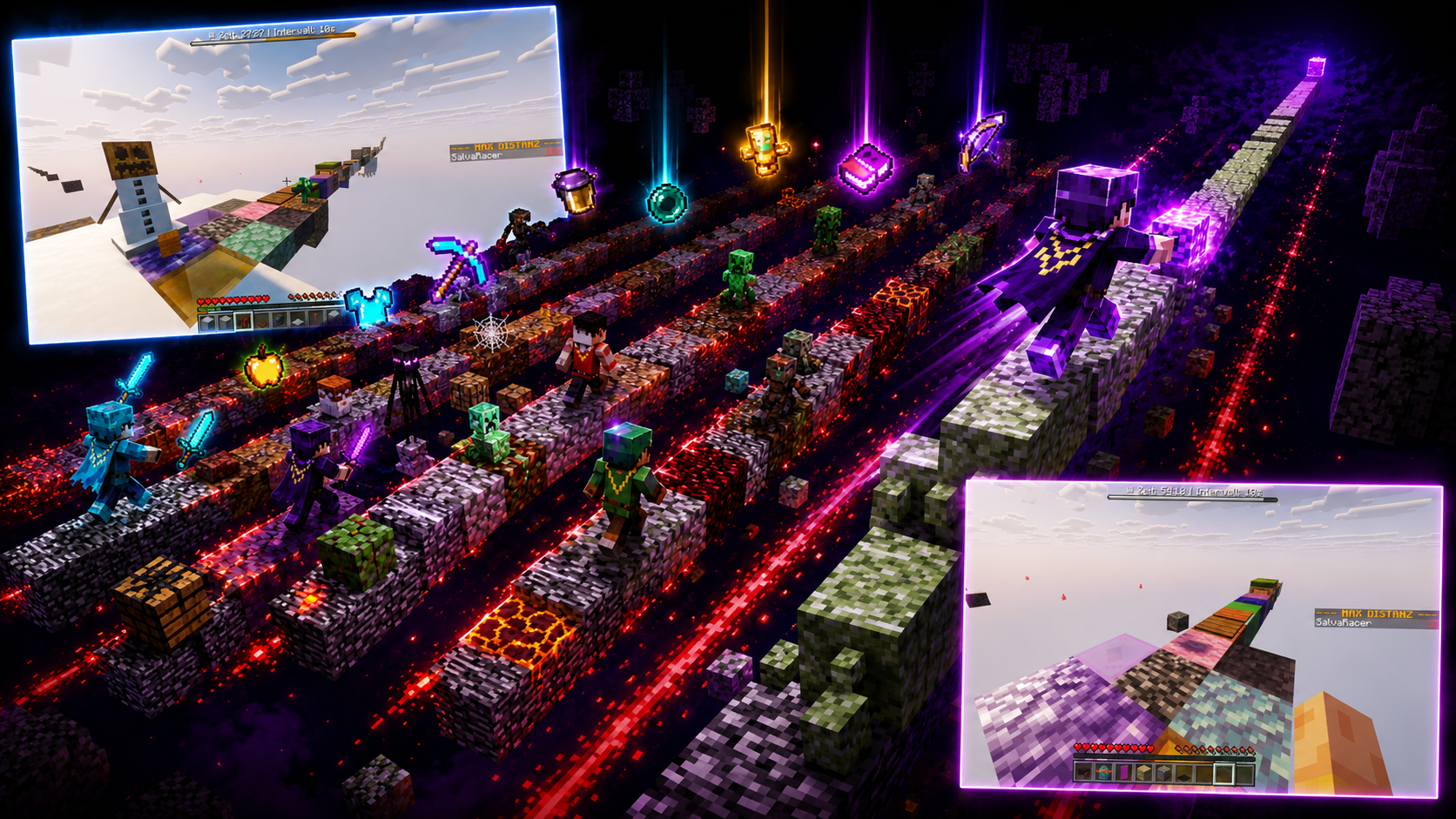
Every few seconds, each player receives a random item or block. The goal is to travel the greatest distance from the starting block before the timer runs out.
19
Downloads
0
Followers
2 months ago
Updated
📦
1
Versions
adventurecursedminigamepaper
Download Latestv1.2.0View on Modrinth

📖About Void Race Plugin

Void Race Plugin

Void Race Plugin is a Paper server plugin for a multiplayer void race minigame.

Version: 1.2-beta

Players start on separate one-block lanes in a void world. Every few seconds, each active player lane receives a random item or block. The goal is to travel the greatest distance from the starting block before the timer runs out.

screenshots

Important: An OP user or the server console must start the challenge with /voidrace start. The race does not begin automatically.

Requirements

  • Paper server for Minecraft 1.21.11
  • Java 21
  • A void/air world is recommended

Void World Setup

Use this setup on your own Paper server if you want the same empty world generation used for Void Race.

  1. Stop the server.
  2. Open server.properties.
  3. Set or replace these values:
generate-structures=false
level-type=minecraft:flat
generator-settings={"layers":[{"block":"minecraft:air","height":1}],"structures":{"structures":{}}}
allow-flight=true
  1. If the world already exists, delete these folders so Paper can regenerate them with the new settings:
world
world_nether
world_the_end
  1. Start the server again.
  2. Join as an OP user and run:
/voidrace start

allow-flight=true is recommended because players can be moved through the void during the challenge and some server setups may otherwise kick them for flying.

Commands

Only OP players and the server console can use /voidrace commands.

Command Description
/voidrace start Starts the challenge for the currently online players.
/voidrace reset Stops the challenge, clears dropped items, mobs, bosses, and lane blocks, then returns players to the lobby.
/voidrace interval <seconds> Sets how often random loot drops. Default: 10.
/voidrace duration <minutes> Sets the race duration. Default: 60.
/voidrace keepinventory <true/false> Controls whether players keep inventory after falling into the void. Default: true.

Gameplay

  • Each player gets a separate lane.
  • Lanes are separated on the X axis and bounded by red particles.
  • Loot drops only on lanes with active race participants.
  • Distance is tracked on the scoreboard by the farthest grounded distance from the player's start block.
  • Falling into the void teleports the player back to their lane start.
  • Players who join during an active race wait in the lobby and do not receive a lane, bossbar, or scoreboard.
  • When no race is running, the sidebar shows the waiting players instead of race distance.
  • Hunger and portals are disabled during the challenge.
  • On reset, non-player entities are removed so mobs and bosses from spawn eggs do not remain after the round.

Build

mvn clean package

The plugin JAR is created in target/.

👥 Team & Contributors

eckelsoft
eckelsoftOwner

⚙️ Compatibility

Environment
🖥️ Server-side
Loaders
paper
Minecraft Versions
1.211.21.91.21.101.21.11

🔗 Links

Modrinth Page