

PluginMIT
V Elevator
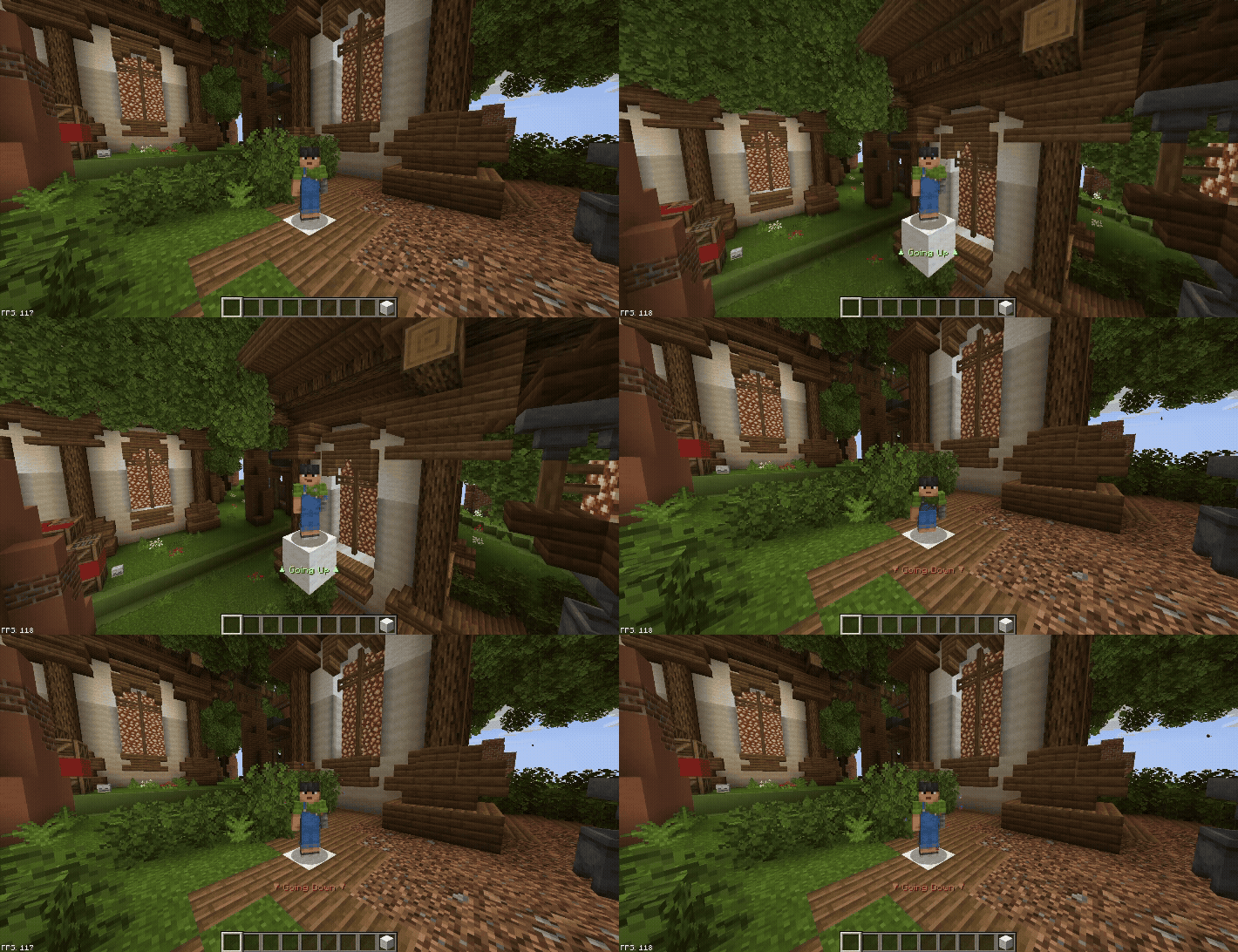
V-Elevator - Press Space to go up, Shift to go down!
142
Downloads
0
Followers
3 months ago
Updated
📦
1
Versions
📖About V Elevator
🛗 V-Elevator
Simple vertical transportation for Paper 1.21.1+ servers


✨ Features
- 🏗️ Simple Crafting - White Wool + Ender Pearl = Elevator Block
- ⬆️ Jump to Go Up - Stand on elevator and press Space
- ⬇️ Sneak to Go Down - Press Shift to descend
- 🏢 Unlimited Floors - Stack as many as you need
- ⚡ Zero Lag - Async operations, minimal footprint
- 🎨 Fully Configurable - Materials, messages, particles, recipes
- 🌍 World Blacklist - Disable in specific worlds
- 🔒 Permission Support - Control who can use/craft/admin
📦 Installation
- Download
V-Elevator.jar - Drop into
plugins/folder - Restart server
- Edit
plugins/V-Elevator/config.ymlto customize
🎮 Usage
Crafting Recipe
W W W
W E W  →  1x Elevator Block
W W W

W = White Wool, E = Ender Pearl
Creating Elevators
- Place Elevator Blocks directly above each other (same X, Z)
- Stand on top of the block (not inside)
- Jump → travel up | Sneak → travel down
📋 Commands
| Command | Description | Permission |
|---|---|---|
/elevator reload |
Reload configuration | elevator.admin |
/elevator give [player] [amount] |
Give elevator blocks | elevator.admin |
🔐 Permissions
| Permission | Default | Description |
|---|---|---|
elevator.use |
Everyone | Use elevator blocks |
elevator.craft |
Everyone | Craft elevator blocks |
elevator.admin |
OP | Access to commands |
⚙️ Configuration
⚙️ Config.yml# config.yml highlights
# ============================================
# V-Elevator - Config
# Plugin Version: 1.0.6
# MC Version: 1.21.1 (Paper)
# ============================================
# ---------------------
# Elevator Item Settings
# ---------------------
elevator-item:
# Material for the elevator block item
# Must be a valid Bukkit Material name
material: WHITE_WOOL
# Display name of the elevator block item
# Supports & color codes
display-name: "&bElevator Block"
# Lore lines shown on the item
lore:
- "&7Place this block to create an elevator."
- "&7Stand on it, press &eSpace &7to go up."
- "&7Press &eShift &7to go down."
# ---------------------
# Crafting Recipe
# ---------------------
crafting:
# Set to false to disable the crafting recipe
enabled: true
# The result count when crafting
result-amount: 1
# Recipe shape (3x3 grid)
# W = Wool ingredient | E = Ender Pearl ingredient
# Use letters defined in 'ingredients' below
shape:
- "WWW"
- "WEW"
- "WWW"
# Ingredient materials
# Key must match letters used in shape above
ingredients:
W: WHITE_WOOL
E: ENDER_PEARL
# ---------------------
# Elevator Behavior
# ---------------------
elevator:
# Maximum distance (in blocks) the elevator will scan up/down for another elevator block
max-floor-distance: 50
# Teleport sound when moving floors
# Set to '' (empty) to disable
teleport-sound: "ENTITY_ENDERMAN_TELEPORT"
# Volume of the teleport sound (0.0 - 1.0)
sound-volume: 0.5
# Pitch of the teleport sound
sound-pitch: 1.0
# ---------------------
# Particles
# ---------------------
particles:
# Enable/disable particles
enabled: true
# Particle type (must be a valid Bukkit Particle name)
type: PORTAL
# Number of particles to spawn
count: 20
# Spread/offset of particles
offset-x: 0.3
offset-y: 0.5
offset-z: 0.3
# Speed of particles
speed: 0.05
# ---------------------
# Messages (ActionBar / Title)
# ---------------------
messages:
# Show actionbar message when using elevator
actionbar-enabled: true
actionbar-up: "&a▲ ɢᴏɪɴɢ ᴜᴘ ▲"
actionbar-down: "&c▼ ɢᴏɪɴɢ ᴅᴏᴡɴ ▼"
actionbar-no-floor: "&eɴᴏ ꜰʟᴏᴏʀ ꜰᴏᴜɴᴅ ɪɴ ᴛʜᴀᴛ ᴅɪʀᴇᴄᴛɪᴏɴ!"
# Show title message when using elevator
title-enabled: false
title-up: "&aꜰʟᴏᴏʀ ᴜᴘ"
title-subtitle-up: "&7ᴍᴏᴠɪɴɢ ᴛᴏ ᴛʜᴇ ɴᴇxᴛ ꜰʟᴏᴏʀ..."
title-down: "&cꜰʟᴏᴏʀ ᴅᴏᴡɴ"
title-subtitle-down: "&7ᴍᴏᴠɪɴɢ ᴛᴏ ᴛʜᴇ ꜰʟᴏᴏʀ ʙᴇʟᴏᴡ..."
# General messages
prefix: "&8[&bᴇʟᴇᴠᴀᴛᴏʀ&8] &r"
reload-success: "&aᴄᴏɴꜰɪɢᴜʀᴀᴛɪᴏɴ ʀᴇʟᴏᴀᴅᴇᴅ ꜱᴜᴄᴄᴇꜱꜱꜰᴜʟʟʏ!"
give-success: "&aɢᴀᴠᴇ &e{amount} &aᴇʟᴇᴠᴀᴛᴏʀ(s) ᴛᴏ &e{player}&a."
no-permission: "&cʏᴏᴜ ᴅᴏɴ'ᴛ ʜᴀᴠᴇ ᴘᴇʀᴍɪꜱꜱɪᴏɴ ᴛᴏ ᴅᴏ ᴛʜᴀᴛ."
player-not-found: "&cᴘʟᴀʏᴇʀ ɴᴏᴛ ꜰᴏᴜɴᴅ."
# ---------------------
# Blocked Worlds
# ---------------------
# Elevators will NOT work in these worlds
# Players cannot place or use elevators here
blocked-worlds:
- world_example_1
- world_example_2
# ---------------------
# Debug Mode
# ---------------------
debug: false