Logo
MINECRAFTBIBLE
Items
Items

All game items

Blocks
Blocks

Building blocks

Mobs
Mobs

Creatures & monsters

Biomes
Biomes

World biomes

Structures
Structures

Generated structures

Recipes
Recipes

Crafting guides

Advancements
Advancements

Achievements

Loot Tables
Loot Tables

Drop rates

Tags
Tags

Item groupings

All Versions
View all data →
Capes
Cape ArchiveNEW

Browse rare Minecon capes, OptiFine capes, and custom capes from players worldwide

Browse

Player Database
Player DatabasePopular

Search any player

Skin Browser
Skin Browser

Browse & download skins

Cape Gallery
Cape GalleryNEW

Minecon & OptiFine capes

Seed Vault
Seed Vault

Curated seeds

Learn

Guides
GuidesNew

Tutorials & tips

Blog
Blog

News & updates

Community

Community Hub
Community HubHub

Posts, discussions & more

All Versions
View community →
Seed Analyzer
Seed Analyzer

World seed analysis

Loot Explorer
Loot Explorer

Drop rates

Crafting Calculator
Crafting Calculator

Material planning

Enchant Calculator
Enchant Calculator

Probability math

Redstone Lab
Redstone Lab

Signal timing

Trading Profit
Trading Profit

Villager ROI

All Versions
View all tools →
Mods
Mods

Browse all mods

Plugins
Plugins

Server plugins

Resource Packs
Resource Packs

Textures & sounds

Shaders
Shaders

Visual enhancements

Datapacks
Datapacks

World logic

Scanner
Mod Intelligence

Scan & analyze any mod

All Versions
View all mods →
Loading...
IntroductionIntroductionVersion HistoryVersion HistoryGuidesGuidesBlog & NewsBlog & News
ItemsItemsBlocksBlocksMobsMobsRecipesRecipesBiomesBiomesStructuresStructuresAdvancementsAdvancementsLoot TablesLoot TablesTagsTags
ModsModsPluginsPluginsResource PacksResource PacksShadersShadersDatapacksDatapacks

MinecraftBible

The Ultimate Wiki

Logo
MINECRAFTBIBLE

The ultimate Minecraft reference. Every item, block, mob, and recipe documented with precision.

Community

  • Skin Browser
  • Cape Gallery
  • Seed Vault
  • Blog
  • Guides

Database

  • Items
  • Blocks
  • Mobs
  • Recipes
  • Biomes
  • Structures

Tools

  • Seed Analyzer
  • Mod Intelligence
  • Crafting Calculator
  • Enchant Calculator

Mods & Packs

  • Mods
  • Plugins
  • Resource Packs
  • Shaders
  • Datapacks

Site & Legal

  • About
  • Authors
  • Editorial Policy
  • Corrections
  • Contact
  • Privacy Policy
  • Terms of Service
  • DMCA
  • Sitemap

© 2026 MinecraftBible. Not affiliated with Mojang or Microsoft.

PrivacyTermsContact
VanishCore
PluginApache-2.0

VanishCore

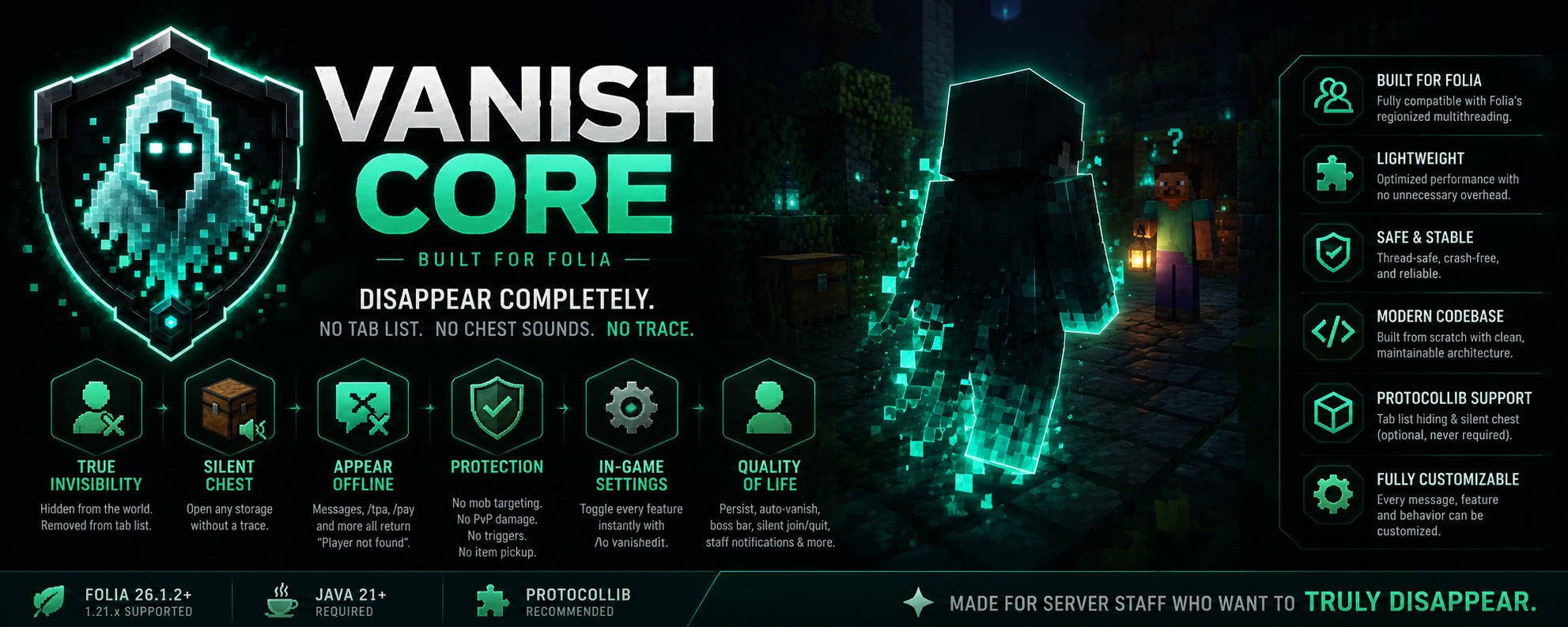
A modern, lightweight vanish plugin built natively for Folia. Disappear completely. No tab list. No chest sounds. No trace.
16
Downloads
0
Followers
4 weeks ago
Updated
📦
4
Versions
game-mechanicsmanagementutilitybukkitbungeecordfoliapaperpurpurspigotvelocity
Download Latestv1.0.3View on Modrinth

📖About VanishCore

VANISH CORE

✨ VanishCore

A lightweight, CMI-style vanish plugin built natively for Folia.

v1.0.3 · Folia 26.1.x · Java 21


VanishCore hides staff members from regular players — they are removed from view, from the
tab list, and appear completely offline to common commands. It is written around Folia's
regionized scheduler model, so it runs correctly on Folia without relying on the legacy
Bukkit.getScheduler().

Features · Commands · Permissions · Placeholders · Configuration · Installation · Requirements


Features

🫥 Invisibility

  • Vanished players are removed from other players' view entirely.
  • Tab-list removal so the name no longer appears in the player list (requires ProtocolLib).
  • Optional night vision while vanished (toggleable).
  • Optional invisibility effect to hide held items and armor from clients still rendering them.

🔢 Vanish priority levels

  • Each vanished player has a vanish level, so higher-ranked staff can see lower-ranked vanished staff while staying hidden from everyone else.
  • Visibility is granted through vanishcore.level.<n> permissions — a viewer sees vanished players of their level or lower.
  • vanishcore.see acts as the master permission and reveals all vanished players.

📦 Silent chest

  • Open chests, barrels, shulker boxes, and ender chests without the lid animation or sound being shown to others.
  • Requires ProtocolLib; disabled automatically if it is not installed.

👻 Appear fully offline

  • Vanished players are reported as offline to configurable commands such as /msg, /pay, /tpa, and /trade — the sender simply gets "Player not found".
  • The full list of intercepted commands is configurable.
  • Staff with vanishcore.see (or sufficient level) can still reach vanished players normally.

🛡️ Protection while vanished

  • Mobs do not target vanished players.
  • Vanished players take no damage from player attacks or projectiles.
  • Pressure plates, tripwires, and turtle eggs are not triggered.
  • Item pickup can optionally be disabled.

🔇 Stay truly hidden

  • Death messages are not broadcast when a vanished player dies.
  • Advancement / achievement announcements are suppressed.
  • Sculk sensors, sculk shriekers, and the Warden never detect a vanished player (vibrations are cancelled).
  • Phantoms never spawn on vanished players — "time since rest" is reset so a phantom can't dive in and reveal them.

🎨 Settings GUI

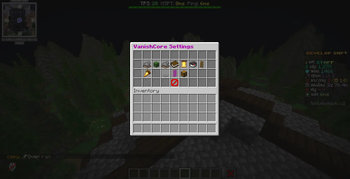
  • /vanishedit opens a clean, clickable settings menu.
  • Every feature can be toggled at runtime — no config editing or restart required.
  • Changes are saved immediately and the menu refreshes in place.

🌐 Cross-platform aware

  • Floodgate / Geyser support: optionally skip raw-packet features (tab-list filtering, silent chest) for Bedrock players, since Geyser translates their packets. Entity-level hiding still applies to everyone.

⚙️ Additional options

  • Vanish state persists across reconnects.
  • Auto-vanish on join for permitted staff.
  • Optional boss bar indicator while vanished.
  • Optional hidden join/quit messages and staff notifications.
  • PlaceholderAPI expansion for displaying vanish status anywhere.
  • Fully configurable messages with & color codes.

Commands

Command Aliases Description Permission
/vanish [player] /v, /uvanish Toggle vanish for yourself or another player vanishcore.use
/vanishlist /vlist, /vanishedlist List currently vanished players vanishcore.list
/vanishmsg <player> <message> /vmsg Message a vanished staff member vanishcore.msgvanish
/vanishedit [setting] [on|off] /vedit Open the settings GUI or toggle a feature vanishcore.edit

Permissions

Permission Description Default
vanishcore.use Use /vanish on yourself op
vanishcore.others Vanish or unvanish other players op
vanishcore.see See all vanished players (highest level) false
vanishcore.level.1 See vanished players of level 1 or lower false
vanishcore.level.2 See vanished players of level 2 or lower false
vanishcore.level.3 See vanished players of level 3 or lower false
vanishcore.list View the list of vanished players op
vanishcore.autovanish Automatically vanish on join false
vanishcore.msgvanish Message vanished players op
vanishcore.edit Toggle features via /vanishedit op

Note: vanishcore.see defaults to false, so operators do not see vanished players unless the permission is explicitly granted. Grant vanishcore.see (or a vanishcore.level.<n>) only to ranks that should be able to see vanished players.


Placeholders

Requires PlaceholderAPI. Expansion identifier: vanishcore.

Placeholder Returns
%vanishcore_vanished% true / false for the player
%vanishcore_status% Vanished / Visible (configurable text)
%vanishcore_level% The player's vanish level (0 if not vanished)
%vanishcore_count% Number of currently vanished players
%vanishcore_count_visible% Vanished players the viewer is allowed to see
%vanishcore_list% Comma-separated names the viewer may see

Configuration

All behavior is configured in plugins/VanishCore/config.yml, or toggled live via /vanishedit.

vanish:
  apply-invisibility: false       # hide held items/armor on lingering clients
  apply-night-vision: true        # let vanished staff see in the dark
  prevent-mob-targeting: true
  prevent-item-pickup: false
  hide-join-quit-messages: true
  notify-staff-on-toggle: true
  persist-across-rejoin: true
  prevent-pvp-damage: true
  prevent-physical-triggers: true # pressure plates / tripwires / turtle eggs
  show-bossbar: true
  hide-death-messages: true
  hide-advancement-messages: true
  hide-from-sculk: true           # sculk sensors / shriekers / Warden
  prevent-phantoms: true
  fake-offline: true              # appear offline to /msg, /pay, /tpa, ...
  intercept-commands: [ msg, tell, pay, tpa, trade, ... ]

protocollib:
  silent-chest-open: true

geyser:
  skip-packet-features-for-bedrock: false

placeholders:
  status-vanished: "Vanished"
  status-visible: "Visible"

Every message is configurable with & color codes under the messages: section.


Installation

  1. Place VanishCore-1.0.3.jar in your server's plugins/ folder.
  2. (Optional) Install ProtocolLib to enable tab-list hiding and silent chest.
  3. (Optional) Install PlaceholderAPI for the placeholders above.
  4. (Optional) Install Floodgate if you run a Geyser/Bedrock setup.
  5. Restart the server.
  6. Adjust settings in plugins/VanishCore/config.yml, or use /vanishedit in-game.

Without ProtocolLib the plugin still runs — only tab-list hiding and silent chest are disabled.


🧵 Folia support

Folia ticks each region of the world on its own thread, so plugins that call the legacy
Bukkit.getScheduler() can fail on Folia. VanishCore avoids this entirely:

  • Uses RegionScheduler, EntityScheduler, and AsyncScheduler only.
  • Entity and player actions run on the owning region thread, with retired-task callbacks.
  • Shared state uses thread-safe concurrent collections.
  • Bukkit.getScheduler() is never used.

Requirements

Server Folia 1.21.x (tested on 26.1.2)
Java 21 or newer
Optional ProtocolLib — tab-list hiding & silent chest
Optional PlaceholderAPI — %vanishcore_*% placeholders
Optional Floodgate — Geyser/Bedrock packet handling

Made for Folia · VanishCore v1.0.3

👥 Team & Contributors

sainfu9
sainfu9Owner

⚙️ Compatibility

Environment
🖥️ Server-side
Loaders
bukkitbungeecordfoliapaperpurpurspigotvelocity
Minecraft Versions
26.126.1.126.1.2

🔗 Links

Modrinth Page