Logo
MINECRAFTBIBLE
Items
Items

All game items

Blocks
Blocks

Building blocks

Mobs
Mobs

Creatures & monsters

Biomes
Biomes

World biomes

Structures
Structures

Generated structures

Recipes
Recipes

Crafting guides

Advancements
Advancements

Achievements

Loot Tables
Loot Tables

Drop rates

Tags
Tags

Item groupings

All Versions
View all data →
Capes
Cape ArchiveNEW

Browse rare Minecon capes, OptiFine capes, and custom capes from players worldwide

Browse

Player Database
Player DatabasePopular

Search any player

Skin Browser
Skin Browser

Browse & download skins

Cape Gallery
Cape GalleryNEW

Minecon & OptiFine capes

Seed Vault
Seed Vault

Curated seeds

Learn

Guides
GuidesNew

Tutorials & tips

Blog
Blog

News & updates

Community

Community Hub
Community HubHub

Posts, discussions & more

All Versions
View community →
Seed Analyzer
Seed Analyzer

World seed analysis

Loot Explorer
Loot Explorer

Drop rates

Crafting Calculator
Crafting Calculator

Material planning

Enchant Calculator
Enchant Calculator

Probability math

Redstone Lab
Redstone Lab

Signal timing

Trading Profit
Trading Profit

Villager ROI

All Versions
View all tools →
Mods
Mods

Browse all mods

Plugins
Plugins

Server plugins

Resource Packs
Resource Packs

Textures & sounds

Shaders
Shaders

Visual enhancements

Datapacks
Datapacks

World logic

Scanner
Mod Intelligence

Scan & analyze any mod

All Versions
View all mods →
Loading...
IntroductionIntroductionVersion HistoryVersion HistoryGuidesGuidesBlog & NewsBlog & News
ItemsItemsBlocksBlocksMobsMobsRecipesRecipesBiomesBiomesStructuresStructuresAdvancementsAdvancementsLoot TablesLoot TablesTagsTags
ModsModsPluginsPluginsResource PacksResource PacksShadersShadersDatapacksDatapacks

MinecraftBible

The Ultimate Wiki

Logo
MINECRAFTBIBLE

The ultimate Minecraft reference. Every item, block, mob, and recipe documented with precision.

Community

  • Skin Browser
  • Cape Gallery
  • Seed Vault
  • Blog
  • Guides

Database

  • Items
  • Blocks
  • Mobs
  • Recipes
  • Biomes
  • Structures

Tools

  • Seed Analyzer
  • Mod Intelligence
  • Crafting Calculator
  • Enchant Calculator

Mods & Packs

  • Mods
  • Plugins
  • Resource Packs
  • Shaders
  • Datapacks

Site & Legal

  • About
  • Authors
  • Editorial Policy
  • Corrections
  • Contact
  • Privacy Policy
  • Terms of Service
  • DMCA
  • Sitemap

© 2026 MinecraftBible. Not affiliated with Mojang or Microsoft.

PrivacyTermsContact
UltraPickaxe
PluginLicenseRef-All-Rights-Reserved

UltraPickaxe

Introducing the latest pickaxes, now with the ability to dig in a 3x3 area and beyond.

1.6K
Downloads
7
Followers
9 months ago
Updated
📦
6
Versions
game-mechanicsbukkitpaperpurpurspigot
Download Latestv1.2.5View on Modrinth

📖About UltraPickaxe

UltraPickaxe: Redefining Mining Mastery

Experience the pinnacle of mining prowess with UltraPickaxe, a groundbreaking plugin that revolutionizes the way you excavate in Minecraft. Say goodbye to conventional pickaxes and embrace a new era of customization and power.

With UltraPickaxe, the control is firmly in your hands. Customize your pickaxe's radius and depth of excavation with ease, tailoring it to your specific needs and preferences.
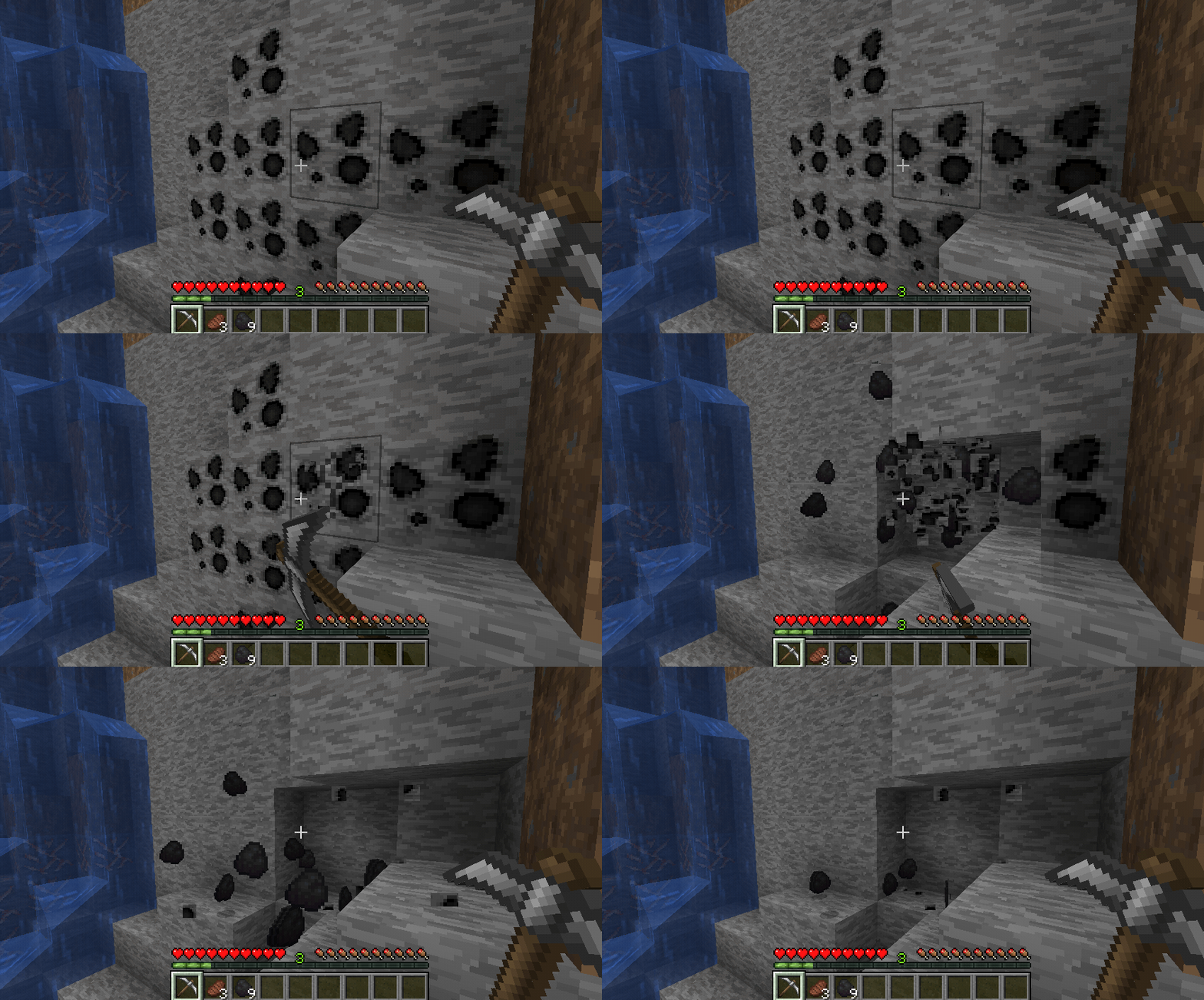
Whether you're embarking on a solo mining expedition or leading a bustling community project, UltraPickaxe adapts seamlessly to your gameplay style. Its intuitive configuration system ensures that every swing of your pickaxe is precisely calibrated to maximize efficiency and yield.

But the true beauty of UltraPickaxe lies in its simplicity. By eschewing complex commands in favor of a straightforward configuration file, we've made harnessing its power accessible to players of all skill levels. Dive into the depths of Minecraft with confidence, knowing that UltraPickaxe is by your side, ready to elevate your mining experience to new heights.

Experience the future of mining with UltraPickaxe – where customization meets convenience, and every swing brings you one step closer to greatness.


Getting Started

  1. Place the plugin file in the plugins folder.
  2. Restart the server.
  3. Use the command /ultrapickaxe give [nickname] [pickaxe name].

Commands

  • /ultrapickaxe give [nickname] [pickaxe name]
    Gives an UltraPickaxe to the specified player.
    (Requires permission ultrapickaxe.admin)

Permissions

  • ultrapickaxe.admin
    Grants access to the /ultrapickaxe give command.

👥 Team & Contributors

imperialroma10
imperialroma10Owner

⚙️ Compatibility

Environment
🖥️ Server-side
Loaders
bukkitpaperpurpurspigot
Minecraft Versions
1.161.16.11.16.21.16.31.16.41.16.51.171.17.1+27 more

🔗 Links

Modrinth Page