Logo
MINECRAFTBIBLE
Items
Items

All game items

Blocks
Blocks

Building blocks

Mobs
Mobs

Creatures & monsters

Biomes
Biomes

World biomes

Structures
Structures

Generated structures

Recipes
Recipes

Crafting guides

Advancements
Advancements

Achievements

Loot Tables
Loot Tables

Drop rates

Tags
Tags

Item groupings

All Versions
View all data →
Capes
Cape ArchiveNEW

Browse rare Minecon capes, OptiFine capes, and custom capes from players worldwide

Browse

Player Database
Player DatabasePopular

Search any player

Skin Browser
Skin Browser

Browse & download skins

Cape Gallery
Cape GalleryNEW

Minecon & OptiFine capes

Seed Vault
Seed Vault

Curated seeds

Learn

Guides
GuidesNew

Tutorials & tips

Blog
Blog

News & updates

Community

Community Hub
Community HubHub

Posts, discussions & more

All Versions
View community →
Seed Analyzer
Seed Analyzer

World seed analysis

Loot Explorer
Loot Explorer

Drop rates

Crafting Calculator
Crafting Calculator

Material planning

Enchant Calculator
Enchant Calculator

Probability math

Redstone Lab
Redstone Lab

Signal timing

Trading Profit
Trading Profit

Villager ROI

All Versions
View all tools →
Mods
Mods

Browse all mods

Plugins
Plugins

Server plugins

Resource Packs
Resource Packs

Textures & sounds

Shaders
Shaders

Visual enhancements

Datapacks
Datapacks

World logic

Scanner
Mod Intelligence

Scan & analyze any mod

All Versions
View all mods →
Loading...
IntroductionIntroductionVersion HistoryVersion HistoryGuidesGuidesBlog & NewsBlog & News
ItemsItemsBlocksBlocksMobsMobsRecipesRecipesBiomesBiomesStructuresStructuresAdvancementsAdvancementsLoot TablesLoot TablesTagsTags
ModsModsPluginsPluginsResource PacksResource PacksShadersShadersDatapacksDatapacks

MinecraftBible

The Ultimate Wiki

Logo
MINECRAFTBIBLE

The ultimate Minecraft reference. Every item, block, mob, and recipe documented with precision.

Community

  • Skin Browser
  • Cape Gallery
  • Seed Vault
  • Blog
  • Guides

Database

  • Items
  • Blocks
  • Mobs
  • Recipes
  • Biomes
  • Structures

Tools

  • Seed Analyzer
  • Mod Intelligence
  • Crafting Calculator
  • Enchant Calculator

Mods & Packs

  • Mods
  • Plugins
  • Resource Packs
  • Shaders
  • Datapacks

Site & Legal

  • About
  • Authors
  • Editorial Policy
  • Corrections
  • Contact
  • Privacy Policy
  • Terms of Service
  • DMCA
  • Sitemap

© 2026 MinecraftBible. Not affiliated with Mojang or Microsoft.

PrivacyTermsContact
TridentboxRooms
PluginMIT

TridentboxRooms

Automated 1v1 PvP arena system with dynamic glass cages and portals. High-performance BoxPvP and KitPvP solution for Paper/Spigot servers.

5
Downloads
0
Followers
3 months ago
Updated
📦
1
Versions
game-mechanicsmanagementutilitybukkitpaperpurpurspigot
Download Latestv1.0.1View on Modrinth

📖About TridentboxRooms

TridentboxRooms | The Ultimate Automated 1v1 PvP Arena Solution

High-performance, fully automated 1v1 PvP system designed for modern Minecraft servers.

GUI Showcase


Overview

TridentboxRooms removes the need for manual duels or complex lobby setups. Players simply walk into a designated area, and the plugin handles everything—from sealing the perimeter with dynamic glass cages to managing win/loss states and teleportation.

Why Choose TridentboxRooms?

Whether you run a BoxPvP, Factions, or KitPvP server, providing a seamless 1v1 experience is essential. This plugin is a "Set and Forget" solution. With high-performance indexing and a built-in GUI editor, you can deploy professional combat rooms in minutes without touching a single configuration file.

Arena Editor GUI
arenaeditor
Configure everything in-game with zero file editing required.


Unique Arena Modes

  1. Glass Mode: Perfect for open-world zones. When a fight starts, a temporary glass perimeter seals the area.
  2. Portal Mode: Ideal for lobbies. Players step into 3D zones and are teleported to a private arena.

Arena Showcases

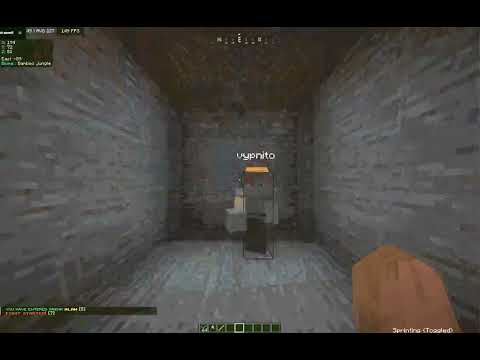
Glass Arena in Action Portal Arena Entrance
Glass Arena Video Portal Arena Video

Key Features

  • Advanced Potion System: Apply any of the 30+ Minecraft potion effects per arena.
  • Intelligent Session Management: Winner stays feature allows back-to-back challenges.
  • Built-in Anti-Escape: Automatically blocks Ender Pearls, Chorus Fruit, and Flight during combat.
  • PlaceholderAPI Support: Display arena status and fighter statistics on your scoreboard.

Potion Configuration Menu
potioneditor


Technical Excellence

  • Zero-Lag Design: O(1) Spatial Indexing for instantaneous player detection.
  • Professional Aesthetics: Custom Unicode font mode for all in-game messages.
  • Dynamic Action Bar: Real-time countdowns for winners and session status.
  • Flexible Storage: Native support for YAML, H2, and MySQL.
Clean Small Font Style Action Bar Countdown
![Small Font]buildingoff ![Action Bar]glassdissapear
potion

Commands & Permissions

Command Permission Description
/arena wand tridentbox.admin.wand Get the region selection wand
/arena portalwand tridentbox.admin.wand Get the portal zone wand
/arena create <name> <type> tridentbox.admin.create Create GLASS or PORTAL arena
/arena edit <name> tridentbox.admin.edit Open the arena editor GUI
/arena info <name> tridentbox.admin.info Show detailed arena info
/arena reload tridentbox.admin.reload Reload config and messages

Support & Documentation

  • Official Wiki: tbox.vypnito.site
  • Discord Community: discord.gg/QnXYFhfPbE

Search Keywords: pvp, 1v1, arena, boxpvp, kitpvp, automated, portal, glass, duels

👥 Team & Contributors

No authors recorded.

⚙️ Compatibility

Environment
🖥️ Server-side
Loaders
bukkitpaperpurpurspigot
Minecraft Versions
1.201.20.11.20.21.20.31.20.41.20.51.20.61.21+11 more

🔗 Links

Modrinth Page