


TeleportEffects
A Bukkit Plugin created to intercept every teleport in the server and add a cooldown with effects.
📖About TeleportEffects
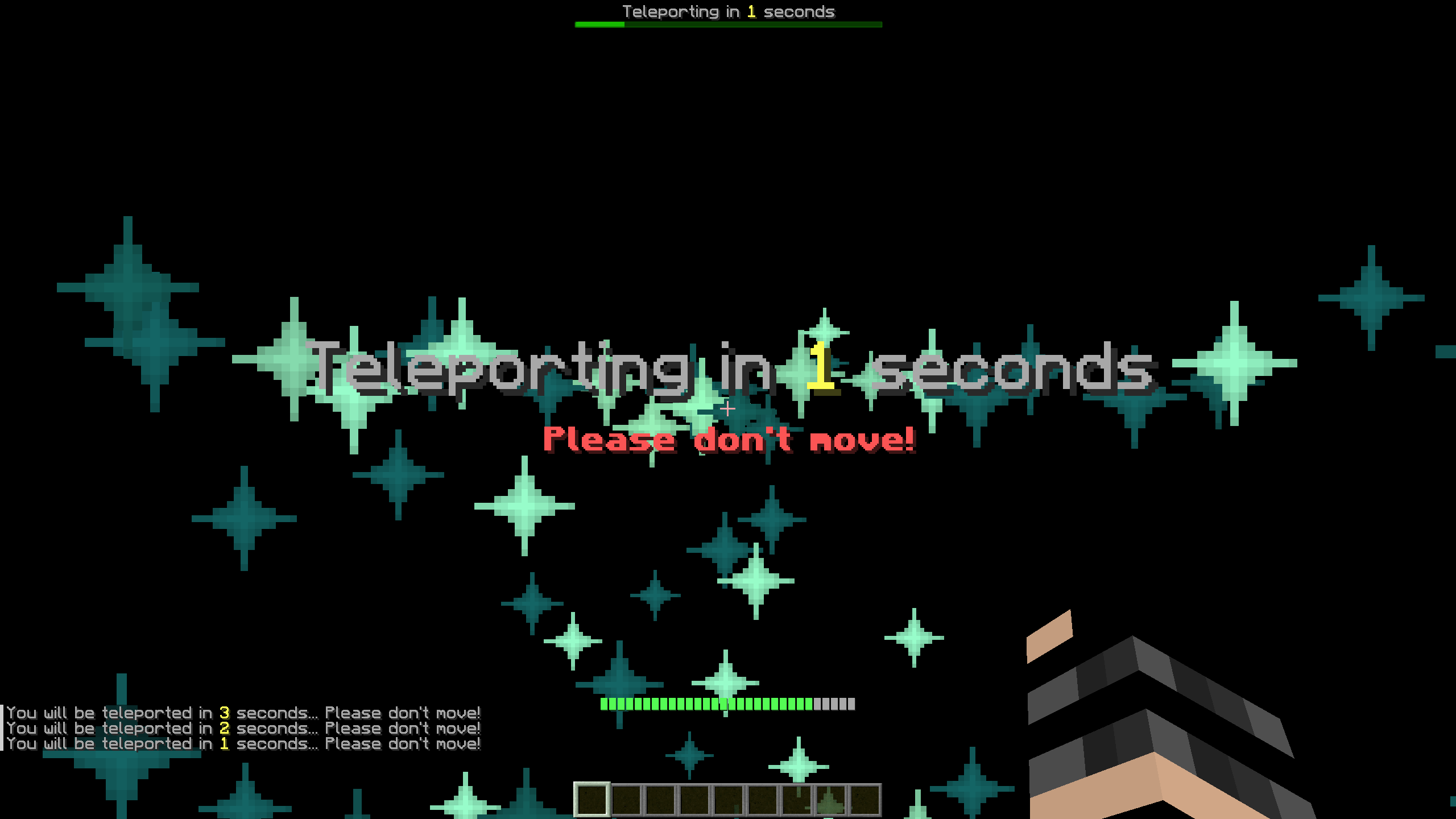
TeleportEffects is a Bukkit plugin that intercepts every teleportand re-schedules it while creating some particle effects on the start and destination points.
Before continuing, this page is a presentation with minimal information of the plugin. If you want a more complete explanation, you are encouraged to check out the GitHub Wiki page.
Commands
The plugin offers only one command: /toggleteleporteffects
/toggleteleporteffects
Permission: teleporteffects.toggle
Aliases: [toggleteleporte, togglete, tte]
Having tested TeleportEffects on a real server, what most people found annoying (for visual or performance reasons) were the effects themselves. Even though this kind of defeats one of the main features of the plugin, the ToggleTeleportEffects command was implemented, and it does exactly that: it hides every effect created from the plugin for the player that uses it. This option is saved for every user, meaning that it is not required to execute the command at every login.
Permissions
teleporteffects.bypass: All the users that have this permission will automatically bypass the teleport cooldown. This is advised for admin or staff users.
teleporteffects.toggle: The permission required to execute the command /toggleteleporteffects.
Configuration
Every teleport is composed of four stages of particles spawning. Each one of them is characterized by some of the parameters of the config.yml and changing these, will change the stages themselves.
Stage1
The Stage1 is the first stage that appears. This stage lasts for 1/3 of the total duration, so, by default, 1 seconds.
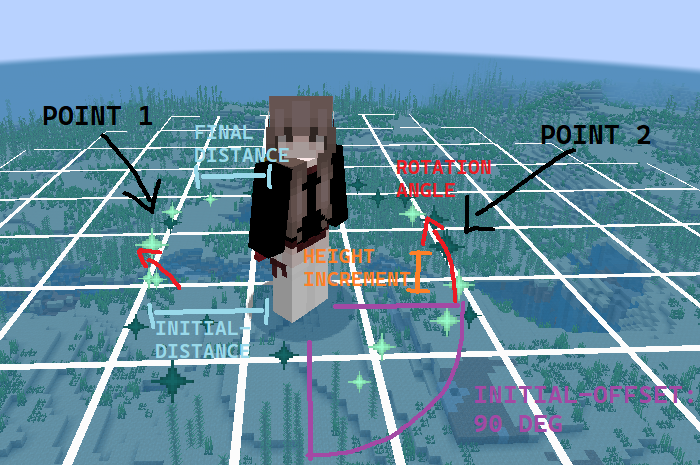
X points will be equally divided along a circle that will be translated by initial-offset degrees starting from the position of the player eyes and of radius initial-distance. Then, every tick (duration between an iteration and another), those particles will be rotated by rotation-angle, their height will be +height-increment blocks from their previous value, and they will be closer to the player. After 1/3 duration seconds, the particles will have reached final-distance, they will stop spawning and Stage2 will begin.
Stage2
Stage2 will be the followup to Stage1, starting off right from where the first stage finished. This stage lasts for 2/3 of the total duration, so, by default, 2 seconds.
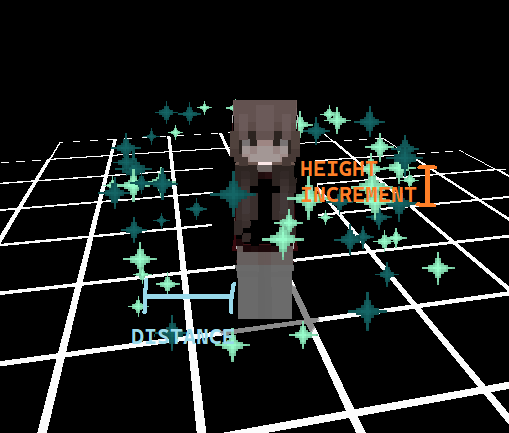
So, this stage takes directly from Stage1 the last position of the particles and from there it starts spawning particles both above and below that level, at height-increment blocks of distance from the previous iteration. All the other options are inherited and continued from the first stage, but do note that in this case final-distance will actually be the initial and final distance from the player.
Stage3
While the previous two stages are sequential, the third stage happens simultaneously as the Stage2. This means that it starts after 1/3 of the total duration, and it has the same duration as the second stage. However, Stage3 spawns particles not around the player, as previously seen, but at the teleport destination.
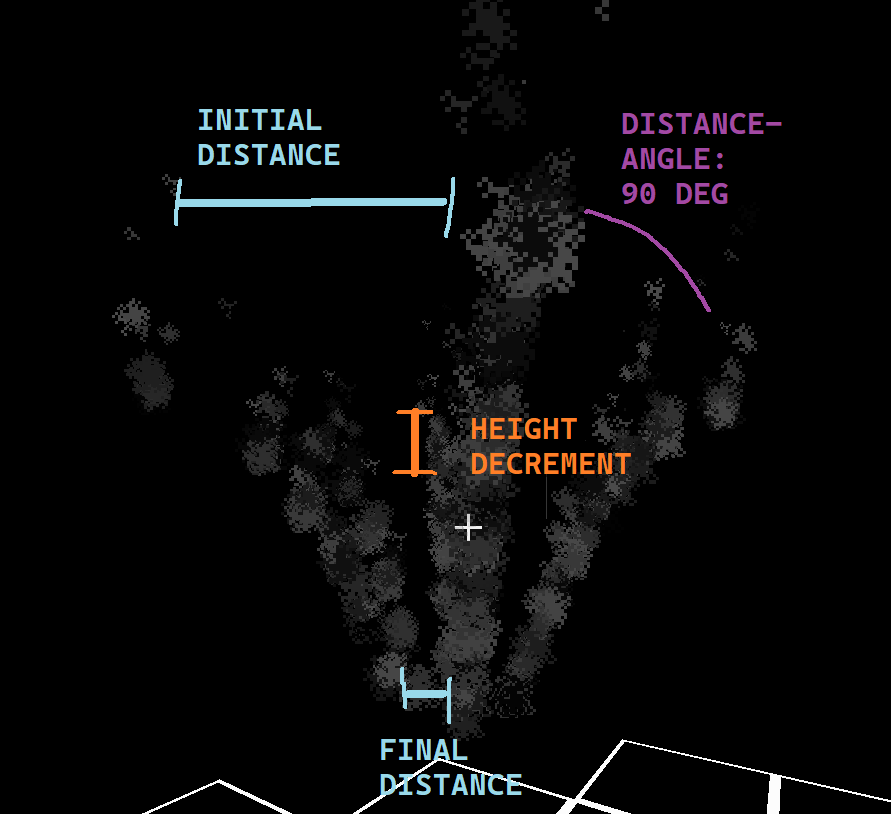
The Stage3 starts spawning particles 2.5 blocks higher than the final destination in a circular radius. It will spawn 360° / distance-angle points at a radius of initial-distance blocks. Then, these particles will descent by height-decrement blocks every tick (duration between an iteration and another) until they reach the final-distance distance in blocks from the destination location. At that point, Stage4 will commence.
Stage4
Stage4 is the last and less important stage. It is directly linked to Stage3 ending, but it happens after the teleporthappened (so past the duration seconds).
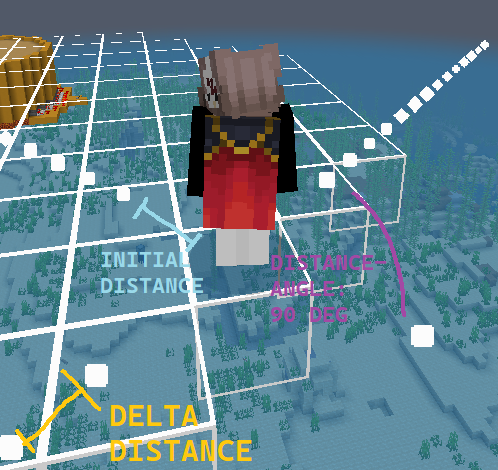
So, Stage4 particles will be spawned at the player's feet in a circular radius, similar to Stage3 particles, using the same numbers of points as the previous stage. They will move in a straight line until stage4-duration seconds will have passed, then they will be removed.
API
TeleportEffects is a relatively small plugin, and some may want to integrate it in their custom mode core (for example a FactionCore) or in their teleportation plugin. In any case, achieving this goal is trivial.
To further know how to use TeleportEffects API and more information about the plugin, check out the Wiki at the GitHub page.