Logo
MINECRAFTBIBLE
Items
Items

All game items

Blocks
Blocks

Building blocks

Mobs
Mobs

Creatures & monsters

Biomes
Biomes

World biomes

Structures
Structures

Generated structures

Recipes
Recipes

Crafting guides

Advancements
Advancements

Achievements

Loot Tables
Loot Tables

Drop rates

Tags
Tags

Item groupings

All Versions
View all data →
Capes
Cape ArchiveNEW

Browse rare Minecon capes, OptiFine capes, and custom capes from players worldwide

Browse

Player Database
Player DatabasePopular

Search any player

Skin Browser
Skin Browser

Browse & download skins

Cape Gallery
Cape GalleryNEW

Minecon & OptiFine capes

Seed Vault
Seed Vault

Curated seeds

Learn

Guides
GuidesNew

Tutorials & tips

Blog
Blog

News & updates

Community

Community Hub
Community HubHub

Posts, discussions & more

All Versions
View community →
Seed Analyzer
Seed Analyzer

World seed analysis

Loot Explorer
Loot Explorer

Drop rates

Crafting Calculator
Crafting Calculator

Material planning

Enchant Calculator
Enchant Calculator

Probability math

Redstone Lab
Redstone Lab

Signal timing

Trading Profit
Trading Profit

Villager ROI

All Versions
View all tools →
Mods
Mods

Browse all mods

Plugins
Plugins

Server plugins

Resource Packs
Resource Packs

Textures & sounds

Shaders
Shaders

Visual enhancements

Datapacks
Datapacks

World logic

Scanner
Mod Intelligence

Scan & analyze any mod

All Versions
View all mods →
Loading...
IntroductionIntroductionVersion HistoryVersion HistoryGuidesGuidesBlog & NewsBlog & News
ItemsItemsBlocksBlocksMobsMobsRecipesRecipesBiomesBiomesStructuresStructuresAdvancementsAdvancementsLoot TablesLoot TablesTagsTags
ModsModsPluginsPluginsResource PacksResource PacksShadersShadersDatapacksDatapacks

MinecraftBible

The Ultimate Wiki

Logo
MINECRAFTBIBLE

The ultimate Minecraft reference. Every item, block, mob, and recipe documented with precision.

Community

  • Skin Browser
  • Cape Gallery
  • Seed Vault
  • Blog
  • Guides

Database

  • Items
  • Blocks
  • Mobs
  • Recipes
  • Biomes
  • Structures

Tools

  • Seed Analyzer
  • Mod Intelligence
  • Crafting Calculator
  • Enchant Calculator

Mods & Packs

  • Mods
  • Plugins
  • Resource Packs
  • Shaders
  • Datapacks

Site & Legal

  • About
  • Authors
  • Editorial Policy
  • Corrections
  • Contact
  • Privacy Policy
  • Terms of Service
  • DMCA
  • Sitemap

© 2026 MinecraftBible. Not affiliated with Mojang or Microsoft.

PrivacyTermsContact
SweetLocks
PluginAGPL-3.0-only

SweetLocks

A old-fasion vault money paid doors mechanism for new server!

48
Downloads
0
Followers
1 months ago
Updated
📦
3
Versions
economytechnologyutilitybukkitfoliapaperpurpurspigot
Download Latestv1.0.7View on Modrinth

📖About SweetLocks

SweetLocks

A nostalgic recreation of an old-fashion paid iron door plugin.

Default configurations are in Chinese. Check localization repository for English or other language.

Introduction

Back when I played on a 1.6 server around the 1.8 era, there was a feature called Paid Door.
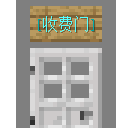
You simply placed a sign on the block above an iron door:

  • First line: [lock] (something like that, similar to the [Private] lock sign in Lockette)
  • Second line: Vault money price, e.g. 100
  • Third line: empty
  • Fourth line: flag - I, O, E, NM, NP mean:
    • I = Allow entry
    • O = Allow exit
    • E = Require empty inventory
    • NM = Require 0 Vault money
    • NP = Require no potion effects

This creates a paid door. Players pay Vault money to teleport to the other side,
perfect for lottery machines, security gates, etc.

As far as I know, the original paid door plugin has been abandoned for a long time,
so I decided to reimplement and improve it. The logic is actually quite simple.

Legacy Version Compatibility Note

Versions below 1.14 only receive limited support.
They are more likely to conflict with other plugins, and it is hard to identify which plugin causes the conflict.

If any plugin runs block.getState().update(); on a sign,
the paid door will stop working.

This is due to Bukkit's old API.
Older versions only use the deprecated § color code for formatting,
which erases text components the plugin uses to store data.

Commands

Root command: /sweetlocks
Aliases: /slocks, /locks, /sl

Command Description Permission
/locks Show help None
/locks reload Reload config OP/Console

Permissions

  • sweet.locks.create — Allow creating paid doors
  • sweet.locks.bypass.tax — Bypass tax on Vault money collected by the door creator
  • sweet.locks.bypass.distance — Bypass distance limit for using paid doors (default: within 2.6 blocks)

Usage

Just write $lock (or your custom keyword in config) on the first line of a sign.
Once you finish placing the sign, a paid door with price 0 money and allow entry/exit will be created,
and the edit menu will open.

The creator can Shift + Right-click the sign to open the edit menu,
where they can set the price and flags for the door.

When a player right-clicks the door, it shows:
"Costs X coins to enter. Hold Shift + Right-click to enter/exit."
Right-click the sign to view door info.

Mechanism

All paid door data is saved to the sign block using item-nbt-api which embedded into plugin.
Transaction notifications are stored in a local data file and sent/cleared when the player logs in.

  • For 1.14+: Data is stored in the block's PersistentDataContainer.
  • For versions below 1.14: Data is stored in the insertion field of the first sign line.

👥 Team & Contributors

MrXiaoM
MrXiaoMOwner

⚙️ Compatibility

Environment
🖥️ Server-side
Loaders
bukkitfoliapaperpurpurspigot
Minecraft Versions
1.81.91.101.111.121.131.141.15+7 more

🔗 Links

Modrinth Page