Logo
MINECRAFTBIBLE
Items
Items

All game items

Blocks
Blocks

Building blocks

Mobs
Mobs

Creatures & monsters

Biomes
Biomes

World biomes

Structures
Structures

Generated structures

Recipes
Recipes

Crafting guides

Advancements
Advancements

Achievements

Loot Tables
Loot Tables

Drop rates

Tags
Tags

Item groupings

All Versions
View all data →
Capes
Cape ArchiveNEW

Browse rare Minecon capes, OptiFine capes, and custom capes from players worldwide

Browse

Player Database
Player DatabasePopular

Search any player

Skin Browser
Skin Browser

Browse & download skins

Cape Gallery
Cape GalleryNEW

Minecon & OptiFine capes

Seed Vault
Seed Vault

Curated seeds

Learn

Guides
GuidesNew

Tutorials & tips

Blog
Blog

News & updates

Community

Community Hub
Community HubHub

Posts, discussions & more

All Versions
View community →
Seed Analyzer
Seed Analyzer

World seed analysis

Loot Explorer
Loot Explorer

Drop rates

Crafting Calculator
Crafting Calculator

Material planning

Enchant Calculator
Enchant Calculator

Probability math

Redstone Lab
Redstone Lab

Signal timing

Trading Profit
Trading Profit

Villager ROI

All Versions
View all tools →
Mods
Mods

Browse all mods

Plugins
Plugins

Server plugins

Resource Packs
Resource Packs

Textures & sounds

Shaders
Shaders

Visual enhancements

Datapacks
Datapacks

World logic

Scanner
Mod Intelligence

Scan & analyze any mod

All Versions
View all mods →
Loading...
IntroductionIntroductionVersion HistoryVersion HistoryGuidesGuidesBlog & NewsBlog & News
ItemsItemsBlocksBlocksMobsMobsRecipesRecipesBiomesBiomesStructuresStructuresAdvancementsAdvancementsLoot TablesLoot TablesTagsTags
ModsModsPluginsPluginsResource PacksResource PacksShadersShadersDatapacksDatapacks

MinecraftBible

The Ultimate Wiki

Logo
MINECRAFTBIBLE

The ultimate Minecraft reference. Every item, block, mob, and recipe documented with precision.

Community

  • Skin Browser
  • Cape Gallery
  • Seed Vault
  • Blog
  • Guides

Database

  • Items
  • Blocks
  • Mobs
  • Recipes
  • Biomes
  • Structures

Tools

  • Seed Analyzer
  • Mod Intelligence
  • Crafting Calculator
  • Enchant Calculator

Mods & Packs

  • Mods
  • Plugins
  • Resource Packs
  • Shaders
  • Datapacks

Site & Legal

  • About
  • Authors
  • Editorial Policy
  • Corrections
  • Contact
  • Privacy Policy
  • Terms of Service
  • DMCA
  • Sitemap

© 2026 MinecraftBible. Not affiliated with Mojang or Microsoft.

PrivacyTermsContact
Spawnersilk
PluginGPL-3.0-only

Spawnersilk

Mine spawners with silk touch / Spawner Management

207
Downloads
0
Followers
4 months ago
Updated
📦
1
Versions
game-mechanicsmanagementmobsbukkitpaperpurpurspigot
Download Latestv5.9.2View on Modrinth

📖About Spawnersilk

SpawnerSilk

Join Discord GitHub Donate

Lightweight Spawner Manager for Modern Servers

SpawnerSilk gives server owners full control over how mob spawners are mined, modified, moved, and managed.

Let players collect spawners with configurable Silk Touch rules, change spawner types with spawn eggs, and let admins edit spawner settings directly in-game.
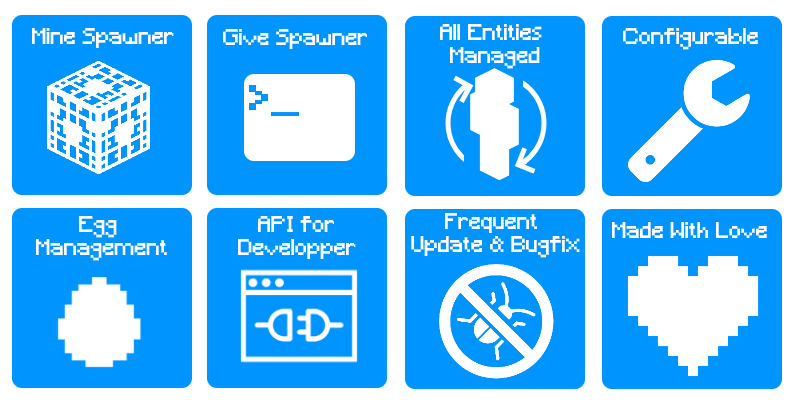

Features

Description

Core Features

  • Configurable Silk Touch spawner drops
  • Change spawner types with spawn eggs
  • Edit spawner stats directly in-game
  • Adjust drop chances, explosion drops, XP, and inventory behavior
  • Optional spawner inspection overlay
  • ShopGUI+ integration
  • Player feedback and localization support
  • Complete online documentation

Compatibility

  • Minecraft 1.13+
  • Bukkit, Spigot, Paper, Purpur, and compatible forks

Screenshot

SpawnerSilk Overlay

Want custom spawners in survival mode? Use spawn eggs and combine SpawnerSilk with Creature Capture.

Permissions

Permission Description Default
spawnersilk.minespawner Allows players to mine spawners true
spawnersilk.givespawner Allows players to give spawners with a command op
spawnersilk.editspawner Allows players to edit spawners with a command op
spawnersilk.reload Allows players to reload the plugin op
spawnersilk.overlay Allows players to view spawner overlay information op

Commands

Command Alias Description Permission
/givespawner <player> <type> [amount] /gs Gives a spawner to a target player spawnersilk.givespawner
/editspawner <property> [value] /es Edits the spawner block you are looking at spawnersilk.editspawner
/sps reload None Reloads the plugin configuration and localization spawnersilk.reload

/editspawner properties: spawnRange, spawnCount, maxNearbyEntities, requiredPlayerRange, delay, maxSpawnDelay, minSpawnDelay

Installation

Download the latest SpawnerSilk.jar, place it in your plugins folder, and restart your server.

Full setup, configuration, and usage guides are available in the online documentation.

Issues

Found a bug or need help? Please report issues on GitHub or join the Discord server.

Statistics

Since version 2.9, SpawnerSilk uses bStats to collect anonymous usage statistics. You can disable it in plugins/bStats/config.yml.
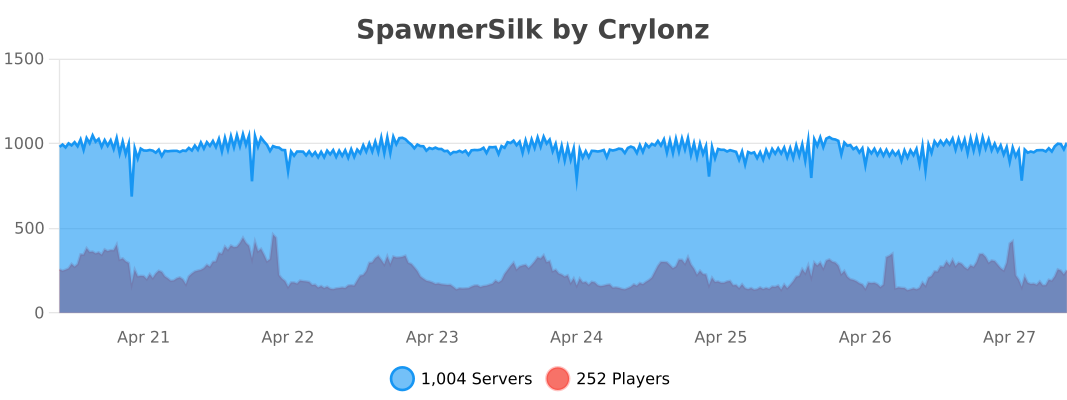

bStats

Tutorials

👥 Team & Contributors

Crylonz
CrylonzOwner

⚙️ Compatibility

Environment
🖥️ Server-side
Loaders
bukkitpaperpurpurspigot
Minecraft Versions
1.131.13.11.13.21.141.14.11.14.21.14.31.14.4+38 more

🔗 Links

Modrinth Page