

PluginLicenseRef-All-Rights-Reserved
ServerStats Dashboard
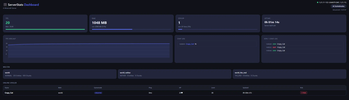
Monitor your Paper server live from any browser. Real-time TPS, RAM, players, chat log, world info and more — no setup required.
38
Downloads
0
Followers
2 months ago
Updated
📦
1
Versions
📖About ServerStats Dashboard
ServerStats Dashboard
Monitor your Paper server in real time — directly from your browser.
ServerStats Dashboard is a lightweight Paper plugin that spins up a built-in web server and serves a live admin dashboard. No external software, no databases, no dependencies. Just drop in the JAR, start your server, and open your browser.
✦ Features
📊 Live Stats
- TPS — color-coded (green / yellow / red) with a real-time history graph
- RAM usage — used vs. max heap with a progress bar
- Player count — slots used vs. available
- Server uptime — formatted as hours, minutes, seconds
👥 Player Management
- Live player table with world, gamemode, ping, HP, level and playtime
- Kick players directly from the dashboard (password-protected)
- Join / Leave log with timestamps
💬 Chat Log
- Live scrolling chat log with player names and timestamps
- Auto-scrolls to the latest message
🌍 World Overview
- All loaded worlds with environment type, entity count and loaded chunk count
🔒 Security
- HTTP Basic Auth — optional password protection for the dashboard
- IP Whitelist & Blacklist — restrict access to specific IPs
- Rate Limiting — configurable max requests per minute per IP
⚙️ Admin Tools
/dashboard— shows a clickable dashboard URL in chat/dashboardreload— reloads config and restarts the HTTP server without a full server restart- Fully configurable via
config.yml
🎨 UI
- Dark / Light mode toggle
- Fully responsive — works on mobile
- Auto-refresh every N seconds (configurable)
- English & German language support
🚀 Installation
- Download the JAR and drop it into your
plugins/folder - Start or restart your server
- Open
http://YOUR-SERVER-IP:8080in your browser - Done ✓
⚙️ Configuration
port: 8080
password-enabled: false
password: "changeme"
refresh-interval-seconds: 3
ip-whitelist: []
ip-blacklist: []
chat-log-size: 50
tps-history-size: 60
rate-limit-per-minute: 120
language: "en"
🔧 Commands & Permissions
| Command | Description | Permission |
|---|---|---|
/dashboard |
Shows the dashboard URL in chat | serverstats.dashboard |
/dashboardreload |
Reloads config & restarts HTTP server | serverstats.reload |
Both permissions default to OP only.
🛠️ Technical Details
- No external libraries — uses Java's built-in
com.sun.net.httpserver - Thread-safe — all Bukkit API calls happen on the main thread via a snapshot cache; HTTP threads never touch the API directly
- Dedicated thread pool — HTTP server runs on daemon threads, completely separate from the server thread
- Paper 1.21.11+ required
📋 Compatibility
| Software | Supported |
|---|---|
| Paper 1.21.11 | ✅ |
| Purpur | ✅ |
| Folia | ❌ |
| Spigot | ❌ |
Found a bug or have a feature request? Open an issue on GitHub.