Logo
MINECRAFTBIBLE
Items
Items

All game items

Blocks
Blocks

Building blocks

Mobs
Mobs

Creatures & monsters

Biomes
Biomes

World biomes

Structures
Structures

Generated structures

Recipes
Recipes

Crafting guides

Advancements
Advancements

Achievements

Loot Tables
Loot Tables

Drop rates

Tags
Tags

Item groupings

All Versions
View all data →
Capes
Cape ArchiveNEW

Browse rare Minecon capes, OptiFine capes, and custom capes from players worldwide

Browse

Player Database
Player DatabasePopular

Search any player

Skin Browser
Skin Browser

Browse & download skins

Cape Gallery
Cape GalleryNEW

Minecon & OptiFine capes

Seed Vault
Seed Vault

Curated seeds

Learn

Guides
GuidesNew

Tutorials & tips

Blog
Blog

News & updates

Community

Community Hub
Community HubHub

Posts, discussions & more

All Versions
View community →
Seed Analyzer
Seed Analyzer

World seed analysis

Loot Explorer
Loot Explorer

Drop rates

Crafting Calculator
Crafting Calculator

Material planning

Enchant Calculator
Enchant Calculator

Probability math

Redstone Lab
Redstone Lab

Signal timing

Trading Profit
Trading Profit

Villager ROI

All Versions
View all tools →
Mods
Mods

Browse all mods

Plugins
Plugins

Server plugins

Resource Packs
Resource Packs

Textures & sounds

Shaders
Shaders

Visual enhancements

Datapacks
Datapacks

World logic

Scanner
Mod Intelligence

Scan & analyze any mod

All Versions
View all mods →
Loading...
IntroductionIntroductionVersion HistoryVersion HistoryGuidesGuidesBlog & NewsBlog & News
ItemsItemsBlocksBlocksMobsMobsRecipesRecipesBiomesBiomesStructuresStructuresAdvancementsAdvancementsLoot TablesLoot TablesTagsTags
ModsModsPluginsPluginsResource PacksResource PacksShadersShadersDatapacksDatapacks

MinecraftBible

The Ultimate Wiki

Logo
MINECRAFTBIBLE

The ultimate Minecraft reference. Every item, block, mob, and recipe documented with precision.

Community

  • Player Database
  • Skin Browser
  • Cape Gallery
  • Community Hub
  • Seed Vault

Database

  • Items
  • Blocks
  • Mobs
  • Recipes
  • Biomes
  • Structures

Tools

  • Seed Analyzer
  • Mod Intelligence
  • Crafting Calculator
  • Enchant Calculator

Mods & Packs

  • Mods
  • Plugins
  • Resource Packs
  • Shaders
  • Datapacks

© 2026 MinecraftBible. Not affiliated with Mojang or Microsoft.

PrivacyTermsContact
SearchContainer
PluginGPL-3.0-only

SearchContainer

Container search plugin that supports Paper and Folia server cores. Hold an item as a template to quickly search containers and precisely locate item positions.

3
Downloads
1
Followers
5 months ago
Updated
📦
1
Versions
managementbukkitfoliapaperpurpurspigot
Download Latestv1.0.0View on Modrinth

📖About SearchContainer

SearchContainer

Introduction

SearchContainer is a Minecraft container search plugin that supports Paper and Folia server cores. Hold an item as a template to quickly search containers and precisely locate item positions.


Core Features

  • Search by Item: Hold an item, search through containers
  • Smart Matching: Support togglable filters for name/enchantments/Lore
  • World-Scanning: /sc all reads .mca region files to scan all generated chunks in the world
  • One-Click Teleport: Click result coordinates to instantly teleport
  • Multi-Language: Built-in Simplified Chinese and American English, extensible

Command List

Command Description Permission
/sc <radius> [flags] Searches loaded containers within a specified chunk radius centered on you searchcontainer.useOP
/sc all [flags] Searches all generated containers in the entire world (reads region files) searchcontainer.use.allOP
/sc cancel Cancels an ongoing search searchcontainer.useOP
/sc reload Reloads configuration and language files searchcontainer.useOP

Filter Flags

Flag Effect Description
-name Candidate item name contains the display name of the held template (default requires exact match)
-enchant Candidate item contains all enchantments of the held template, with levels ≥ template levels
-lore Candidate item Lore contains every line of lore from the held template

Default Mode (no flags): Exact match — item type, custom name, enchantments, Lore, PDC must all be equal.


Usage Examples

# Radius 5 chunks, exact match (scans only loaded chunks)
/sc 5

# World-scan all generated chunks
/sc all

# World-scan, ignore renamed items
/sc all -name

# Radius 16, enchantment containment + lore containment
/sc 16 -enchant -lore

# Cancel current search
/sc cancel

Configuration (config.yml)

# zh_CN, en_US
language: zh_CN

# Search cooldown time (seconds)
cooldown-seconds: 3

# Maximum number of results displayed per search (excess results are hidden)
max-results-display: 1000

# Maximum chunk radius allowed in radius mode (does not affect /sc all)
max-radius: 32

Operational Mechanism

Search Mode Scan Range Disk Read Loads New Chunks
Radius Mode N×N chunks centered on player, scans only loaded chunks No No
World Mode All generated chunks in the world (parses .mca file headers) Yes No

World Mode Detailed Explanation:

  • Parses the 4096-byte chunk location table at the header of r.x.z.mca files
  • Retrieves coordinates of all chunks ever generated in the world
  • Scans only currently loaded chunks, does not actively load unloaded chunks
  • Avoids server lag or loading chunk entities caused by scanning

Important Notes

  • Radius Search: Limited by max-radius, scans only loaded chunks
  • World Search: Not limited by max-radius, traverses all .mca files in the world but scans only currently loaded chunks
  • World search may take considerable time on large survival servers or archives with thousands of days; it is recommended to set max-results-display appropriately
  • Must hold an item to search; cannot execute with an empty hand
  • Supports all Container type containers: Chests, Trapped Chests, Hoppers, Dispensers, Droppers, Shulker Boxes, Furnaces, etc.
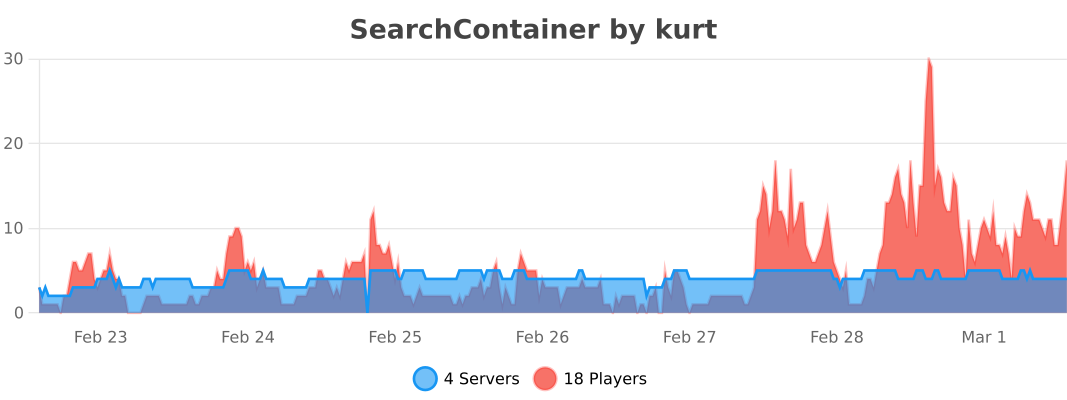
bStats

bStats

👥 Team & Contributors

Kurt5
Kurt5Owner

⚙️ Compatibility

Environment
🖥️ Server-side
Loaders
bukkitfoliapaperpurpurspigot
Minecraft Versions
1.211.21.11.21.21.21.31.21.41.21.51.21.61.21.7+4 more

🔗 Links

Modrinth Page