
MINECRAFTBIBLE
Loading...
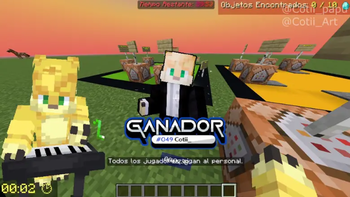

Screentext is a Minecraft Mod for Fabric 1.20.1 - 1.21.11 and Forge 1.20.1 - 1.20.4 that let you display custom Text, Timers, Counters and Texture on the screen with fully customization!
Base Command:
/screentext
Examples:
/screentext timer ronda1_starting_timer CENTER TOP 1 0 disablebackground 0 none glitch_out "block.note_block.hat;vol:50" #BAFF60ʟᴀ ʀᴏɴᴅᴀ ɪ ɪɴɪᴄɪᴀ ᴇɴ: &f"00:00:11"
/screentext texture test 50 50 1.6 0 0 none none 1 false assets/screentext/cortinas_overlay.gif
/screentext display ronda1_timer_text CENTER TOP 1 0 disablebackground 0 up_in up_out {"d:2"}#BAFF60ʀᴏɴᴅᴀ ɪ - ᴏᴠᴇʀᴡᴏʀʟᴅ'
assets/screentext
**Text Commands:**

/screentext display <id> <posX> <posY> <scale> <rotation> <background (true/false>

/screentext display <id> <posX> <posY> <scale> <rotation> <enablebackground> <backcolor> <backopacity> <backstyle> <fade in> <animation_in> <animation_out> <text>

/screentext display <id> <posX> <posY> <scale> <rotation> <disablebackground> <fade in> <animation_in> <animation_out> <text>

**Timer Commands:**

/screentext timer <id> <posX> <posY> <scale> <rotation> <enablebackground> <backcolor> <backopacity> <backstyle> <fade in> <animation_in> <animation_out> <sound> <time>

/screentext stoptimer <id>

/screentext resumetimer <id>

**Counter Commands:**

/screentext counter <id> <posX> <posY> <scale> <rotation> <enablebackground> <backcolor> <backopacity> <backstyle> <fade in> <animation_in> <animation_out> <sound> <decimals> <counter>

/screentext stoptimer <id>

/screentext resumetimer <id>

**Texture Commands:**

/screentext texture <id> <posX> <posY> <scale> <rotation> <fade in> <animation_in> <animation_out> <speed> <gifloop> <texturepath>

**Move Commands:**

/screentext move <id> <posX> <posY> <scale> <rotation> <movetype> <animationpreset> <time> <color>

/screentext move_reset <id> <movetype> <animationpreset> <time>
\n or /n = multiline space
| = space
Delay parameters:
{"delay:"}
{"d:"}
{"delay:;sound:"}
{"d:;s:"}
Item Render in Line
{"diamond"}
Parameters: scale, nbt
{"diamond,scale:1.5,nbt:3"}
Texture Render in line
{"assets/...(textures.png)"}
Timer Sound volume Parameter:
;vol:(0-100)
example:
"customsound;vol:30"