Logo
MINECRAFTBIBLE
Items
Items

All game items

Blocks
Blocks

Building blocks

Mobs
Mobs

Creatures & monsters

Biomes
Biomes

World biomes

Structures
Structures

Generated structures

Recipes
Recipes

Crafting guides

Advancements
Advancements

Achievements

Loot Tables
Loot Tables

Drop rates

Tags
Tags

Item groupings

All Versions
View all data →
Capes
Cape ArchiveNEW

Browse rare Minecon capes, OptiFine capes, and custom capes from players worldwide

Browse

Player Database
Player DatabasePopular

Search any player

Skin Browser
Skin Browser

Browse & download skins

Cape Gallery
Cape GalleryNEW

Minecon & OptiFine capes

Seed Vault
Seed Vault

Curated seeds

Learn

Guides
GuidesNew

Tutorials & tips

Blog
Blog

News & updates

Community

Community Hub
Community HubHub

Posts, discussions & more

All Versions
View community →
Seed Analyzer
Seed Analyzer

World seed analysis

Loot Explorer
Loot Explorer

Drop rates

Crafting Calculator
Crafting Calculator

Material planning

Enchant Calculator
Enchant Calculator

Probability math

Redstone Lab
Redstone Lab

Signal timing

Trading Profit
Trading Profit

Villager ROI

All Versions
View all tools →
Mods
Mods

Browse all mods

Plugins
Plugins

Server plugins

Resource Packs
Resource Packs

Textures & sounds

Shaders
Shaders

Visual enhancements

Datapacks
Datapacks

World logic

Scanner
Mod Intelligence

Scan & analyze any mod

All Versions
View all mods →
Loading...
IntroductionIntroductionVersion HistoryVersion HistoryGuidesGuidesBlog & NewsBlog & News
ItemsItemsBlocksBlocksMobsMobsRecipesRecipesBiomesBiomesStructuresStructuresAdvancementsAdvancementsLoot TablesLoot TablesTagsTags
ModsModsPluginsPluginsResource PacksResource PacksShadersShadersDatapacksDatapacks

MinecraftBible

The Ultimate Wiki

Logo
MINECRAFTBIBLE

The ultimate Minecraft reference. Every item, block, mob, and recipe documented with precision.

Community

  • Skin Browser
  • Cape Gallery
  • Seed Vault
  • Blog
  • Guides

Database

  • Items
  • Blocks
  • Mobs
  • Recipes
  • Biomes
  • Structures

Tools

  • Seed Analyzer
  • Mod Intelligence
  • Crafting Calculator
  • Enchant Calculator

Mods & Packs

  • Mods
  • Plugins
  • Resource Packs
  • Shaders
  • Datapacks

Site & Legal

  • About
  • Authors
  • Editorial Policy
  • Corrections
  • Contact
  • Privacy Policy
  • Terms of Service
  • DMCA
  • Sitemap

© 2026 MinecraftBible. Not affiliated with Mojang or Microsoft.

PrivacyTermsContact
RHLeafDecay
PluginGPL-3.0-or-later

RHLeafDecay

With RHLeafDecay all your floating leaves will disappear in no time.

435
Downloads
6
Followers
7 months ago
Updated
📦
2
Versions
game-mechanicsoptimizationutilityfoliapaper
Download Latestv1.21_R3View on Modrinth

📖About RHLeafDecay

With RHLeafDecay all your floating leaves will disappear in no time.


https://img.shields.io/discord/422802721280622594?color=%237289da%20&label=Discord&logo=Discord&logoColor=white

Made with love in Germany 🇩🇪

Features

Decay Modes

Cluster Mode (Default): → Breaks leaves in groups for faster decay.

Single Mode: → Breaks leaves one by one for a slower, more natural decay.

Customizable Tick Rates

break (Default: 8) → Controls the delay between leaf decay events.

check (Default: 4) → Defines how often the plugin checks for decaying leaves.

⚠️ Note: The break tick rate should never be below 5 to avoid performance issues!

Additional Effects

Drops: → Leaves can drop items when they decay.

Particles: → Adds visual effects to the leaf decay process.

Sounds: → Plays sound effects for a more immersive experience.

World Filtering

Whitelist: → Decay occurs only in specified worlds.

Blacklist: → Leaves will not decay in excluded worlds.

What does it look like in-game?

Custom trees? World generators?

RHLeafDecay relies on Minecraft’s natural leaf decay. For it to work, leaves must be recognized as part of a tree and not be persistent.


✅ Vanilla trees work because their leaves naturally decay after the trunk is removed.

⚠️ Custom trees and world generators cause two major issues:

- Leaves never decay if marked persistent  →  RHLeafDecay can’t remove them.
- Leaves vanish instantly if attached to a block that isn’t recognized as a tree trunk.

Why does this happen?

RHLeafDecay checks if leaves are linked to a valid trunk before triggering decay. Many world generators mark leaves as persistent to prevent unwanted decay. Custom trees may use non-standard materials for trunks, making them unrecognizable to the plugin.

What can I do?

RHLeafDecay only works with non-persistent leaves and standard tree trunks.
You can manually fix leaves using /data merge block {persistent:false}, but this isn’t practical on a large scale.

If your world relies heavily on custom trees, RHLeafDecay won’t work as expected.

Conclusion

If leaves aren’t detected as part of a real tree or are persistent, they either won’t decay at all or will disappear too quickly. For the best experience, use Vanilla trees with standard leaves. 🌿

Support

If you need help with RHLeafDecay, you can join the RaidersHeaven server on Discord.
Just post inside the #rhleafdecay-plugin channel.


Since support is provided exclusively by me, there may be delays and longer response times as I cannot read all messages immediately or only at certain times of the day.
Thank you for your understanding!

Metrics collection

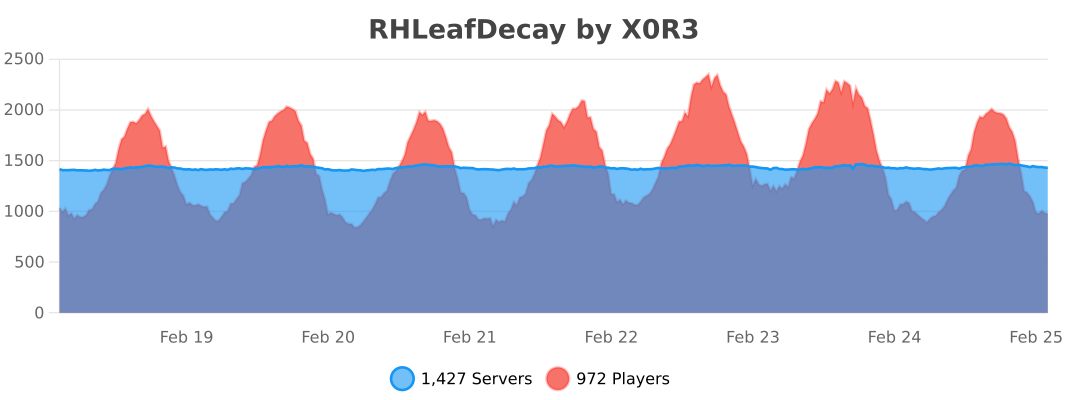
RHLeafDecay collects anonymous server statistics through bStats, an open-source statistics service for Minecraft software. You can opt out in plugins/bStats/config.yml at anytime.
👥 Team & Contributors

X0R3
X0R3Owner

⚙️ Compatibility

Environment
🖥️ Server-side
Loaders
foliapaper
Minecraft Versions
1.211.21.11.21.21.21.31.21.41.21.51.21.61.21.7+4 more

🔗 Links

Modrinth Page
