


RexWelcome
A powerful welcome message plugin
📖About RexWelcome
RexWelcome
A powerful welcome message plugin for Minecraft servers with randomized titles, first-join tracking, and PlaceholderAPI integration.



✨ Features
- Randomized Welcome Titles - Multiple title variations for both first-time and returning players
- First-Join Detection - Different messages and actions for new vs returning players
- Join Number Tracking - Track who was the 1st, 2nd, 3rd player to ever join
- First-Join Commands - Execute custom commands when players join for the first time
- Broadcast System - Announce first-time joins to all online players
- PlaceholderAPI Integration - Custom placeholders for use in other plugins
- Advanced Color Support - Legacy codes, hex colors, and MiniMessage format
- Join Sounds - Customizable sounds when players join
- Chat Clearing - Optional chat clear before welcome messages
- Hot Reload - Reload configuration without restarting
📋 Requirements
- Java 21 (Required)
- Minecraft 1.20.4+ (Paper recommended, Spigot compatible)
- PlaceholderAPI (Optional, for placeholder support in other plugins)
🎮 Commands
| Command | Aliases | Description | Permission |
|---|---|---|---|
/rexwelcome |
/rw |
Main plugin command | - |
/rw reload |
- | Reload configuration | rexwelcome.reload |
/rw info |
- | Show plugin information | - |
/rw help |
- | Show help message | - |
🔐 Permissions
| Permission | Description | Default |
|---|---|---|
rexwelcome.reload |
Reload plugin configuration | op |
rexwelcome.info |
View plugin information | op |
rexwelcome.help |
View help message | op |
🏷️ Placeholders
PlaceholderAPI Placeholders
Use these in any plugin that supports PlaceholderAPI:
| Placeholder | Description | Example |
|---|---|---|
%rexwelcome_playernumber% |
Player's join number | 42 |
%rexwelcome_totalplayers% |
Total unique players | 150 |
%rexwelcome_player_<N>% |
Name of Nth player | Steve |
Example Usage:
# In DeluxeChat, EssentialsX, or any PAPI-compatible plugin
format: "&7[#%rexwelcome_playernumber%] &f{USERNAME}: {MESSAGE}"
message: "&aYou are player #%rexwelcome_playernumber%!"
message: "&7First player: %rexwelcome_player_1%"
Internal Placeholders
Use these inside RexWelcome's config.yml:
| Placeholder | Description |
|---|---|
%player% |
Player's name |
%displayname% |
Player's display name |
%prefix% |
Plugin prefix |
%online% |
Online player count |
%max_players% |
Maximum players |
%total_players% |
Total unique players |
%joincount% |
Alias for %total_players% |
🎨 Color Formats
RexWelcome supports multiple color formats:
# Legacy color codes
message: "&aGreen &bAqua &cRed &eYellow"

# Hex colors
message: "&#ff5733Orange text"
message: "#ff5733This also works"

# MiniMessage format
message: "<color:#ff5733>Orange</color>"
message: "<gradient:#ff0000:#00ff00>Gradient text</gradient>"
message: "<bold><#FFD700>Bold gold text</bold>"
🎲 Randomized Titles
RexWelcome can display random titles from a list each time a player joins:
Returning Players
returning-player:
titles:
- title: "&#FFD700WELCOME BACK!"
subtitle: "&fWe missed you, &e%player%&f!"
- title: "&#FF6B6BYOU'RE BACK!"
subtitle: "&7Good to see you again!"
- title: "�FF7FBACK AGAIN?"
subtitle: "&fOf course you are!"
First-Time Players
first-join:
titles:
- title: "�BFFF✨ WELCOME!"
subtitle: "&fThis is your first time here!"
- title: "&#FFD700🌟 FIRST TIME!"
subtitle: "&eYou're player #%total_players%!"
- title: "&#FF69B4WELCOME NEWBIE!"
subtitle: "&fEnjoy your stay!"
⚙️ First-Join Features
First-Join Commands
Execute commands automatically when a player joins for the first time:
first-join:
  enabled: true
  commands:
    - "give %player% diamond 5"
    - "eco give %player% 1000"
    - "advancement grant %player% only story/mine_diamond"
First-Join Messages
first-join:
messages:
- "&7"
- "%prefix%�BFFF✨ Welcome &f%player%&b!"
- "&7• &fYou are player #&#f75634%total_players%"
- "&7• &fVisit: &#f75634https://rexsystems.cc"
- "&7• &fRead the rules: &#f75634/rules"
- "&7"
Broadcast System
Announce when someone joins for the first time:
broadcast:
  enabled: true
  message: "%prefix%&#f75634%player% &fhas joined for the first time! &7(Player #&e%joincount%&7)"
🔊 Join Sounds
Play a sound when players join:
sounds:
  join:
    enabled: true
    sound: "ENTITY_PLAYER_LEVELUP"
    volume: 1.0
    pitch: 1.0
See Bukkit Sound Documentation for all available sounds.
📦 Installation
- Download RexWelcome.jar from the Releases page
- Place the JAR file in your server's
plugins/folder - (Optional) Install PlaceholderAPI
- Restart your server
- Edit
plugins/RexWelcome/config.ymlto customize - Use
/rw reloadto apply changes without restarting
📊 Player Data Storage
Player data is stored in plugins/RexWelcome/playerdata.yml:
players:
  550e8400-e29b-41d4-a716-446655440000:
    join-number: 1
    name: "Steve"
    first-join: 1673472000000
  550e8400-e29b-41d4-a716-446655440001:
    join-number: 2
    name: "Alex"
    first-join: 1673472100000
This tracks:
- join-number - Order in which players joined (1st, 2nd, 3rd, etc.)
- name - Player's username
- first-join - Timestamp of first join
🔗 Links
💬 Support
Need help? Found a bug? Have a suggestion?
- Open an issue on GitHub
- Check the documentation
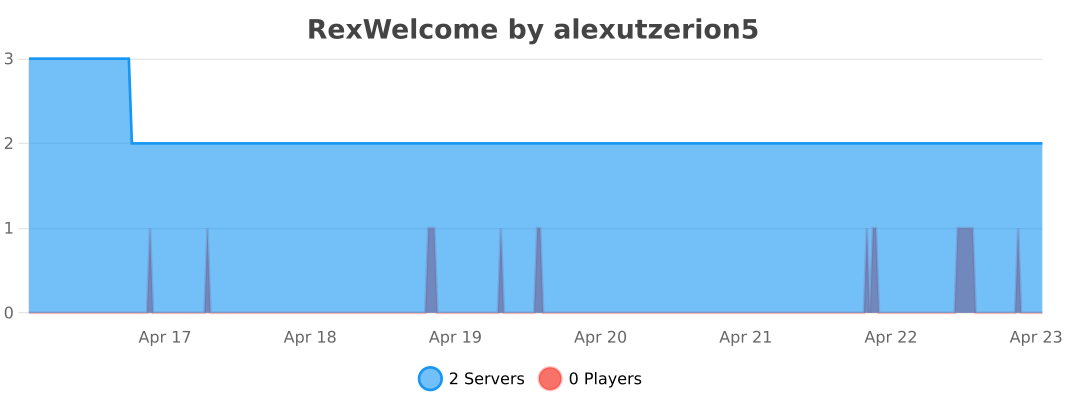
📈 Statistics
Developed with ❤️ by RexSystems • Version 1.0.0