Logo
MINECRAFTBIBLE
Items
Items

All game items

Blocks
Blocks

Building blocks

Mobs
Mobs

Creatures & monsters

Biomes
Biomes

World biomes

Structures
Structures

Generated structures

Recipes
Recipes

Crafting guides

Advancements
Advancements

Achievements

Loot Tables
Loot Tables

Drop rates

Tags
Tags

Item groupings

All Versions
View all data →
Capes
Cape ArchiveNEW

Browse rare Minecon capes, OptiFine capes, and custom capes from players worldwide

Browse

Player Database
Player DatabasePopular

Search any player

Skin Browser
Skin Browser

Browse & download skins

Cape Gallery
Cape GalleryNEW

Minecon & OptiFine capes

Seed Vault
Seed Vault

Curated seeds

Learn

Guides
GuidesNew

Tutorials & tips

Blog
Blog

News & updates

Community

Community Hub
Community HubHub

Posts, discussions & more

All Versions
View community →
Seed Analyzer
Seed Analyzer

World seed analysis

Loot Explorer
Loot Explorer

Drop rates

Crafting Calculator
Crafting Calculator

Material planning

Enchant Calculator
Enchant Calculator

Probability math

Redstone Lab
Redstone Lab

Signal timing

Trading Profit
Trading Profit

Villager ROI

All Versions
View all tools →
Mods
Mods

Browse all mods

Plugins
Plugins

Server plugins

Resource Packs
Resource Packs

Textures & sounds

Shaders
Shaders

Visual enhancements

Datapacks
Datapacks

World logic

Scanner
Mod Intelligence

Scan & analyze any mod

All Versions
View all mods →
Loading...
IntroductionIntroductionVersion HistoryVersion HistoryGuidesGuidesBlog & NewsBlog & News
ItemsItemsBlocksBlocksMobsMobsRecipesRecipesBiomesBiomesStructuresStructuresAdvancementsAdvancementsLoot TablesLoot TablesTagsTags
ModsModsPluginsPluginsResource PacksResource PacksShadersShadersDatapacksDatapacks

MinecraftBible

The Ultimate Wiki

Logo
MINECRAFTBIBLE

The ultimate Minecraft reference. Every item, block, mob, and recipe documented with precision.

Community

  • Skin Browser
  • Cape Gallery
  • Seed Vault
  • Blog
  • Guides

Database

  • Items
  • Blocks
  • Mobs
  • Recipes
  • Biomes
  • Structures

Tools

  • Seed Analyzer
  • Mod Intelligence
  • Crafting Calculator
  • Enchant Calculator

Mods & Packs

  • Mods
  • Plugins
  • Resource Packs
  • Shaders
  • Datapacks

Site & Legal

  • About
  • Authors
  • Editorial Policy
  • Corrections
  • Contact
  • Privacy Policy
  • Terms of Service
  • DMCA
  • Sitemap

© 2026 MinecraftBible. Not affiliated with Mojang or Microsoft.

PrivacyTermsContact
RevivalPVP Server
PluginLicenseRef-PolyForm-Shield-1.0.0

RevivalPVP Server

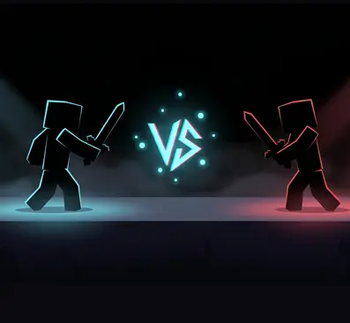
Paper / Purpur plugin that adds /pvp to any Minecraft server. Players queue against opponents from across the RevivalPVP network; the actual duel runs on our arena server and they're returned to your server when it ends.

38
Downloads
0
Followers
2 months ago
Updated
📦
1
Versions
minigametechnologyutilitypaperpurpur
Download Latestv1.7.1View on Modrinth

📖About RevivalPVP Server

RevivalPVP - Server Mod

Paper / Purpur plugin that adds /pvp to any Minecraft server. Players
queue against opponents from across the RevivalPVP network; the actual
duel runs on our arena server and they're returned to your server when
it ends.

For operators: https://play.revivalsmp.net/pvp/host
Discord: https://discord.gg/revival-smp

What this plugin does

  • Adds /pvp (chest GUI to pick kit, scope, ranked/unranked, queue).
  • Adds /pvpaccept (accept a friend's duel invite from chat).
  • Adds /pvpadmin reload|status|key.
  • Heartbeats to the RevivalPVP backend every ten minutes so the
    operator dashboard at play.revivalsmp.net/pvp/host/dashboard
    shows your server as connected.
  • Fetches the kit catalog from the backend on demand, so kit
    additions and renames don't require a plugin update.

What this plugin does NOT do

  • It does not run duels itself. When a match starts, players are
    transferred to our arena server (pvp.revivalpvp.net) and back to
    yours when the match ends. The arena code, maps, and kit-delivery
    logic are not part of this plugin.
  • It does not store player data locally beyond per-session caches.
    Stats, ratings, friends, sponsor coins live on the backend.

Requirements

  • Paper or a Paper fork (Purpur recommended) on Minecraft 1.21+.
  • Java 21+ (Java 25 if you're on Minecraft 26.1+).
  • Internet access from the server host to api.revivalpvp.net.
  • A free tenant key from https://play.revivalsmp.net/pvp/host.

Install

  1. Download the latest RevivalPVPServerMod-X.Y.Z.jar from
    Releases.

  2. Drop it in your server's plugins/ folder.

  3. Restart the server. The plugin will generate a default
    plugins/RevivalPVPServerMod/config.yml.

  4. Sign up at https://play.revivalsmp.net/pvp/host if you haven't
    already. You'll get a tenant key by email.

  5. Edit plugins/RevivalPVPServerMod/config.yml and paste the key:

    tenant-key: "rpvp_xxxxxxxxxxxxxxxxxx"
    backend-url: "https://api.revivalpvp.net"
    origin-server: "yourserver.example.com:25565"
    default-scope: "global"
    
    • origin-server is how your server is reachable from the public
      internet — used to transfer players back after a duel ends.
  6. Restart the server. You should see in the console:

    [RevivalPVPServerMod] RevivalPVPServerMod enabled — /pvp ready
    [RevivalPVPServerMod] Kit catalog refreshed: N kits loaded.
    [RevivalPVPServerMod] Dashboard connection registered — plan=free, status=trial.
    
  7. Visit your operator dashboard — the install panel collapses to a
    green "Server connected" banner once the heartbeat lands.

License

PolyForm Shield 1.0.0 — see ../LICENSE.md and
../NOTICE.md. Permissive for paid Minecraft server
operators (you're a customer of the RevivalPVP service, not a
competitor). The license restricts Competing Uses — running a
rival cross-server PVP matchmaking service. See NOTICE.md for the
plain-language rundown.

👥 Team & Contributors

bownux
bownuxOwner
Bownlux
Bownlux

⚙️ Compatibility

Environment
🖥️ Server-side
Loaders
paperpurpur
Minecraft Versions
1.211.21.11.21.21.21.31.21.41.21.51.21.61.21.7+7 more

🔗 Links

Modrinth Page