


PluginLicenseRef-All-Rights-Reserved
RedstoneDisplays
indicator displays that show redstone signal strength
8
Downloads
0
Followers
6 months ago
Updated
📦
1
Versions
📖About RedstoneDisplays
redstone-powered display indicators - custom heads that change appearance based on signal strength.
Features
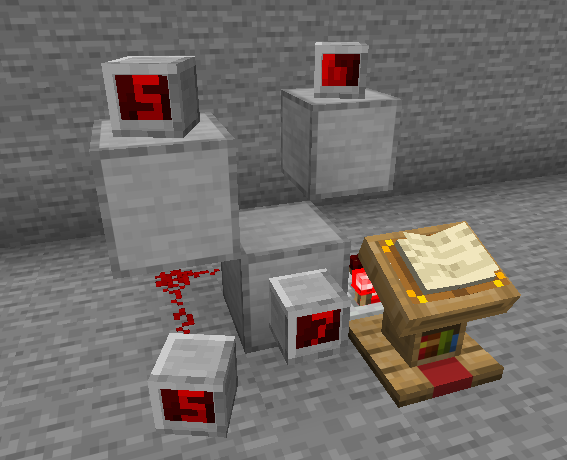
Indicators are decorative player heads that visually display redstone power levels from 0-15.
How they work:
- Place an indicator block and connect it to redstone
- The indicator displays the power level it receives
- Supports extended power detection - can read signals through walls (2 blocks behind for wall-mounted, 2 blocks below for floor-mounted)
Three indicator styles are included: Digital, Binary, and Panel. Each has 16 unique textures corresponding to power levels 0-15. Custom indicator types can be added via configuration.
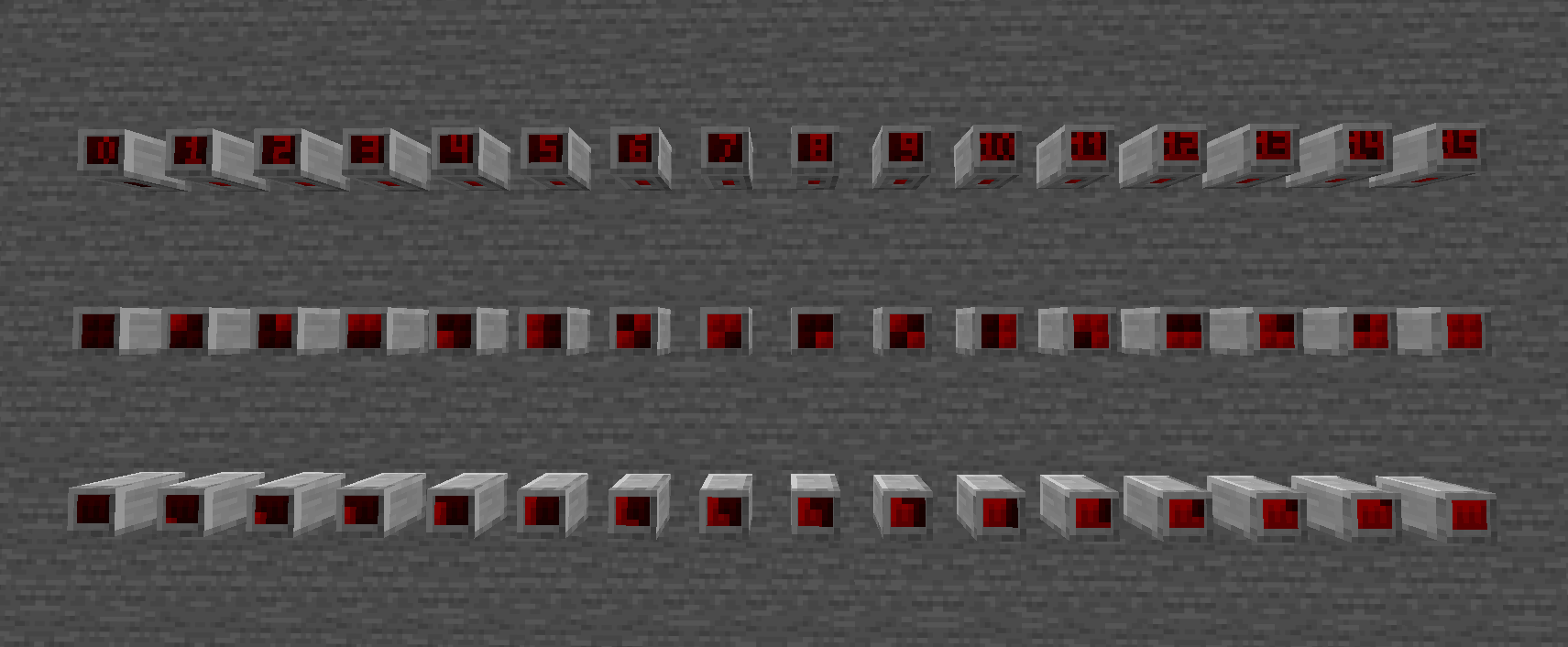
Recipes unlock automatically when you enter the Nether (configurable per indicator). They require stone, redstone, amethyst shards, and quartz.
Commands
| Command | Description | Permission |
|---|---|---|
/redstonedisplays give [player] [indicator_id] [amount] |
Give indicator items (or list available) | redstonedisplays.give |
/redstonedisplays reload |
Reload configuration | redstonedisplays.reload |
/redstonedisplays recipes |
Unlock crafting recipes | redstonedisplays.recipes |
/redstonedisplays info |
Display indicator statistics | redstonedisplays.info |
/redstonedisplays delete_all confirm |
Delete all indicators (dangerous) | redstonedisplays.delete_all |
/redstonedisplays recover_orphaned |
Recover orphaned indicators in loaded chunks | redstonedisplays.recover_orphaned |
/redstonedisplays help |
Show help message | — |
Configuration
The plugin is configured via config.yml. Each indicator type can have custom settings:
settings:
  tick_interval: 10      # How often to check power levels (in ticks)
  auto_save_ticks: 6000  # Auto-save interval (0 to disable)

indicators:
  digital_indicator:
    enabled: true
    name: "Digital Indicator"
    texture_set: "digital_indicator"
    unlock_advancement: "minecraft:nether/root"
    recipe:
      shape:
        - "SRQ"
        - "SRA"
        - "SRA"
      ingredients:
        S: STONE
        R: REDSTONE
        Q: QUARTZ
        A: AMETHYST_SHARD
      result_amount: 1