Logo
MINECRAFTBIBLE
Items
Items

All game items

Blocks
Blocks

Building blocks

Mobs
Mobs

Creatures & monsters

Biomes
Biomes

World biomes

Structures
Structures

Generated structures

Recipes
Recipes

Crafting guides

Advancements
Advancements

Achievements

Loot Tables
Loot Tables

Drop rates

Tags
Tags

Item groupings

All Versions
View all data →
Capes
Cape ArchiveNEW

Browse rare Minecon capes, OptiFine capes, and custom capes from players worldwide

Browse

Player Database
Player DatabasePopular

Search any player

Skin Browser
Skin Browser

Browse & download skins

Cape Gallery
Cape GalleryNEW

Minecon & OptiFine capes

Seed Vault
Seed Vault

Curated seeds

Learn

Guides
GuidesNew

Tutorials & tips

Blog
Blog

News & updates

Community

Community Hub
Community HubHub

Posts, discussions & more

All Versions
View community →
Seed Analyzer
Seed Analyzer

World seed analysis

Loot Explorer
Loot Explorer

Drop rates

Crafting Calculator
Crafting Calculator

Material planning

Enchant Calculator
Enchant Calculator

Probability math

Redstone Lab
Redstone Lab

Signal timing

Trading Profit
Trading Profit

Villager ROI

All Versions
View all tools →
Mods
Mods

Browse all mods

Plugins
Plugins

Server plugins

Resource Packs
Resource Packs

Textures & sounds

Shaders
Shaders

Visual enhancements

Datapacks
Datapacks

World logic

Scanner
Mod Intelligence

Scan & analyze any mod

All Versions
View all mods →
Loading...
IntroductionIntroductionVersion HistoryVersion HistoryGuidesGuidesBlog & NewsBlog & News
ItemsItemsBlocksBlocksMobsMobsRecipesRecipesBiomesBiomesStructuresStructuresAdvancementsAdvancementsLoot TablesLoot TablesTagsTags
ModsModsPluginsPluginsResource PacksResource PacksShadersShadersDatapacksDatapacks

MinecraftBible

The Ultimate Wiki

Logo
MINECRAFTBIBLE

The ultimate Minecraft reference. Every item, block, mob, and recipe documented with precision.

Community

  • Skin Browser
  • Cape Gallery
  • Seed Vault
  • Blog
  • Guides

Database

  • Items
  • Blocks
  • Mobs
  • Recipes
  • Biomes
  • Structures

Tools

  • Seed Analyzer
  • Mod Intelligence
  • Crafting Calculator
  • Enchant Calculator

Mods & Packs

  • Mods
  • Plugins
  • Resource Packs
  • Shaders
  • Datapacks

Site & Legal

  • About
  • Authors
  • Editorial Policy
  • Corrections
  • Contact
  • Privacy Policy
  • Terms of Service
  • DMCA
  • Sitemap

© 2026 MinecraftBible. Not affiliated with Mojang or Microsoft.

PrivacyTermsContact
Quick-EnderChest
PluginLicenseRef-All-Rights-Reserved

Quick-EnderChest

Access your Ender Chest anytime, anywhere — Simple, fast, and 100% compatible from 1.8 to 26.1+ with native Folia support!

661
Downloads
3
Followers
2 months ago
Updated
📦
2
Versions
managementstorageutilitybukkitfoliapaperpurpurspigot
Download Latestv1.5.0View on Modrinth

📖About Quick-EnderChest

🎒 Quick-EnderChest

Instant access, extreme performance, and full compatibility.

Version
Minecraft
Folia
Performance


✨ What is Quick-EnderChest?

Quick-EnderChest is the ultimate solution for servers that need fast Ender Chest access without the bloat. Unlike other heavy plugins, it focuses on simplicity and performance, allowing players to open their native inventory via commands or direct interaction.

[!IMPORTANT]
Built for the future: Fully compatible with Folia and the latest Minecraft versions (1.21, 1.21.4, 26.1+).


🚀 Key Features

  • ⚡ Elite Performance: Coded for high-load servers (200+ players) with zero impact on TPS.
  • 🍃 Ultra Lightweight: Optimized code with no unnecessary dependencies.
  • 📦 Plug & Play: Just install and it works. Includes a comprehensive config.yml for customization.
  • 🛠️ Native Folia Support: Safe execution in multi-threaded environments.
  • 🔒 Full Administration: Admins can inspect any online player's Ender Chest.
  • 🔄 Hot-Reload: Change settings instantly without restarting the server using /qec reload.

🧩 Commands & Permissions

Command Aliases Function Permission
/ec /echest, /enderchest Opens your Ender Chest quickenderchest.use
Right Click N/A Open chest with item in hand quickenderchest.interact
/aec <player> /aechest, /aenderchest (Admin) Opens others' chest quickenderchest.admin
/qec reload /quickenderchest Reloads the plugin quickenderchest.reload

[!TIP]
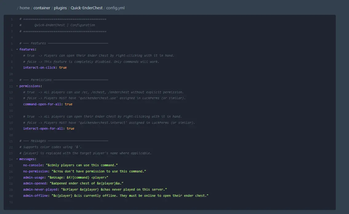
You can enable access for all players without requiring explicit permissions by toggling the command-open-for-all and interact-open-for-all settings in the config.yml.


🛡️ Why choose Quick-EnderChest?

  1. Universal Compatibility: Works on Spigot, Paper, Purpur, Folia, and any modern fork.
  2. No Ghost Items: Advanced prevention of client-server inventory desync.
  3. Click-to-Open: Optional feature to open the chest by right-clicking while holding an Ender Chest block.
  4. Active Support: Constantly updated for the latest Java and Minecraft versions.

⭐ Want more? (Plus Version)

If you need expanded storage and multiple Ender Chest levels, check out our Plus version:
🚀 Quick-EnderChest Plus (Completely Free).


📥 Quick Installation

  1. Download the version 1.5.0 .jar file.
  2. Drop it into your plugins/ folder.
  3. Start your server and enjoy!

Developed with ❤️ for the community.

👥 Team & Contributors

Bastit
BastitOwner

⚙️ Compatibility

Environment
🖥️ Server-side
Loaders
bukkitfoliapaperpurpurspigot
Minecraft Versions
1.81.8.11.8.21.8.31.8.41.8.51.8.61.8.7+65 more

🔗 Links

Modrinth Page


