

Player Warps
A modern player warp plugin featuring customizable GUIs, item costs, and simple warp management.
📖About Player Warps
Player Warps
A lightweight, fully configurable player warp plugin with GUI browsing, item-based costs, featured warps, favorites, and no economy dependency.
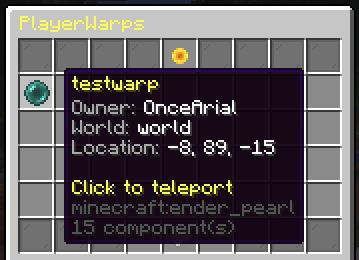
Player Warps allows players to create, manage, and share their own warps through an intuitive GUI while giving server owners complete control over costs, limits, messages, aliases, world naming, and menu layouts.
Unlike many alternatives, Player Warps does not require Vault or an economy plugin, making it perfect for survival, SMP, and community servers that prefer item-based progression.
Features
Warp Management
- Create and manage player-owned warps
- Easy-to-use GUI warp browser
- Custom warp descriptions
- Custom warp icons
- Player head icon support
- Visit tracking and statistics
- Warp favorites system
- Featured warps system
GUI Features
- Favorites appear first in the GUI
- Right-click warps to favorite/unfavorite them
- Dedicated featured warp slots
- Configurable GUI layouts
- Configurable GUI items and slots
- Configurable GUI titles
- Pagination support
- Fully customizable menus
Warp Name Support
PlayerWarps supports advanced warp names including:
- Uppercase letters
- Unicode characters
- Legacy color codes (
&a,&b, etc.) - Hex color codes (
&#RRGGBB) - Spaces in warp names
- Automatic dash-to-space formatting in GUIs
Examples:
/pwarp set Shopping District
/pwarp set &#ff66ccPink Plaza
/pwarp set &bOcean Market
/pwarp set 日本ショップ
Economy-Free Costs
- Item-based warp creation costs
- Item-based featured warp costs
- No Vault dependency
- No economy plugin required
Server Owner Features
- Configurable warp limits
- Teleport delay support
- Teleport cancellation on movement
- Cross-world teleport support
- Configurable command aliases
- Configurable world display names
- YAML-based storage
- Lightweight and performance-friendly
Commands
Player Commands
| Command | Description |
|---|---|
/pwarp |
Open the Player Warps GUI |
/pwarp <warp> |
Teleport to a warp |
/pwarp set <name> |
Create a new warp |
/pwarp delete <name> |
Delete one of your warps |
/pwarp rename <old> <new> |
Rename a warp |
/pwarp seticon <warp> |
Set a warp icon using the item in your hand |
/pwarp desc <warp> <description> |
Set a warp description |
/pwarp manage |
Open your warp management menu |
Admin Commands
| Command | Description |
|---|---|
/pwarp reload |
Reload configuration files |
/pwarp setfeatured <warp> |
Feature a warp |
Permissions
| Permission | Description |
|---|---|
playerwarps.use |
Access PlayerWarps commands |
playerwarps.create |
Create player warps |
playerwarps.delete |
Delete owned warps |
playerwarps.rename |
Rename owned warps |
playerwarps.seticon |
Change warp icons |
playerwarps.description |
Set warp descriptions |
playerwarps.favorite |
Favorite warps |
playerwarps.manage |
Access warp management GUI |
playerwarps.reload |
Reload plugin files |
playerwarps.setfeatured |
Feature warps |
playerwarps.admin |
Administrative permissions |
playerwarps.* |
Grants all permissions |
Configuration
PlayerWarps is designed to be highly configurable.
You can customize:
- Warp creation costs
- Featured warp costs
- Warp limits
- Teleport delays
- GUI titles
- GUI layouts
- GUI items and slots
- Featured warp slots
- Messages and formatting
- Warp aliases
- World display names
- Cross-world teleport settings
Example config.yml
settings:
  max-warps-per-player: -1
  teleport-delay-seconds: 3
  cancel-teleport-on-move: true

  gui-aliases:
    - warps
    - pwarps

world-naming:
  world: Spawn
  world_nether: Nether
  world_2: Pod

costs:
  enabled: true

  create-warp:
    - material: DIAMOND
      amount: 3

  featured-cost:
    - material: DIAMOND
      amount: 5
Example gui.yml
browse:
  featured:
    slots:
      - 45
      - 46
      - 47
      - 51
      - 52
      - 53
Why Player Warps?
Many player warp plugins rely on Vault or economy plugins for warp creation costs.
PlayerWarps uses a simple item-based system instead, making it easy to integrate into survival and progression-focused servers without adding unnecessary dependencies.
Whether you're running a small SMP or a large community server, PlayerWarps provides a clean and configurable way for players to create destinations, shops, towns, attractions, and public points of interest.
Requirements
- Paper 1.21.x
- Java 21+
Support
If you encounter any issues, bugs, or have suggestions for new features, please create an issue on the GitHub repository or contact me on Discord (onlyarial).
Please note that Player Warps is a side project developed in my spare time. While I do my best to review issues and respond to questions, support and updates may not always be immediate. I appreciate your patience and feedback as the project continues to improve.