Logo
MINECRAFTBIBLE
Items
Items

All game items

Blocks
Blocks

Building blocks

Mobs
Mobs

Creatures & monsters

Biomes
Biomes

World biomes

Structures
Structures

Generated structures

Recipes
Recipes

Crafting guides

Advancements
Advancements

Achievements

Loot Tables
Loot Tables

Drop rates

Tags
Tags

Item groupings

All Versions
View all data →
Capes
Cape ArchiveNEW

Browse rare Minecon capes, OptiFine capes, and custom capes from players worldwide

Browse

Player Database
Player DatabasePopular

Search any player

Skin Browser
Skin Browser

Browse & download skins

Cape Gallery
Cape GalleryNEW

Minecon & OptiFine capes

Seed Vault
Seed Vault

Curated seeds

Learn

Guides
GuidesNew

Tutorials & tips

Blog
Blog

News & updates

Community

Community Hub
Community HubHub

Posts, discussions & more

All Versions
View community →
Seed Analyzer
Seed Analyzer

World seed analysis

Loot Explorer
Loot Explorer

Drop rates

Crafting Calculator
Crafting Calculator

Material planning

Enchant Calculator
Enchant Calculator

Probability math

Redstone Lab
Redstone Lab

Signal timing

Trading Profit
Trading Profit

Villager ROI

All Versions
View all tools →
Mods
Mods

Browse all mods

Plugins
Plugins

Server plugins

Resource Packs
Resource Packs

Textures & sounds

Shaders
Shaders

Visual enhancements

Datapacks
Datapacks

World logic

Scanner
Mod Intelligence

Scan & analyze any mod

All Versions
View all mods →
Loading...
IntroductionIntroductionVersion HistoryVersion HistoryGuidesGuidesBlog & NewsBlog & News
ItemsItemsBlocksBlocksMobsMobsRecipesRecipesBiomesBiomesStructuresStructuresAdvancementsAdvancementsLoot TablesLoot TablesTagsTags
ModsModsPluginsPluginsResource PacksResource PacksShadersShadersDatapacksDatapacks

MinecraftBible

The Ultimate Wiki

Logo
MINECRAFTBIBLE

The ultimate Minecraft reference. Every item, block, mob, and recipe documented with precision.

Community

  • Skin Browser
  • Cape Gallery
  • Seed Vault
  • Blog
  • Guides

Database

  • Items
  • Blocks
  • Mobs
  • Recipes
  • Biomes
  • Structures

Tools

  • Seed Analyzer
  • Mod Intelligence
  • Crafting Calculator
  • Enchant Calculator

Mods & Packs

  • Mods
  • Plugins
  • Resource Packs
  • Shaders
  • Datapacks

Site & Legal

  • About
  • Authors
  • Editorial Policy
  • Corrections
  • Contact
  • Privacy Policy
  • Terms of Service
  • DMCA
  • Sitemap

© 2026 MinecraftBible. Not affiliated with Mojang or Microsoft.

PrivacyTermsContact
Proximity Trade
PluginApache-2.0

Proximity Trade

Stop dropping valuable items on the ground and risking theft!

75
Downloads
1
Followers
1 months ago
Updated
📦
7
Versions
economygame-mechanicssocialbukkitpaperpurpurspigot
Download Latestv1.0.9View on Modrinth

📖About Proximity Trade

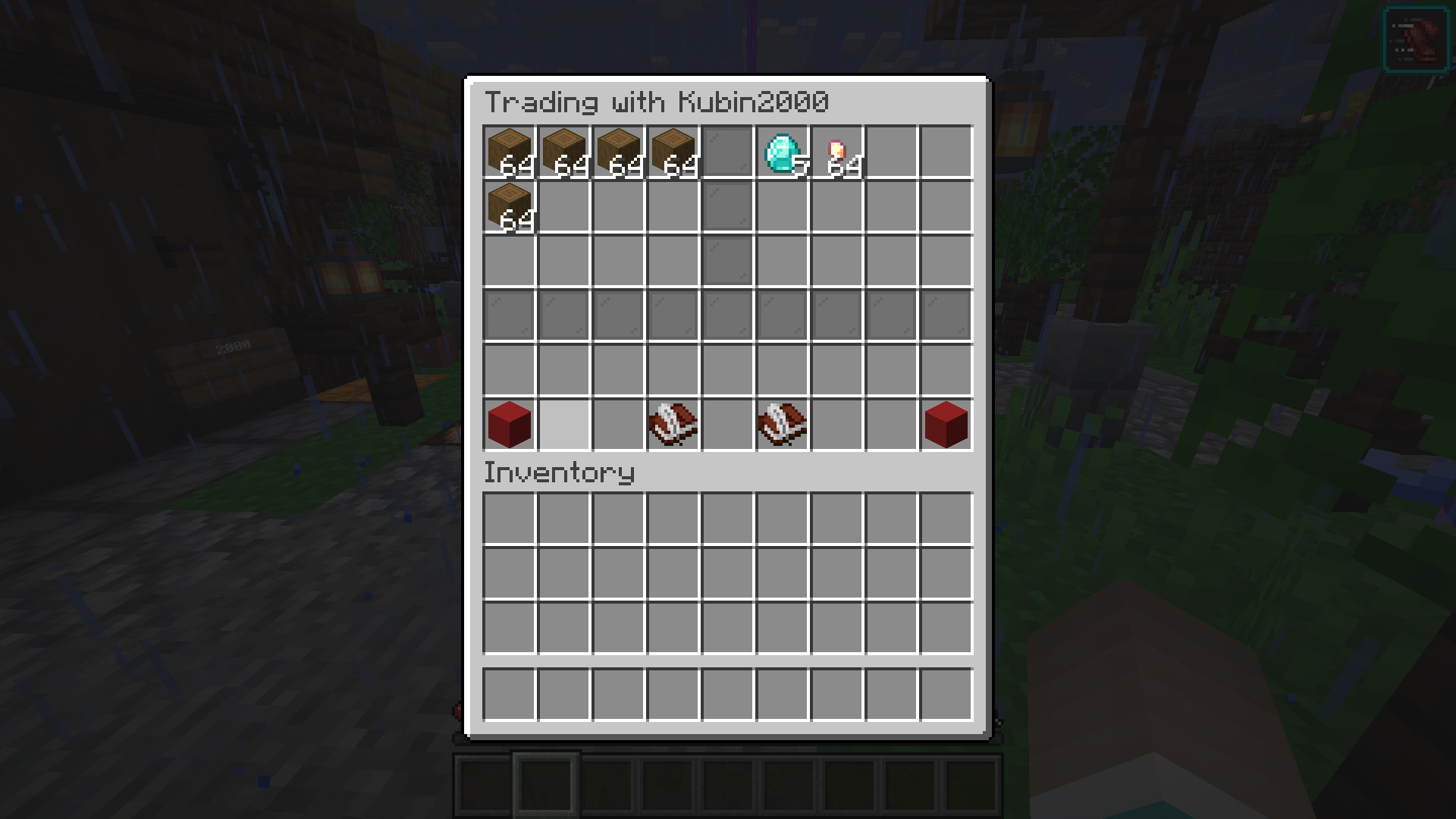
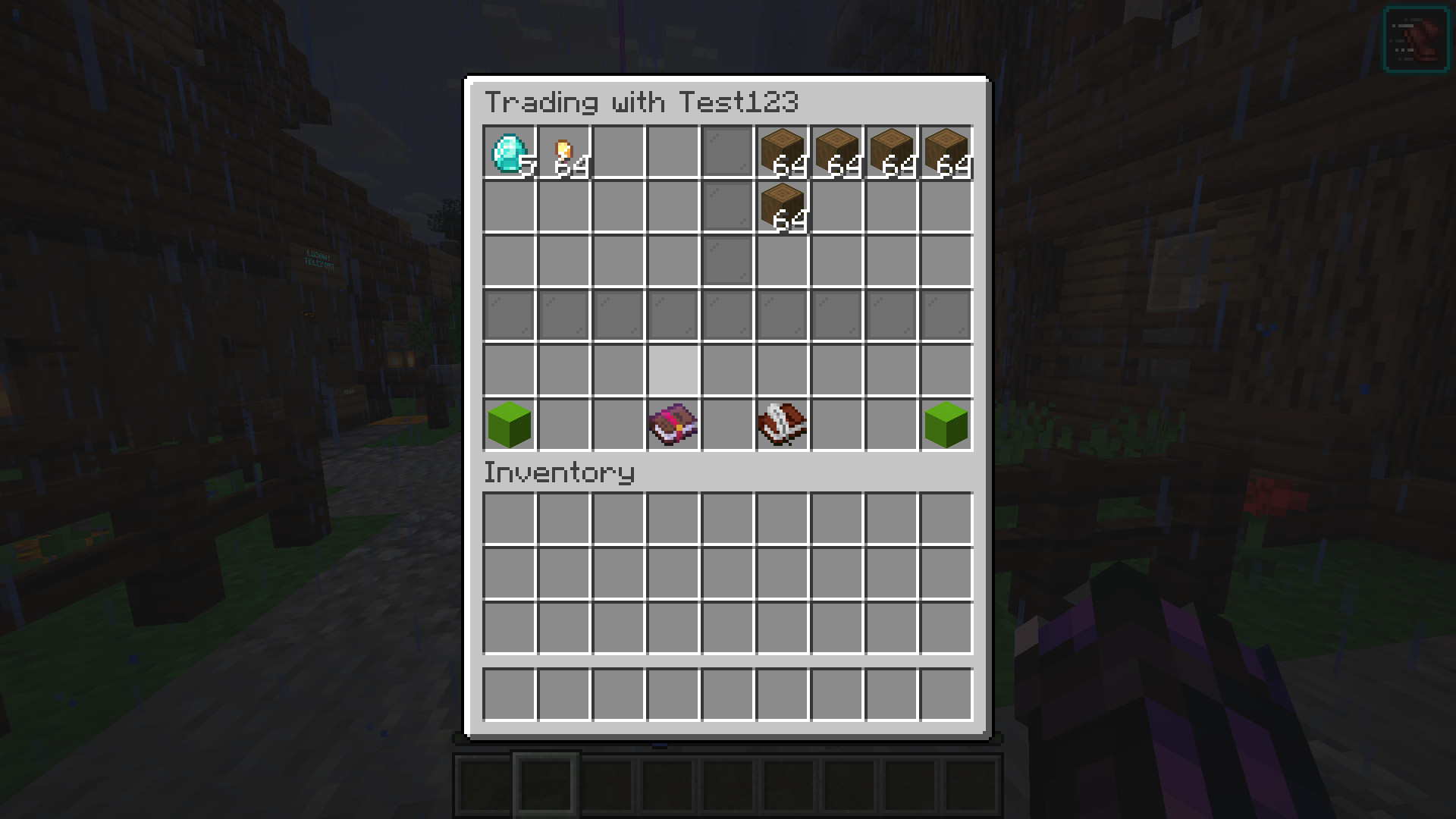
Trade GUI previev

Finalizing Trade

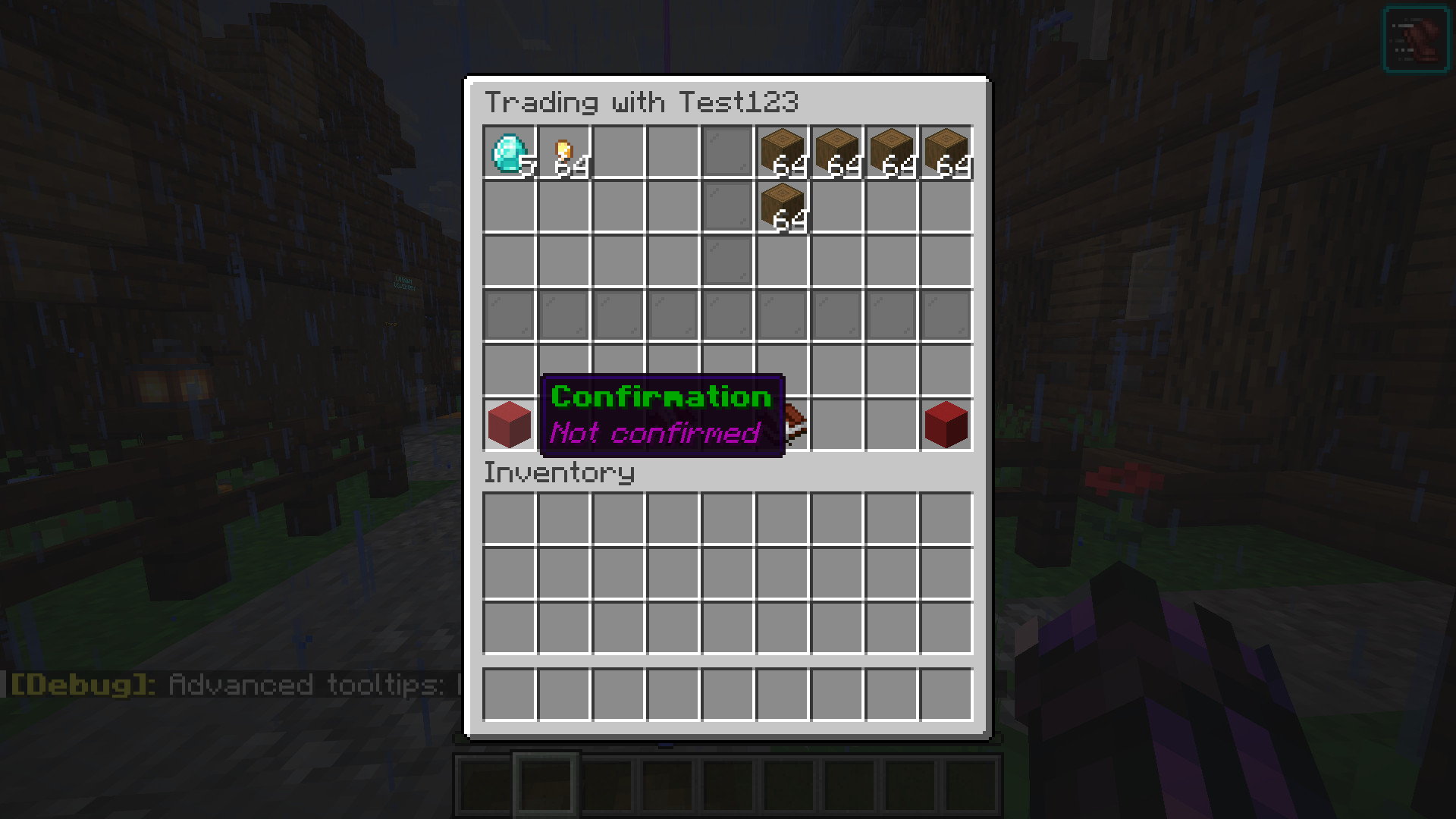
Trade Confirmation

✨ Main Features

Anti-Scam Protection: Two-step verification is required. Both players must first confirm their readiness, and only then can they finalize the transaction.

Proximity Check: Trades can only be initiated if players are within a specific distance from each other (the radius is fully configurable). This effectively blocks remote and cross-world trading.

️ Live GUI Preview: Players can see their partner's offer update in real-time within a custom 54-slot menu.

️ Anti-Dupe & Item Safety: The plugin is fully protected against exploits and glitches. Closing the trade window, disconnecting from the server, or abruptly canceling the trade will automatically return items to the players' inventories or safely drop them at their feet.

⚡ Extremely Lightweight: Designed with minimal server overhead. The code runs smoothly and updates the GUI asynchronously to prevent client-side visual glitches.

🛠️ How does it work?

A player types /trade <nickname>.

The target player accepts by typing the same command.

A shared menu opens! You place your items on the left side, and you can see your partner's offer on the right.

Click the Red Concrete (Confirmation) so it changes to Lime.

Once both players are ready and confirmed, click the Book (Finalize) to complete the exchange. Success!

⚙️ Configuration

# Max distance at which trade will work (defaulted to 50)
maxDistance: 50

# If set to true players will be able to trade when they are in different dimensions

# Set it to true if you want that (This will also ignore any distance)
ignoreWorlds: false

⚙️ Permissions

/trade <username> - Sends a trade request to a nearby player or accepts a pending invitation.
    permission: proximityTrade.trade

/reload - Quickly reloads the plugin configuration.
    permission: proximityTrade.reload

💬 Support:
If you have any problems/questions just ask here:
https://discord.gg/pVYJ983SZG

👥 Team & Contributors

Kubin20
Kubin20Owner

⚙️ Compatibility

Environment
🖥️ Server-side
Loaders
bukkitpaperpurpurspigot
Minecraft Versions
1.211.21.11.21.21.21.31.21.41.21.51.21.61.21.7+4 more

🔗 Links

Modrinth Page