

PluginMIT
Premium Advancements | Custom Achievements
Create unlimited custom advancements/achievements using a clean GUI, vault, MySQL support 1.21+
384
Downloads
7
Followers
1 months ago
Updated
📦
10
Versions
📖About Premium Advancements | Custom Achievements
Premium Advancements Create unlimited custom advancements with an in-game & web GUI editor. No config files needed.



Why Premium Advancements?
The easiest way to add achievements, quests, and progression to your Minecraft server. 45 triggers, real-time tracking, 8 reward types, multi-tab system, Discord webhooks, and both an in-game and browser-based web editor with live tree view - all without editing a single configuration file.
Features
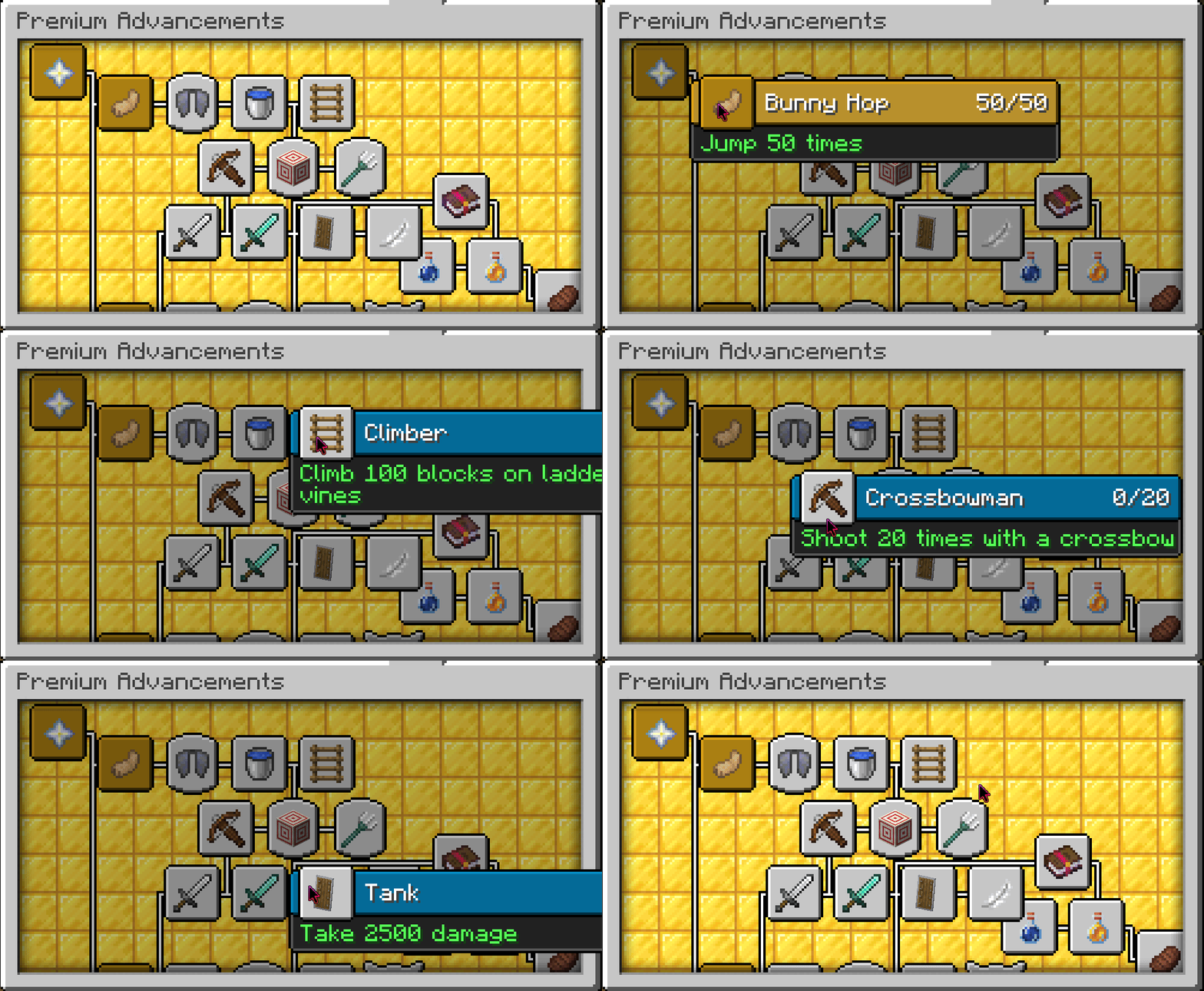
- Multi-Tab System - Organize advancements across multiple tabs, each with its own icon, background, and namespace
- Vanilla Advancement Viewer - Minecraft's built-in advancements (Story, Adventure, Nether, End, Husbandry) loaded read-only with correct icons, positions, and tree connections
- In-Game GUI Editor - 6 screens: main list, tab selector, create wizard, edit, confirm delete, stats viewer
- Web Editor (Browser-Based) - Full visual editor with live tree view, drag & drop, undo/redo, import/export JSON, icon browser, tab management
- 45 Trigger Types - JOIN, BREAK_BLOCK, PLACE_BLOCK, KILL, OBTAIN_ITEM, CRAFT_ITEM, SMELT_ITEM, ANVIL_USE, GRINDSTONE_USE, ENCHANT_ITEM, ENCHANT, ENTER_DIMENSION, TRAVEL_DISTANCE, FISH, BREED, TAME, CONSUME, EAT, HARVEST, TRADE, POTION_EFFECT, DEATH, DAMAGE_DEALT, DAMAGE_TAKEN, JUMP, DROP_ITEM, SHEAR, MILK, COMPOSTER_USE, ARMOR_EQUIP, FILL_BUCKET, EMPTY_BUCKET, SNIFF, RIPTIDE, RAID_WIN, TARGET_BLOCK, BELL_RING, CROSSBOW_SHOT, FIREWORK, GLIDE, SWIM, CLIMB, SLEEP, CHOP_TREE, MANUAL (command-only), PLACEHOLDER (PAPI-based)
- Progression Tracking - Counter-based progress saved across sessions; cumulative distance (glide/swim/climb/travel)
- 8 Reward Types - Console commands, Vault money, items (with enchants/name/lore/CMD), LuckPerms permissions, PlayerPoints, weighted random reward pools, global broadcast, Discord webhooks
- Discord Webhook Integration - Send customizable embeds on advancement completion, per-advancement toggle, custom embed with
%player%and%advancement%placeholders - Notifications - Toast popups, chat announcements, action bar progress
- Dependencies - Chain advancements with prerequisites for progression systems
- Filters - Block/item/entity type filters, world restrictions, permission gates, Custom Model Data (ItemsAdder/Oraxen), enchantment type/level, potion effect/amplifier, death cause, villager profession, bed color, sheep color, dimension, travel mode
- Hidden Advancements - Invisible until all prerequisites are met
- Visual Tree - Customizable x/y positions and connection targets for a clean advancement display
- Database - SQLite (file-based, easy) or MySQL/MariaDB with HikariCP connection pool
- Multi-Language - Built-in English and French; custom language file support
- PlaceholderAPI - 14+ placeholders for scores, progress, ranking, and per-tab stats
- Auto-Migration - Seamless upgrade from v1.70 with automatic backup
- bStats - Anonymous usage statistics (toggleable)
Quick Start
- Install UltimateAdvancementAPI v2.7.1+
- Drop the plugin in
plugins/and restart - Run
/padv guito create advancements OR/padv editorfor the web editor - Press L in-game to view them
Screenshots


📸 Discord Webhook Showcase


🌐 Web Editor Showcase


Commands
| Command | Description |
|---|---|
/padv help |
Show help menu |
/padv gui |
Open advancement management GUI (or tab selector) |
/padv tabs |
List all advancement tabs |
/padv wiki |
Open the plugin wiki |
/padv editor |
Get the web editor link |
/padv editor-trust <code> |
Authorize a browser session |
/padv info <id> |
Show full advancement details |
/padv give <player> <advancement> |
Grant an advancement to a player |
/padv take <player> <advancement|all> |
Revoke an advancement (or all) from a player |
/padv list [player] |
List completed advancements |
/padv stats [player] |
Open stats GUI with progress bars |
/padv reload |
Reload configuration |
/padv placeholders |
List all placeholders |
Permissions
| Permission | Default | Description |
|---|---|---|
premiumadvancements.admin |
OP | Full access to all admin commands |
premiumadvancements.give |
OP | Grant advancements |
premiumadvancements.take |
OP | Revoke advancements |
premiumadvancements.list |
true | List own advancements |
premiumadvancements.list.others |
OP | List others' advancements |
premiumadvancements.stats |
true | View own stats |
premiumadvancements.stats.others |
OP | View others' stats |
Placeholders
| Placeholder | Description |
|---|---|
%premiumadvancements_completed% |
Total completed advancements |
%premiumadvancements_total% |
Total available advancements |
%premiumadvancements_progress_<id>% |
Progress (e.g., 45/100) |
%premiumadvancements_completed_<id>% |
Completed status (true/false) |
%premiumadvancements_percent% |
Overall completion % |
%premiumadvancements_percent_<id>% |
Per-advancement completion % |
%premiumadvancements_latest% |
Latest completed title |
%premiumadvancements_ranking% |
Player rank by completions |
%premiumadvancements_tab_completed_<ns>% |
Tab completions |
%premiumadvancements_tab_total_<ns>% |
Tab total |
%premiumadvancements_tab_percent_<ns>% |
Tab completion % |
Requirements
- Paper 1.21.4+ (or fork)
- Java 21+
- UltimateAdvancementAPI 2.7.1+ (required)
- Vault (optional, for money rewards)
- PlaceholderAPI (optional, for placeholders)
- LuckPerms (optional, for permission rewards)
- PlayerPoints (optional, for points rewards)
Full Documentation

Everything you need to know: tabs, advancements, triggers, rewards, commands, placeholders, web editor, and more.
Support
Discord • Website • Wiki • GitHub
Made by Sky X Network