
MINECRAFTBIBLE
Loading...
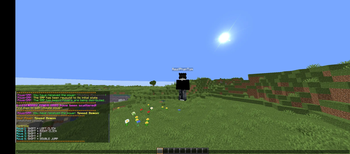

PowerSMP adds unique powers and custom abilities to your Minecraft SMP.
PowerSMP — The Ultimate
Overview
PowerSMP is a high-quality Minecraft SMP plugin designed to transform normal survival gameplay into an intense power-driven multiplayer experience. Every player receives a unique power that changes combat, movement, strategy, and survival mechanics. The plugin is built for competitive SMP servers, content creators, events, and public survival communities.
With powerful abilities, animated power rolling, trading systems, custom mechanics, and server-wide progression, PowerSMP creates a completely fresh SMP experience inspired by modern power-based survival servers.
✨ Main Features
⚡ 35 Unique Powers
Every player receives a special power with unique abilities and advantages.
Examples include:
Fire abilities
Speed boosts
Mobility powers
Combat enhancements
Utility abilities
Special movement mechanics
Survival advantages
Strategic passive effects
Each power is designed to feel unique and balanced for SMP gameplay.
🎲 Animated Power Rolling System
When the SMP starts, players receive their powers through an immersive animated rolling sequence.
Features:
Smooth animated power selection
Exciting randomized rolling
Cinematic feeling for players
Server-wide engagement
Clean visual presentation
This system makes receiving powers feel rewarding and memorable.
🔄 Power Trading System
Players can safely trade powers with each other using built-in commands.
Included commands:
/tradepower
/accepttrade
/rejecttrade
The trade system allows:
Secure player-to-player exchanges
Strategic alliances
Team balancing
Role swapping for events
🌍 Expanding Border System
PowerSMP includes a progression-based border mechanic.
Features:
Controlled world expansion
Better SMP pacing
Encourages exploration over time
Creates competition for resources
Perfect for long-term survival servers
🛡️ Multiplayer Friendly
Designed specifically for multiplayer SMP environments.
Perfect for:
Public SMP servers
Private friend groups
YouTube SMP series
Streamer events
Competitive survival servers
📦 Lightweight & Optimized
The plugin is optimized for performance and stability.
Benefits:
Low server impact
Clean internal structure
Stable gameplay experience
Smooth performance even with many players online
🎮 Commands
Player Commands
/mypower View your current power.
/tradepower Request a power trade.
/accepttrade Accept a pending trade.
/rejecttrade Reject a pending trade.
Admin Commands
/startsmp Start the SMP and begin power distribution.
/rewindsmp Reset and rewind the SMP state.
🔐 Permissions
powersmp.use Allows players to use powers.
powersmp.admin Allows access to admin commands.
⚙️ Compatibility
Minecraft Version: 1.21+
API Version: 1.21
Server Software:
Paper
Spigot (recommended Paper)
💡 Why Choose PowerSMP?
Unlike basic SMP plugins, PowerSMP focuses on creating a fully unique survival experience where every player feels different.
Players must:
Adapt to different powers
Build strategies around abilities
Form alliances
Trade powers
Compete for dominance
Master unique playstyles
This creates highly replayable gameplay and exciting multiplayer interactions.
🚀 Perfect For Content Creators
PowerSMP is ideal for:
YouTube SMP content
YT clips
Stream events
Challenge videos
Competitive survival series
The power system naturally creates entertaining and unpredictable gameplay moments.
📌 Installation
❤️ Support
If you enjoy the plugin, consider leaving a review and supporting future updates.
Thank you for using PowerSMP!