

PlayerServers Plugin Loader
Plugin selector for playerservers
📖About PlayerServers Plugin Loader
PlayerServers PluginSelector is an AddOn plugin for PlayerServers! It cannot be used without PlayerServers!

PlayerServers AddOn » PSPluginSelector
PluginSelector is an add on plugin for PlayerServers that allows servers creators to enable and disable specified plugins as they desire, instead of just selecting whole templates. The PluginSelector add-on should be installed in a PlayerServer template, and will allow the creator of that server to select plugins— that you have specified in the config— to enable or disable on their server, in a nice GUI, without any new commands to learn!
PSPluginSelector is an AddOn plugin for PlayerServers! It cannot be used without PlayerServers!
Features »
Reads available plugins in the configured directory automatically and populates the config for easy editing.
Customizable icon name, multi-line lore, material, durability, and more.
Specify plugin dependencies to have them install when needed.
Hide plugins from list so they only can be installed as dependencies.
Enable/disable certain plugins in the config.
Customizable messages.
Hooks existing /myserver command, so no extra steps for players to learn.
Screenshot »
Added PluginSelector icon to PlayerServers /myserver » 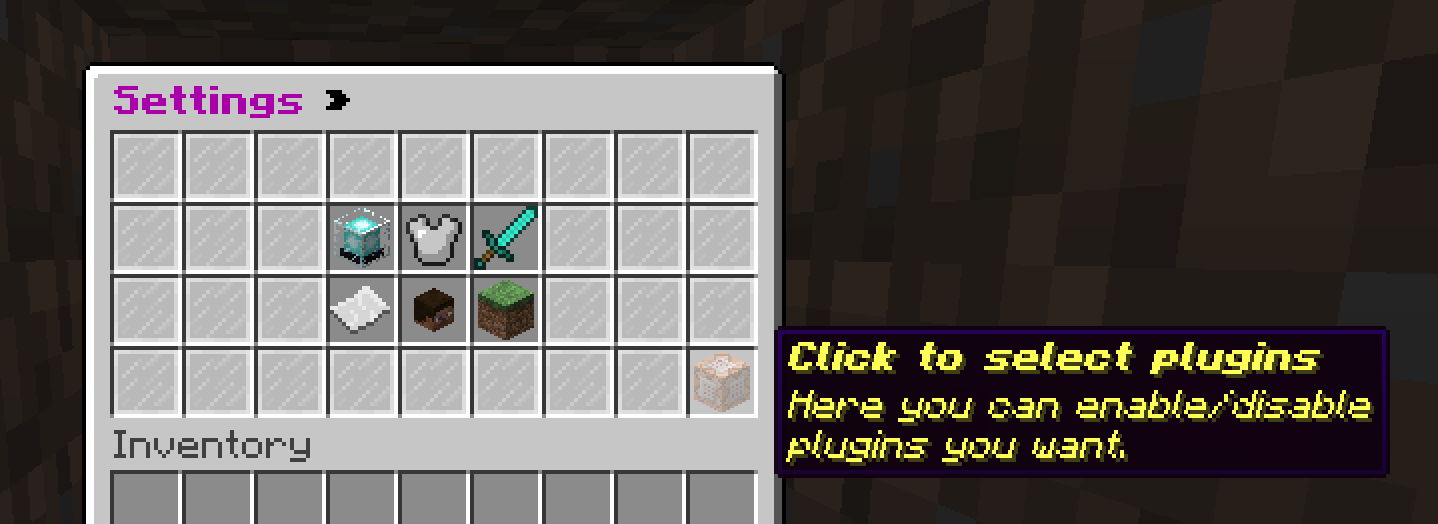
PluginSelector Menu » 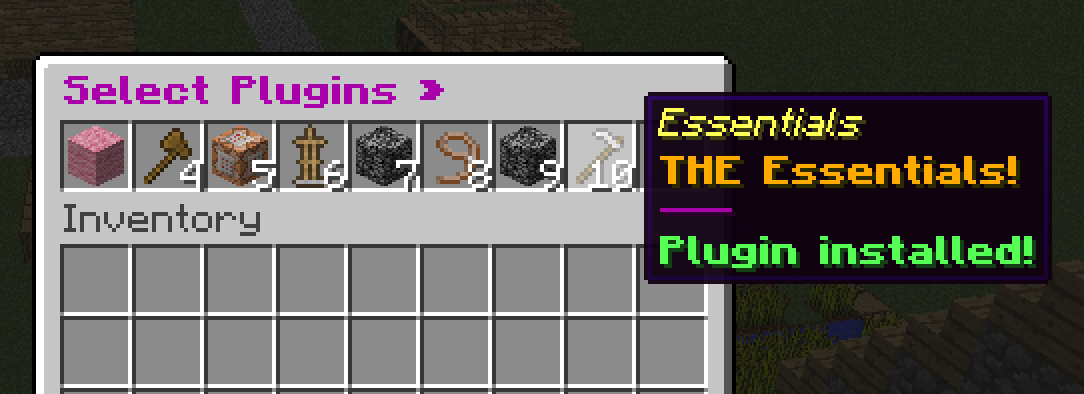
Requirements »
PlayerServers (1.7+)
Installation »
PSPluginSelector is a bukkit plugin that should go on players' servers (generated by PlayerServers), thus it needs to be included (and be fully setup) in a PlayerServers template. The plugin's that you want to be included in the PSPluginSelector GUI need to be in their own separate directory for storing available plugins.
Because you need to set it up in a template (which is copied to MAKE a server, but is not ITESELF normally a server that runs), it's not as straightforward as just loading the plugin and editing the config. There are two paths you can go down to get the config setup, follow them step by step and it should work. The default config.yml can be found on the plugin page for you to read the config comments, or to copy into the template for option 2. When the plugin is properly setup, it will appear in the GUI.
Option 1 » Auto-generate plugins list:
This is a little roundabout, but lets you auto-load a plugin list to edit, instead of manually entering all plugins.
Put PSPluginSelector.jar in a PlayerServers template.
Create a player server from that template to generate the plugin folder and config in your player server.
Navigate to your player server plugins folder (/playerservers/configured/folder/servers/YOUR-UUID-HERE/plugins)
Edit the "plugins-folder" config setting and reload or restart the server to auto-scan the plugins folder.
The plugins-folder setting should NOT be a server OR template plugins folder.
Copy/move the generated PSPluginSelector folder back to the template folder (or multiple template folders), and edit plugin names, descriptions, enabled/disabled status, etc in the config.yml.
Each template can have different plugins enabled/disabled/hidden, but each template must have ALL plugins listed OR auto-scan-plugins set to false, or else plugins may be added from the plugins folder & usable when not wanted.
Done!
Option 2 » Manually Specify plugin list:
This will require you to create a plugin folder and copy the config.yml manually, but doesn't require creating a server to generate the config.
Put PSPluginSelector.jar in a PlayerServers template.
Create folder named 'PSPluginSelector' in the templates plugin folder.
Create a file in the 'PSPluginSelector' folder named config.yml, and copy the default config.yml (found below) into it.
Modify the config.yml to your needs. Duplicate the example plugin config for each plugin you want to add, and be sure to set auto-scan-plugins to false if you don't want all/newly added plugins in the plugins-folder to be automatically added.
The plugins-folder setting should NOT be a server OR template plugins folder.
Done!
Setup Suggestions »
Symlink this plugin's config.yml or config folder to templates' plugins folder, so you can edit one file and update all servers, instead of having it be copied to each server and require individual updating with new plugins.
Commands »
Only the server creator and OPs can use these commands.
/plugin » With no args, will just open the plugin install GUI.
/plugin list » Lists all available & visible plugins and their install status.
/plugin install [plugin] » Opens the install GUI or toggles the install status of the specified plugin.