


PluginGPL-3.0-only
PlayerCrasher
Easily crash Minecraft Players across all versions by using a command.
5.8K
Downloads
37
Followers
1 years ago
Updated
📦
10
Versions
📖About PlayerCrasher
PlayerCrasher





Overview
An easy-to-use Minecraft plugin that enables the crashing of a player's game through the use of a command.
Requires PacketEvents
Ensure the PacketEvents library is installed on your server.
Table of Contents
- Overview
- Showcase
- Supported Platforms & Versions
- Spoofers
- Commands
- Permission Nodes
- Installation
- Compiling From Source
- Credits
- License
Showcase
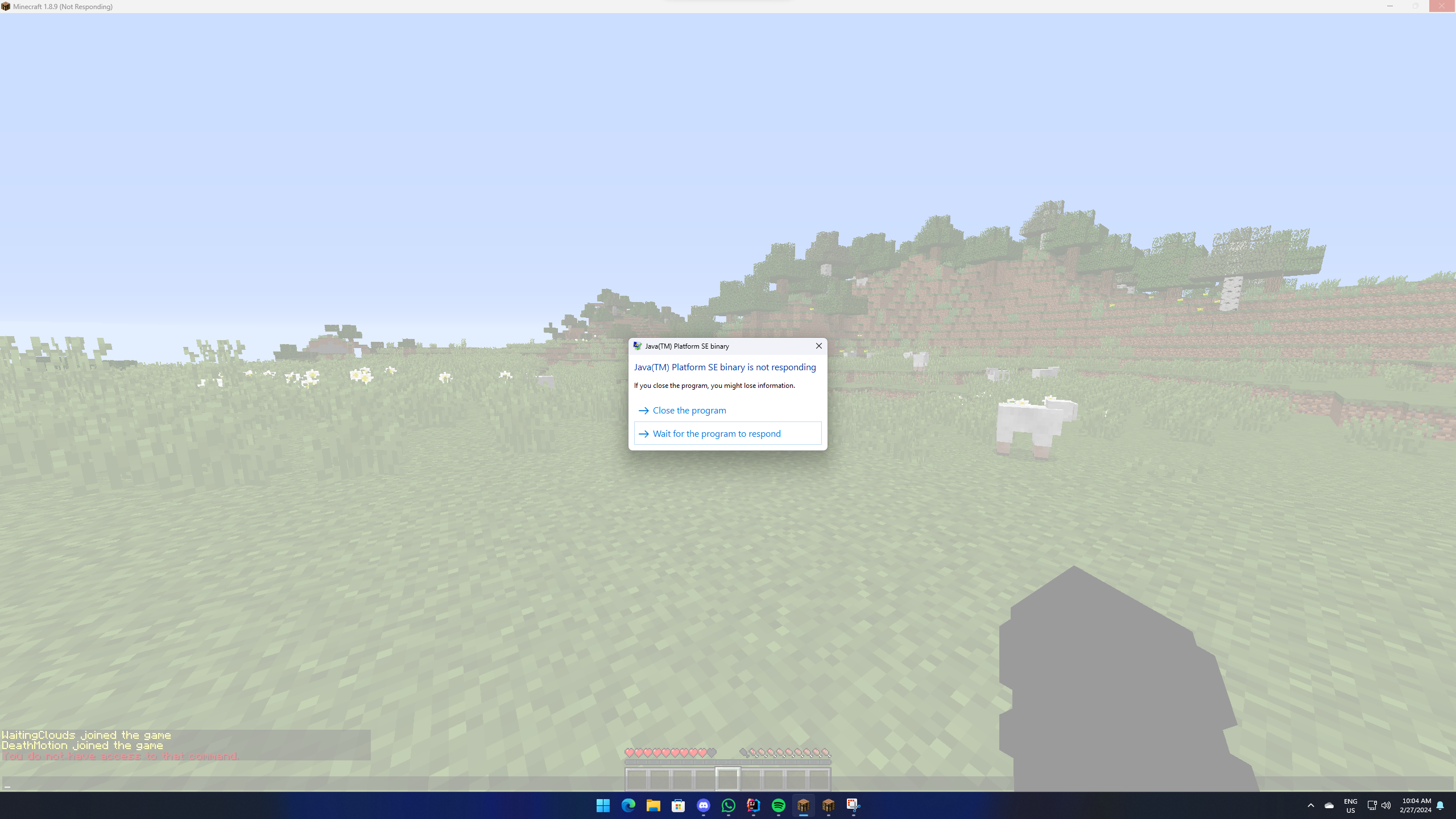
Supported Platforms & Versions
| Platform | Supported Versions |
|---|---|
| Bukkit (Spigot, Paper, Folia etc.) | 1.8.8 - 1.21.3 |
| Velocity | Latest Major |
| BungeeCord (or any forks) | Latest Major |
Features
- Completely Asynchronous - The plugin is designed to be as lightweight as possible.
All packet modifications are done asynchronously, so the main thread is never blocked. - Folia Support - The plugin integrates with Folia, which is a Paper fork that
adds regionised multithreading to the server. - Crash Detector - By sending both a keep alive and transaction packet, the plugin can detect if a player has
crashed, even if the player is still connected. - Configurable - The plugin is highly configurable, allowing you to adjust the settings to your liking.
- Update Checker - The plugin automatically checks for updates on startup.
If a new version is available, a message will be sent to the console.
Usage/Examples
/crash (player) [Method]
Note: The method parameter is optional. If no method is provided, the plugin will use the most appropriate method
based on the player's version.
Methods:
ExplosionParticlePosition
Commands
/pc- Displays the plugin's version and author./crash (player) [Method]- Crashes the specified player's game./crashinfo [player]- Displays the client brand and version of the specified player.
Permission Nodes
Players that are OP (Operators) have these permissions by default.
PlayerCrasher.CrashAllows the player to use the /crash command.PlayerCrasher.BypassExempts the player from being crashed when the /crash command is used on them.PlayerCrasher.AlertsMakes the player receive alerts when a player is being crashed by another player.PlayerCrasher.CrashInfo- Allows the player to use the /crashinfo command.PlayerCrasher.UpdateNotifyMakes the player receive an update notification when a new version is available.
Installation
- Prerequisites: Install PacketEvents.
- Download: Get the latest release from
the GitHub release page. - Installation: Move the downloaded plugin to your server's plugins directory.
- Configuration: Customize settings in
config.yml. - Restart: Restart the server for changes to take effect.
Compiling From Source
Prerequisites
- Java Development Kit (JDK) version 21 or higher
- Git
Steps
Clone the Repository:
git clone https://github.com/Bram1903/MinecraftPlayerCrasher.gitNavigate to Project Directory:
cd MinecraftPlayerCrasherCompile the Source Code:
Linux / macOS
Use the Gradle wrapper to compile and generate the plugin JAR file:
Windows./gradlew build.\gradlew build
Credits
Special thanks to:
- @Retrooper: Author of PacketEvents.
License
This project is licensed under the GPL3 License.