Logo
MINECRAFTBIBLE
Items
Items

All game items

Blocks
Blocks

Building blocks

Mobs
Mobs

Creatures & monsters

Biomes
Biomes

World biomes

Structures
Structures

Generated structures

Recipes
Recipes

Crafting guides

Advancements
Advancements

Achievements

Loot Tables
Loot Tables

Drop rates

Tags
Tags

Item groupings

All Versions
View all data →
Capes
Cape ArchiveNEW

Browse rare Minecon capes, OptiFine capes, and custom capes from players worldwide

Browse

Player Database
Player DatabasePopular

Search any player

Skin Browser
Skin Browser

Browse & download skins

Cape Gallery
Cape GalleryNEW

Minecon & OptiFine capes

Seed Vault
Seed Vault

Curated seeds

Learn

Guides
GuidesNew

Tutorials & tips

Blog
Blog

News & updates

Community

Community Hub
Community HubHub

Posts, discussions & more

All Versions
View community →
Seed Analyzer
Seed Analyzer

World seed analysis

Loot Explorer
Loot Explorer

Drop rates

Crafting Calculator
Crafting Calculator

Material planning

Enchant Calculator
Enchant Calculator

Probability math

Redstone Lab
Redstone Lab

Signal timing

Trading Profit
Trading Profit

Villager ROI

All Versions
View all tools →
Mods
Mods

Browse all mods

Plugins
Plugins

Server plugins

Resource Packs
Resource Packs

Textures & sounds

Shaders
Shaders

Visual enhancements

Datapacks
Datapacks

World logic

Scanner
Mod Intelligence

Scan & analyze any mod

All Versions
View all mods →
Loading...
IntroductionIntroductionVersion HistoryVersion HistoryGuidesGuidesBlog & NewsBlog & News
ItemsItemsBlocksBlocksMobsMobsRecipesRecipesBiomesBiomesStructuresStructuresAdvancementsAdvancementsLoot TablesLoot TablesTagsTags
ModsModsPluginsPluginsResource PacksResource PacksShadersShadersDatapacksDatapacks

MinecraftBible

The Ultimate Wiki

Logo
MINECRAFTBIBLE

The ultimate Minecraft reference. Every item, block, mob, and recipe documented with precision.

Community

  • Skin Browser
  • Cape Gallery
  • Seed Vault
  • Blog
  • Guides

Database

  • Items
  • Blocks
  • Mobs
  • Recipes
  • Biomes
  • Structures

Tools

  • Seed Analyzer
  • Mod Intelligence
  • Crafting Calculator
  • Enchant Calculator

Mods & Packs

  • Mods
  • Plugins
  • Resource Packs
  • Shaders
  • Datapacks

Site & Legal

  • About
  • Authors
  • Editorial Policy
  • Corrections
  • Contact
  • Privacy Policy
  • Terms of Service
  • DMCA
  • Sitemap

© 2026 MinecraftBible. Not affiliated with Mojang or Microsoft.

PrivacyTermsContact
Pipes
PluginLicenseRef-All-Rights-Reserved

Pipes

pipes for transferring items. fully configurable, nice visuals

59
Downloads
3
Followers
3 months ago
Updated
📦
2
Versions
decorationgame-mechanicsoptimizationpaperpurpur
Download Latestv0.1.1View on Modrinth

📖About Pipes

Pipes

Pipes for transferring items between containers.
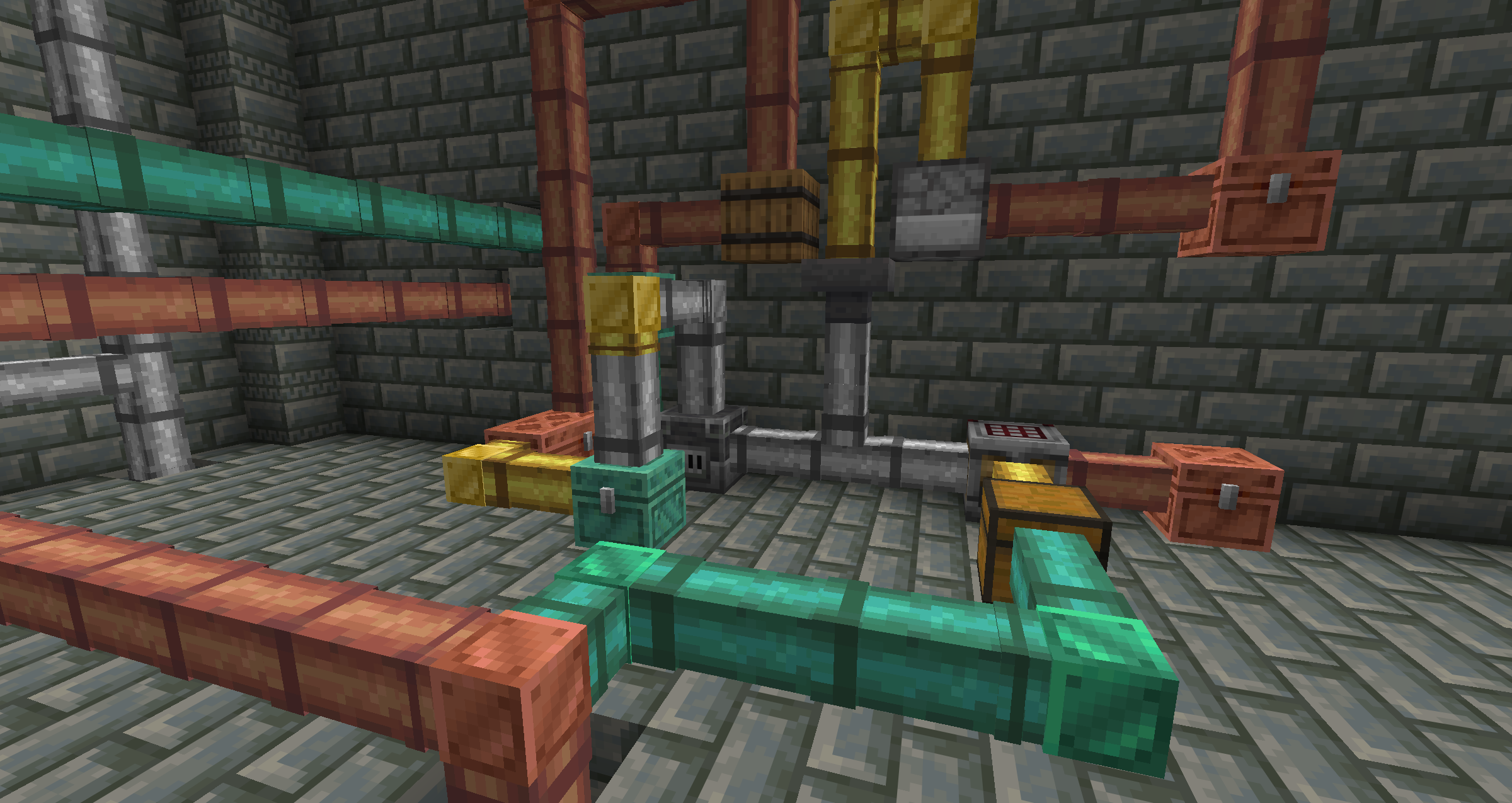
Some pipes in a factory

Features

Pipes transfer items from a container to other containers, or spit them out like a dropper.

Regular Pipes pull items from the container behind them and push items forward. They face away from the block you place them against.

Corner Pipes only relay items - they don't pull. Use them to change the direction of item flow. They face toward the block you place them against.

Pipes can be chained together to create complex item transport networks.

Pipes come in different material variants (oxidized copper, copper, iron, gold) that affect transfer speed and visual appearance. Textures, variants, crafting recipes, and transfer settings are all configurable.
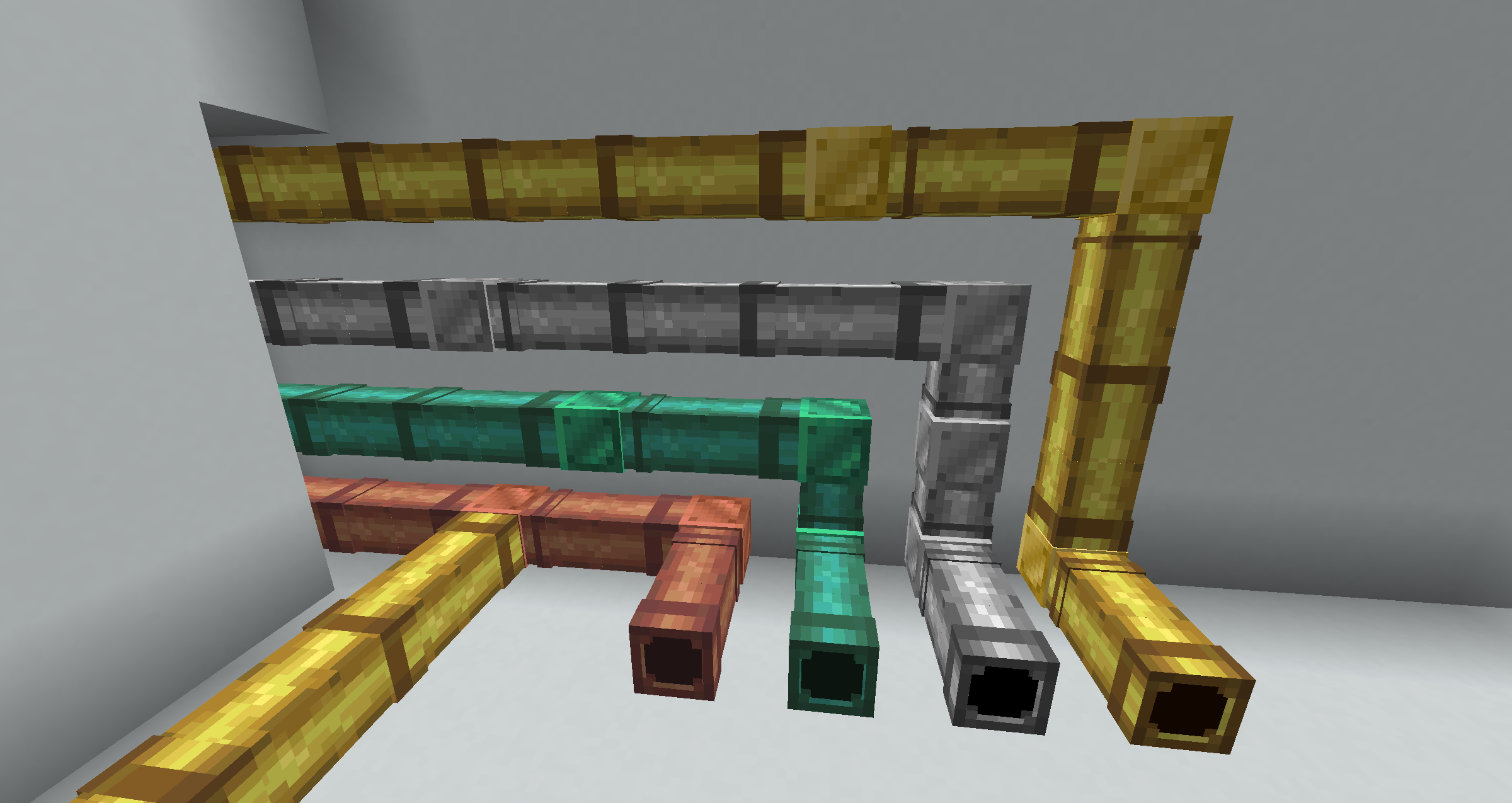
Various pipe materials and variants.

Crafting

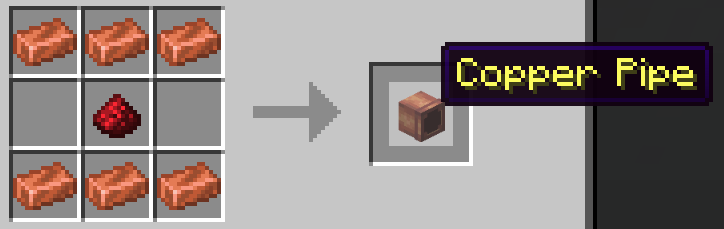
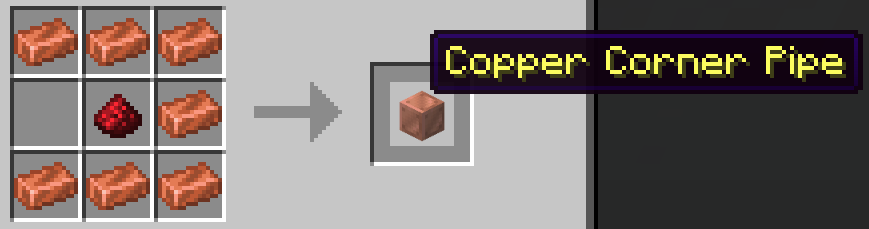
Regular Pipe Corner Pipe
Regular Pipe Recipe Corner Pipe Recipe

Other pipe variants are crafted with their respective ingots. Oxidized copper pipes are made by throwing regular copper pipes into water cauldrons, or by crafting with a water bucket. Recipes are fully configurable.

Commands

Command Description Permission
/pipes give <variant> Give a pipe item pipes.give
/pipes reload Reload configuration pipes.reload
/pipes recipes Unlock all pipe recipes pipes.recipes
/pipes info Info about currently loaded pipes pipes.info
/pipes delete_all Delete all pipes (dangerous) pipes.delete_all
/pipes cleanup (debug) Remove orphaned entities pipes.cleanup

Configuration

The plugin is configured via config.yml. Each pipe variant can have custom settings:

variants:
  copper_pipe:
    behavior: REGULAR
    display-name: "Copper Pipe"
    texture-set: copper
    transfer:
      interval-ticks: 10    # Transfer every 0.5 seconds
      items-per-transfer: 1 # Move 1 item at a time

👥 Team & Contributors

D
def9a2a4Owner

⚙️ Compatibility

Environment
🖥️ Server-side
Loaders
paperpurpur
Minecraft Versions
1.211.21.11.21.21.21.31.21.41.21.51.21.61.21.7+4 more

🔗 Links

Modrinth Page