Logo
MINECRAFTBIBLE
Items
Items

All game items

Blocks
Blocks

Building blocks

Mobs
Mobs

Creatures & monsters

Biomes
Biomes

World biomes

Structures
Structures

Generated structures

Recipes
Recipes

Crafting guides

Advancements
Advancements

Achievements

Loot Tables
Loot Tables

Drop rates

Tags
Tags

Item groupings

All Versions
View all data →
Capes
Cape ArchiveNEW

Browse rare Minecon capes, OptiFine capes, and custom capes from players worldwide

Browse

Player Database
Player DatabasePopular

Search any player

Skin Browser
Skin Browser

Browse & download skins

Cape Gallery
Cape GalleryNEW

Minecon & OptiFine capes

Seed Vault
Seed Vault

Curated seeds

Learn

Guides
GuidesNew

Tutorials & tips

Blog
Blog

News & updates

Community

Community Hub
Community HubHub

Posts, discussions & more

All Versions
View community →
Seed Analyzer
Seed Analyzer

World seed analysis

Loot Explorer
Loot Explorer

Drop rates

Crafting Calculator
Crafting Calculator

Material planning

Enchant Calculator
Enchant Calculator

Probability math

Redstone Lab
Redstone Lab

Signal timing

Trading Profit
Trading Profit

Villager ROI

All Versions
View all tools →
Mods
Mods

Browse all mods

Plugins
Plugins

Server plugins

Resource Packs
Resource Packs

Textures & sounds

Shaders
Shaders

Visual enhancements

Datapacks
Datapacks

World logic

Scanner
Mod Intelligence

Scan & analyze any mod

All Versions
View all mods →
Loading...
IntroductionIntroductionVersion HistoryVersion HistoryGuidesGuidesBlog & NewsBlog & News
ItemsItemsBlocksBlocksMobsMobsRecipesRecipesBiomesBiomesStructuresStructuresAdvancementsAdvancementsLoot TablesLoot TablesTagsTags
ModsModsPluginsPluginsResource PacksResource PacksShadersShadersDatapacksDatapacks

MinecraftBible

The Ultimate Wiki

Logo
MINECRAFTBIBLE

The ultimate Minecraft reference. Every item, block, mob, and recipe documented with precision.

Community

  • Skin Browser
  • Cape Gallery
  • Seed Vault
  • Blog
  • Guides

Database

  • Items
  • Blocks
  • Mobs
  • Recipes
  • Biomes
  • Structures

Tools

  • Seed Analyzer
  • Mod Intelligence
  • Crafting Calculator
  • Enchant Calculator

Mods & Packs

  • Mods
  • Plugins
  • Resource Packs
  • Shaders
  • Datapacks

Site & Legal

  • About
  • Authors
  • Editorial Policy
  • Corrections
  • Contact
  • Privacy Policy
  • Terms of Service
  • DMCA
  • Sitemap

© 2026 MinecraftBible. Not affiliated with Mojang or Microsoft.

PrivacyTermsContact
pinger
PluginApache-2.0

pinger

Real-time ping indicator in the tab list.

55
Downloads
1
Followers
3 months ago
Updated
📦
1
Versions
utilityfoliapaperpurpur
Download Latestv1.0.0View on Modrinth

📖About pinger

Pinger

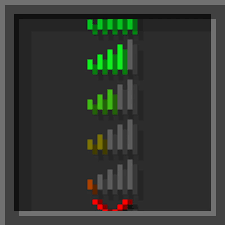
Displays each player's real-time ping in the tab list, color-coded by latency threshold. Includes a private /ping command and full runtime control via admin commands.


Features

  • Live ping indicator in the tab list, refreshed on a configurable interval
  • Color-coded thresholds — configurable colors, values, and bracket style
  • Private /ping command — response is only visible to the sender
  • Runtime toggle for tab display and /ping command without a server restart
  • Full internationalization — drop any .yml into lang/ and point config to it
  • Bundled languages: English (en_US) and Custom

Ping Thresholds

Range Color Default
Excellent Green ≤ 35 ms
Good Gold 36 – 99 ms
Warning Red 100 – 999 ms
Critical Dark Red, bold ≥ 1000 ms

All values and colors are editable in config.yml.


Commands

Command Description Permission
/ping Show your current ping pinger.ping
/pinger help List all commands —
/pinger reload Reload config and language pinger.admin
/pinger on tab Enable tab ping display pinger.admin
/pinger off tab Disable tab ping display pinger.admin
/pinger on ping Enable /ping command pinger.admin
/pinger off ping Disable /ping command pinger.admin
/pinger status Show current plugin state pinger.admin

/pinger on and /pinger off without an argument toggle both at once.
Runtime changes reset to config.yml values on /pinger reload.


Permissions

Node Default Description
pinger.admin OP All /pinger admin subcommands
pinger.ping true Use /ping
pinger.see true See ping in tab list

Configuration

Generated automatically on first launch with full inline documentation.

general:
  enabled: true
  update-interval: 20        # 20 ticks = 1 second
  language: en_US

display:
  show-in-tab: true
  ping-command-enabled: true
  show-ms-suffix: true
  brackets:
    open: "["
    close: "]"
    color: GRAY
    bold: true

thresholds:
  excellent:  { max: 35,   color: GREEN    }
  good:       { max: 99,   color: GOLD     }
  warning:    { max: 999,  color: RED      }
  critical:   { min: 1000, color: DARK_RED, bold: true, text: "CRITICAL" }

Custom Language

  1. Create plugins/pinger/lang/your_lang.yml — use en_US.yml as a template
  2. Set language: your_lang in config.yml
  3. Run /pinger reload

& color codes and placeholders ({ping}, {player}, etc.) are fully supported.


Requirements

  • Paper 1.21+ (or any Paper fork)
  • Java 21+

by pozii

👥 Team & Contributors

pozii
poziiOwner

⚙️ Compatibility

Environment
🖥️ Server-side
Loaders
foliapaperpurpur
Minecraft Versions
1.211.21.11.21.21.21.31.21.41.21.51.21.61.21.7+4 more

🔗 Links

Modrinth Page