

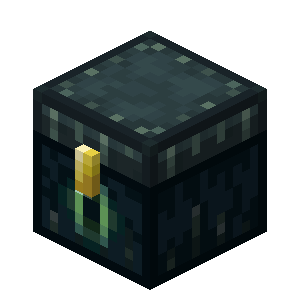
Personal Spaces
Personal dimensions for every player on the server.
📖About Personal Spaces
Personal Spaces
Personal Spaces is a PaperMC plugin that creates an isolated personal dimension for every player on your server.

Note: The version of the island shown in this screenshot was custom-built by me after world generation.
Your personal space will start as an empty water-filled world unless you add your own structures or schematics.
When playing vanilla Minecraft, I would constantly fill my Ender Chest with nonsense, and then fill it with shulkers with even more nonsense. Eventually I thought, “wouldn't it be cool if my Ender Chest could hold all of my stuff?”
So I created this. With Personal Spaces, your Ender Chest becomes an entire dimension for personal storage, automation, builds, and more. Think skyblock, but private.
🔑 Key Features
🗺️ Private Per-Player Dimensions
- Each player gets a world at:
personal_spaces/<uuid> - Worlds are automatically generated, loaded, saved, and isolated
- Players can freely build and edit anything inside their own dimension
🔒 Privacy
- The goal of these dimensions (like an Ender Chest) is that they are completely private
- Nobody, not even administrators, can directly teleport to your personal space
- This is to maintain the integrity of the experience
- Teleportation into a personal space is only allowed through the intended methods
🌍 Custom World Generator
- Worlds are generated using a custom chunk generator that fills chunks with water up to Y=100
- The spawn area is automatically generated with:
- Bedrock safety tiles
- An Ender Chest for returning to the overworld
- A chest containing previous Ender Chest contents
- Optionally pasted structures (using WorldEdit)
- Place schematics here:
plugins/PersonalSpaces/schems/(your_structure).schem
- Place schematics here:
📦 Legacy Loot Recovery
- When a player enters their personal space for the first time, a chest containing their previous Ender Chest contents will be generated
- The original Ender Chest contents are not mutated, meaning you can always revert if necessary
🚪 Simple Enter & Exit Controls
- Right-clicking an Ender Chest in the overworld takes you to your personal space
- Right-clicking an Ender Chest inside your personal space takes you back to the last place you were (even between sessions)
- As an operator,
/personalspacecan also teleport you
🛡️ Safety & Protection
- Damage inside personal spaces is disabled and will teleport you back to your last location
- Various problematic interactions are disabled, such as:
- PvP
- Mob spawns
- Bed use (including setting spawn)
- The starting blocks (where you spawn) cannot be removed
- They can be replaced by shift-clicking with a desired block
- The replacement block must be valid to stand on (solid + safe)
🧱 World Template System
- The plugin creates and maintains a
personal_spaces/templateworld on first startup - Whenever a personal space is created, it clones this template for efficiency
- This template world is validated by hashing its region files to ensure it cannot be tampered with
Personal Spaces turns your Ender Chest into an entire private world, perfect for builds, storage systems, redstone contraptions, personal skyblocks, and more.