Logo
MINECRAFTBIBLE
Items
Items

All game items

Blocks
Blocks

Building blocks

Mobs
Mobs

Creatures & monsters

Biomes
Biomes

World biomes

Structures
Structures

Generated structures

Recipes
Recipes

Crafting guides

Advancements
Advancements

Achievements

Loot Tables
Loot Tables

Drop rates

Tags
Tags

Item groupings

All Versions
View all data →
Capes
Cape ArchiveNEW

Browse rare Minecon capes, OptiFine capes, and custom capes from players worldwide

Browse

Player Database
Player DatabasePopular

Search any player

Skin Browser
Skin Browser

Browse & download skins

Cape Gallery
Cape GalleryNEW

Minecon & OptiFine capes

Seed Vault
Seed Vault

Curated seeds

Learn

Guides
GuidesNew

Tutorials & tips

Blog
Blog

News & updates

Community

Community Hub
Community HubHub

Posts, discussions & more

All Versions
View community →
Seed Analyzer
Seed Analyzer

World seed analysis

Loot Explorer
Loot Explorer

Drop rates

Crafting Calculator
Crafting Calculator

Material planning

Enchant Calculator
Enchant Calculator

Probability math

Redstone Lab
Redstone Lab

Signal timing

Trading Profit
Trading Profit

Villager ROI

All Versions
View all tools →
Mods
Mods

Browse all mods

Plugins
Plugins

Server plugins

Resource Packs
Resource Packs

Textures & sounds

Shaders
Shaders

Visual enhancements

Datapacks
Datapacks

World logic

Scanner
Mod Intelligence

Scan & analyze any mod

All Versions
View all mods →
Loading...
IntroductionIntroductionVersion HistoryVersion HistoryGuidesGuidesBlog & NewsBlog & News
ItemsItemsBlocksBlocksMobsMobsRecipesRecipesBiomesBiomesStructuresStructuresAdvancementsAdvancementsLoot TablesLoot TablesTagsTags
ModsModsPluginsPluginsResource PacksResource PacksShadersShadersDatapacksDatapacks

MinecraftBible

The Ultimate Wiki

Logo
MINECRAFTBIBLE

The ultimate Minecraft reference. Every item, block, mob, and recipe documented with precision.

Community

  • Skin Browser
  • Cape Gallery
  • Seed Vault
  • Blog
  • Guides

Database

  • Items
  • Blocks
  • Mobs
  • Recipes
  • Biomes
  • Structures

Tools

  • Seed Analyzer
  • Mod Intelligence
  • Crafting Calculator
  • Enchant Calculator

Mods & Packs

  • Mods
  • Plugins
  • Resource Packs
  • Shaders
  • Datapacks

Site & Legal

  • About
  • Authors
  • Editorial Policy
  • Corrections
  • Contact
  • Privacy Policy
  • Terms of Service
  • DMCA
  • Sitemap

© 2026 MinecraftBible. Not affiliated with Mojang or Microsoft.

PrivacyTermsContact
Partycraft Plus
PluginLicenseRef-All-Rights-Reserved

Partycraft Plus

A highly customizable party plugin for Velocity networks using Paper‑based backend servers

70
Downloads
2
Followers
3 months ago
Updated
📦
4
Versions
game-mechanicsmanagementsocialbukkitpaperpurpurspigotvelocity
Download Latestv1.2.0-MC_1.21.XView on Modrinth

📖About Partycraft Plus

Partycraft

A highly customizable plugin for Velocity networks with Paper-based backend servers that brings party features to your Network. It’s working with Velocity proxies, has no dependencies, and also supports cross‑world teleportation using MultiverseCore.

Links

Our Web-Platform BETA https://pythonapps.org/

Other Languages

Visit our GitHub page to get explainations in other languages.

These Languages are supported:
  • English [UK]
  • Deutsch [DE]

Features

Cross‑server teleportation

Cross‑server teleportation allows party members to follow their leader across multiple servers simply by being part of the party.

Cross-world teleportation

Cross‑world teleportation allows you to use the same principle as cross‑server teleportation, just for worlds. This feature requires MultiverseCore.

Member roles

Allows you to manage the permissions of your Party members.

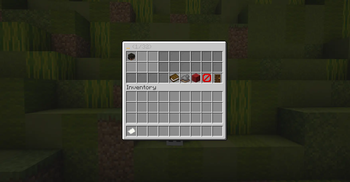
GUI-based party management

Stop using commands to manage your party, start using a GUI. The GUI can be customized with ItemsAdder.

Public parties

Public parties are the solution for everyone who feels alone. Play together with anyone who joins your party, or join other public parties yourself.

Party chat

Chat with the members of your Party in a private chat for you.

Statistics system

Ever wanted to know how long your party has been running? Me neither — but with

/party stats 

you can find out.

Installation

  1. Place the Paper plugin into the plugin folder of every backend server that should use CubeParty.
  2. Place the Velocity plugin into the proxy’s plugins folder.
  3. Restart all instances and start your first party.

Compatible plugins

MultiverseCore - Modrinth

ItemsAdder - SpigotMC

Plattforms

Proxy - Velocity

Server - Paper

You can also use forks of PaperMC, you don't have to use the original PaperMC Software.

👥 Team & Contributors

No authors recorded.

⚙️ Compatibility

Environment
🖥️ Server-side
Loaders
bukkitpaperpurpurspigotvelocity
Minecraft Versions
1.211.21.11.21.21.21.31.21.41.21.51.21.61.21.7+4 more

🔗 Links

Modrinth Page