
MINECRAFTBIBLE
Loading...

✨ Teleport system RTP-TPA-SetHome-Warp | Cooldown, animations, particles, effects. Action bar, sounds, permission, limits, and more!

The most advanced, all-in-one teleportation system for Minecraft. Combining RTP, TPA, Homes, and Warps in a single, beautifully crafted plugin with stunning effects and complete customization.













OutRequestTeleport is not just another teleportation plugin — it's a complete teleportation ecosystem for your Minecraft server. Unlike standard plugins that offer basic functionality, OutRequestTeleport combines four major systems (RTP, TPA, Homes, and Warps) into one seamless experience with cinematic animations, stunning visual effects, and unparalleled customization options.
Whether you're running a small survival server with friends or a large network with hundreds of players, OutRequestTeleport adapts to your needs with its flexible configuration system and performance-optimized code.
| System | Description |
|---|---|
| 🎲 RTP (Random Teleport) | Advanced random teleportation with safe location finding, biome verification, and stunning visual effects |
| 🤝 TPA (Teleport Requests) | Complete request system with accept/deny, here/toggle, auto-accept, and request management |
| 🏠 Homes System | Multi-home support with per-player limits, descriptive names, and home management |
| 📍 Warps System | Create public warps with permissions, economy support, and warp listing |
| Feature | Description |
|---|---|
| Safe Teleportation | Advanced location finding with block and biome verification to ensure safe landing |
| Move Cancellation | Automatically cancel teleport if player moves during countdown |
| World Blacklist | Restrict teleportation in specific worlds with blacklist/whitelist modes |
| Height Check | Optional fast RTP when falling below Y level |
| Anti-Grief Protection | Prevents teleportation into dangerous locations |
| Feature | Description |
|---|---|
| Countdown Animations | Beautiful countdown with action bar updates and sound effects |
| Particle Effects | Customizable particles for teleportation, arrivals, and cancellations |
| Custom Sounds | Configurable sounds for every action — requests, accepts, teleports, errors |
| Potion Effects | Customizable effects for success or failed teleportation |
| Status Indicators | Clear visual feedback for all teleportation states |
| Feature | Description |
|---|---|
| Cooldown System | Per-player cooldowns with bypass permissions and time formatting |
| Economy Support | Optional Vault integration for warp teleportation costs |
| Auto-Accept System | Auto-accept teleport requests from trusted players |
| Full Messages Config | Every single message in the plugin can be customized |
| Multi-World Support | Different settings per world with flexible configuration |
| Fast RTP | Automatic teleportation when falling below specified height |
| Feature | Description |
|---|---|
| Player Teleportation | Teleport other players with /rtp <player> |
| Config Reload | Reload configuration without server restart |
| Bypass Permissions | Ignore cooldowns and restrictions with dedicated permissions |
| Home Management | Set home limits for players with /homelimit |
| Warp Management | Create, edit, and delete warps with permission-based access |
| Instant Teleport | Special permission for instant RTP without countdown |
| Step | Action |
|---|---|
| 1️⃣ | Download — Get the latest .jar from Modrinth |
| 2️⃣ | Install — Place the JAR into your server's plugins/ folder |
| 3️⃣ | Restart — Restart your server (or use /reload if you must) |
| 4️⃣ | Configure — Edit plugins/OutRequestTeleport/config.yml to your liking |
| 5️⃣ | Enjoy! — Players can now use all teleportation features |
⚠️ Important: A full server restart is strongly recommended over
/reloadfor optimal performance and to avoid any plugin conflicts.
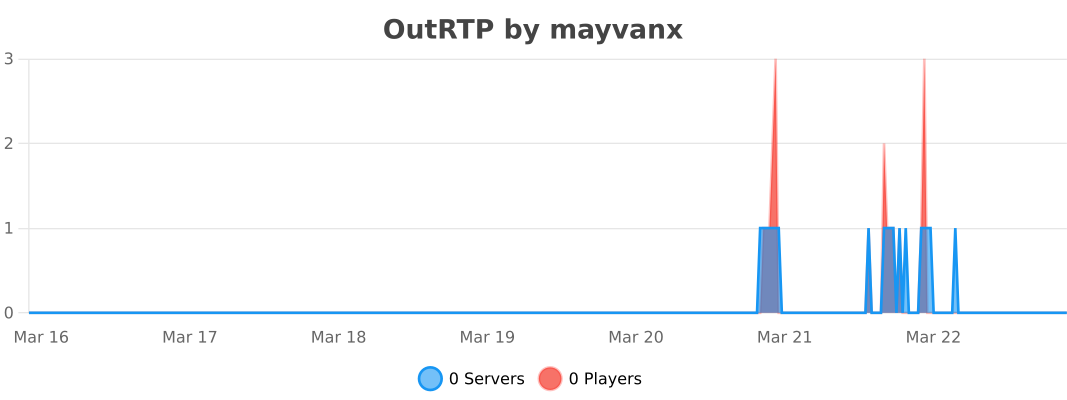
OutRTP uses bStats to collect anonymous usage statistics. This helps us improve the plugin based on real usage data. Below is the live statistics chart for OutRTP:
| Command | Description | Permission | Default |
|---|---|---|---|
/rtp |
Random teleport to a safe location | outrtp.use |
✅ All players |
/rtp help |
Show RTP help menu | outrtp.use |
✅ All players |
/rtp cancel |
Cancel active RTP countdown | outrtp.use |
✅ All players |
| Command | Description | Permission | Default |
|---|---|---|---|
/tpa <player> |
Request to teleport to a player | outrtp.tpa.use |
✅ All players |
/tpahere <player> |
Request a player to teleport to you | outrtp.tpa.use |
✅ All players |
/tpaccept [player] |
Accept an incoming teleport request | outrtp.tpa.use |
✅ All players |
/tpdeny [player] |
Deny an incoming teleport request | outrtp.tpa.use |
✅ All players |
/tpcancel [player] |
Cancel your outgoing teleport request | outrtp.tpa.use |
✅ All players |
/tptoggle |
Toggle whether you receive teleport requests | outrtp.tpa.use |
✅ All players |
/tpautoaccept add <player> |
Add player to auto-accept list | outrtp.tpa.use |
✅ All players |
/tpautoaccept delete <player> |
Remove player from auto-accept list | outrtp.tpa.use |
✅ All players |
/tpautoaccept list |
List all auto-accepted players | outrtp.tpa.use |
✅ All players |
/tpautoaccept toggle |
Toggle auto-accept system on/off | outrtp.tpa.use |
✅ All players |
| Command | Description | Permission | Default |
|---|---|---|---|
/sethome [name] |
Set a home at your current location | outrtp.home.use |
✅ All players |
/home <name> |
Teleport to one of your homes | outrtp.home.use |
✅ All players |
/homes |
List all your homes | outrtp.home.use |
✅ All players |
/delhome <name> |
Delete one of your homes | outrtp.home.use |
✅ All players |
| Command | Description | Permission | Default |
|---|---|---|---|
/warp <name> |
Teleport to a public warp | outrtp.warp.use |
✅ All players |
/warps |
List all available warps | outrtp.warp.use |
✅ All players |
| Command | Description | Permission | Default |
|---|---|---|---|
/rtp reload |
Reload plugin configuration | outrtp.admin |
❌ Ops only |
/rtp <player> |
Randomly teleport another player | outrtp.admin |
❌ Ops only |
/homelimit <player> <limit> |
Set home limit for a player | outrtp.home.admin |
❌ Ops only |
/setwarp <name> |
Create a new public warp | outrtp.warp.admin |
❌ Ops only |
/delwarp <name> |
Delete an existing warp | outrtp.warp.admin |
❌ Ops only |
| Permission | Description | Default |
|---|---|---|
outrtp.* |
All permissions | ❌ Ops only |
outrtp.admin |
All admin commands | ❌ Ops only |
outrtp.bypass.cooldown |
Ignore all cooldowns | ❌ Ops only |
outrtp.tpa.bypass.toggle |
Bypass /tptoggle restriction |
❌ Ops only |
outrtp.instant |
Use instant RTP without countdown | ❌ Ops only |
outrtp.instant.bypass.cooldown |
Bypass cooldown for instant RTP | ❌ Ops only |
outrtp.home.limit.vip |
VIP home limit (10 homes) | ❌ Custom |
outrtp.home.limit.premium |
Premium home limit (20 homes) | ❌ Custom |
outrtp.home.limit.unlimited |
Unlimited homes | ❌ Ops only |
# OutRequestTeleport Configuration
# Studio Vissed

# Префикс плагина
prefix: "&f[&x&E&5&4&1&E&7ᴏ&x&D&1&3&1&D&5ʀ&x&B&D&2&1&C&3q&x&A&9&1&0&B&1ᴛ&x&9&5&0&0&9&Fᴘ&f] &7"

# Настройки мира
worlds:
  enabled-worlds:
    - "lobby"
    - "OutPlay"
  blacklist-mode: false

# RTP Settings
rtp:
  min-radius: 700
  max-radius: 3000
  center: "OutPlay,0,0"
  y-level:
    mode: "HIGHEST"
    fixed-level: 64
  world:
    - "OutPlay"

  effects:
    on-success:
      - "HUNGER:100:50"
    on-fail:
      - "SLOW:100:3"
      - "WEAKNESS:100:3"

  countdown:
    enabled: true
    time: 10
    cancel-on-move: true

  cooldown:
    enabled: true
    time: 60
    bypass-permission: "outrtp.bypass.cooldown"

  sounds:
    start-countdown: "BLOCK_NOTE_BLOCK_PLING"
    teleport-success: "ENTITY_ENDERMAN_TELEPORT"
    teleport-fail: "ENTITY_VILLAGER_NO"
    countdown-tick: "BLOCK_NOTE_BLOCK_HAT"

  particles:
    enabled: true
    on-teleport:
      type: "PORTAL"
      count: 50
      speed: 0.5