Logo
MINECRAFTBIBLE
Items
Items

All game items

Blocks
Blocks

Building blocks

Mobs
Mobs

Creatures & monsters

Biomes
Biomes

World biomes

Structures
Structures

Generated structures

Recipes
Recipes

Crafting guides

Advancements
Advancements

Achievements

Loot Tables
Loot Tables

Drop rates

Tags
Tags

Item groupings

All Versions
View all data →
Capes
Cape ArchiveNEW

Browse rare Minecon capes, OptiFine capes, and custom capes from players worldwide

Browse

Player Database
Player DatabasePopular

Search any player

Skin Browser
Skin Browser

Browse & download skins

Cape Gallery
Cape GalleryNEW

Minecon & OptiFine capes

Seed Vault
Seed Vault

Curated seeds

Learn

Guides
GuidesNew

Tutorials & tips

Blog
Blog

News & updates

Community

Community Hub
Community HubHub

Posts, discussions & more

All Versions
View community →
Seed Analyzer
Seed Analyzer

World seed analysis

Loot Explorer
Loot Explorer

Drop rates

Crafting Calculator
Crafting Calculator

Material planning

Enchant Calculator
Enchant Calculator

Probability math

Redstone Lab
Redstone Lab

Signal timing

Trading Profit
Trading Profit

Villager ROI

All Versions
View all tools →
Mods
Mods

Browse all mods

Plugins
Plugins

Server plugins

Resource Packs
Resource Packs

Textures & sounds

Shaders
Shaders

Visual enhancements

Datapacks
Datapacks

World logic

Scanner
Mod Intelligence

Scan & analyze any mod

All Versions
View all mods →
Loading...
IntroductionIntroductionVersion HistoryVersion HistoryGuidesGuidesBlog & NewsBlog & News
ItemsItemsBlocksBlocksMobsMobsRecipesRecipesBiomesBiomesStructuresStructuresAdvancementsAdvancementsLoot TablesLoot TablesTagsTags
ModsModsPluginsPluginsResource PacksResource PacksShadersShadersDatapacksDatapacks

MinecraftBible

The Ultimate Wiki

Logo
MINECRAFTBIBLE

The ultimate Minecraft reference. Every item, block, mob, and recipe documented with precision.

Community

  • Skin Browser
  • Cape Gallery
  • Seed Vault
  • Blog
  • Guides

Database

  • Items
  • Blocks
  • Mobs
  • Recipes
  • Biomes
  • Structures

Tools

  • Seed Analyzer
  • Mod Intelligence
  • Crafting Calculator
  • Enchant Calculator

Mods & Packs

  • Mods
  • Plugins
  • Resource Packs
  • Shaders
  • Datapacks

Site & Legal

  • About
  • Authors
  • Editorial Policy
  • Corrections
  • Contact
  • Privacy Policy
  • Terms of Service
  • DMCA
  • Sitemap

© 2026 MinecraftBible. Not affiliated with Mojang or Microsoft.

PrivacyTermsContact
OraxenNature
PluginMIT

OraxenNature

OraxenNature introduces a simple way to populate your world with your Oraxen blocks.

340
Downloads
2
Followers
9 months ago
Updated
📦
9
Versions
decorationgame-mechanicsworldgenbukkitpaperspigot
Download Latestv1.7.0View on Modrinth

📖About OraxenNature

OraxenNature Banner

🌱 OraxenNature

A next-level natural generation plugin for Minecraft servers using Spigot or Paper, built to work hand-in-hand with Oraxen. Create living environments with custom blocks, ores, trees, and growth mechanics — all deeply customizable and dynamically generated.

✨ What It Does

  • Custom Block & Ore Generation
    Define how your Oraxen blocks and ores spawn in the world with full control: Y-levels, biomes, worlds, replaceable blocks, vein sizes, chances — you name it.
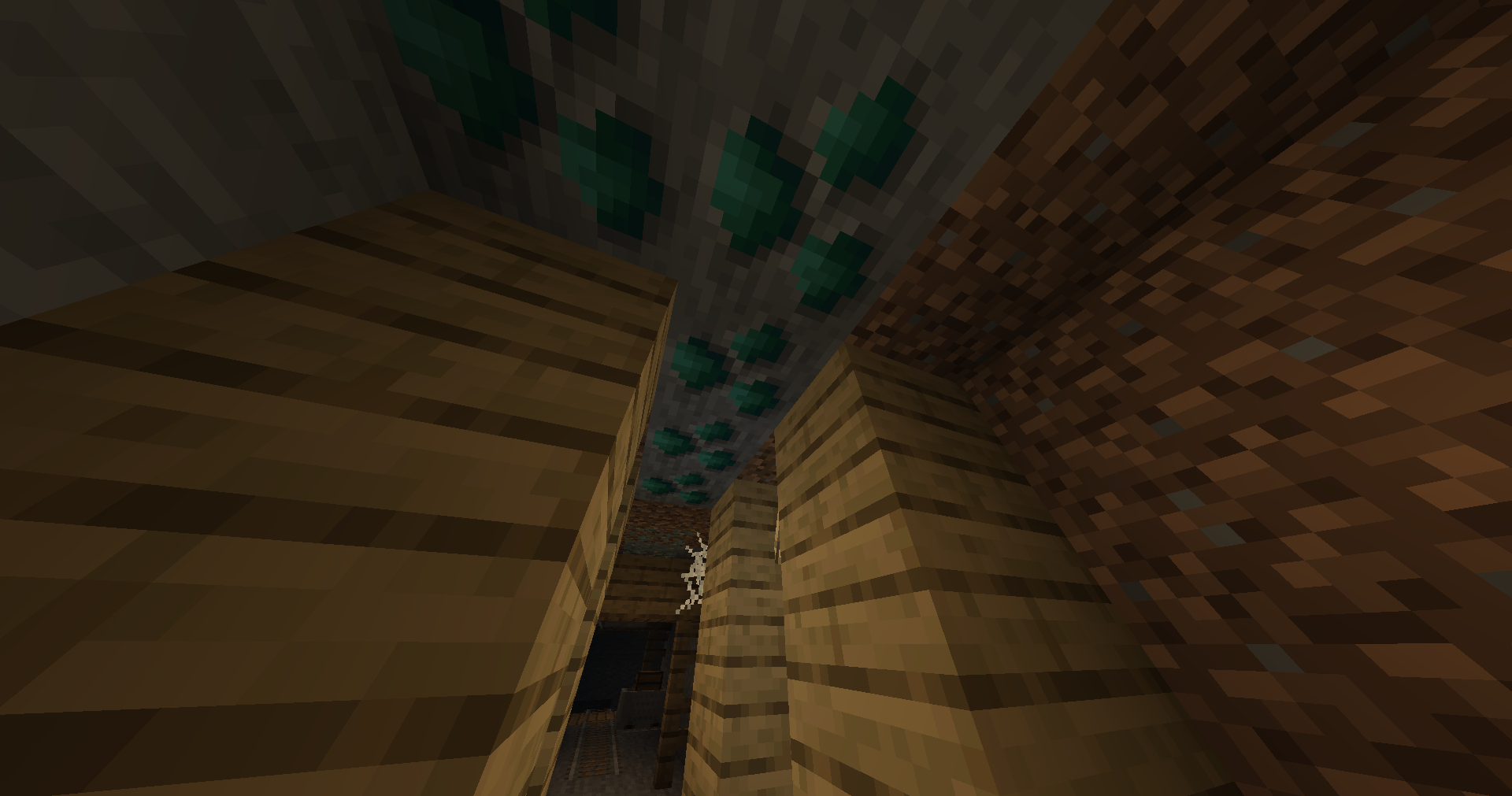
    Malachite Ore from Mineral Pack of Crystal Creations

  • Procedural Custom Trees
    Generate natural-looking custom trees without needing schematics. Trees grow in diverse, organic forms with trunks, branches, and leaves adapting to their environment.
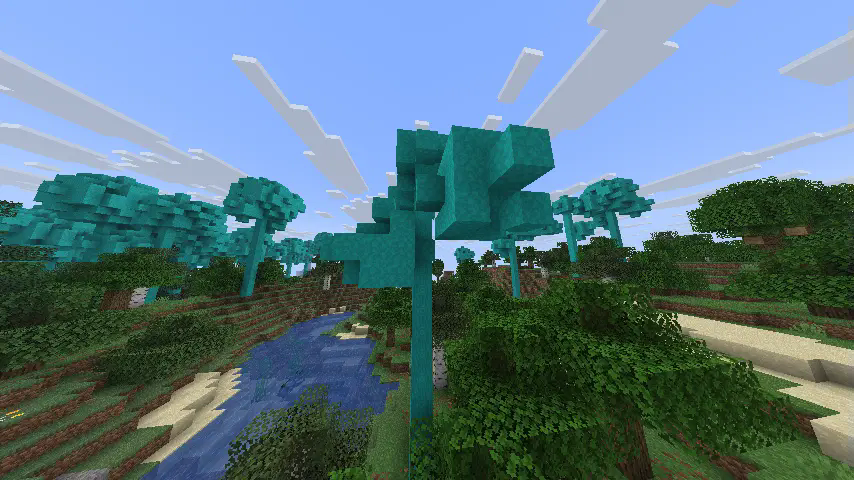
    Some Burb Trees from an unreleased pack i made

  • Dynamic Block Growth & Decay
    Let your blocks evolve. Set up life cycles where Oraxen blocks grow, change, or decay depending on light, nearby blocks, biome, and time.

  • Simple GUI Editor for Everything
    No need to touch YAML unless you want to. Easily configure Block Populators, Tree Systems, Growth Settings, and Packs using an intuitive in-game GUI editor.
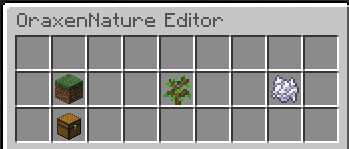
    MainGUI

  • Reload Configs Without Restarting
    Need to tweak things? Reload individual config files or everything at once — instantly and in-game.


💎 Minerals Pack [Crystal Creations]

A ready-to-use Block Populator Pack is included for users of the Minerals Pack from Crystal Creations!
Just enable it by editing the file:

/OraxenNature/packs/minerals_pack.yml

Perfect if you're looking to populate your world with immersive, custom mineral nodes without extra setup.


🌿 Naturalist Pack

OraxenNature also supports the Naturalist Pack by me :D — a nature-themed expansion that adds three new tree types:
Sunroot, Thurnwood, and Burb.

Each species comes with:

  • Fully functional directional logs
  • Planks
  • Leaves (note: leaf textures are being revamped)

Naturalist Woods

This pack is focused on environmental decoration and biome flavor, making your worlds feel more diverse and alive.

🔧 Installation

  1. Extract the contents of the .zip directly into your server’s plugins/Oraxen/ folder.
    This will merge the necessary items/ and pack/ automatically.

  2. Reload Oraxen or restart the server.

The Naturalist Pack does not come with predefined recipes. If you need help or custom recipes, feel free to DM me on Discord: ilbrojohnny


🚀 Getting Started

  1. Drop OraxenNature into your plugins/ folder.
  2. Make sure Oraxen is also installed.
  3. Start (or restart) your server.
  4. Configure your generation in block_populator.yml, tree_populator.yml, and growth_config.yml inside plugins/OraxenNature/, or use the in-game GUI.
  5. Optional: Enable the Minerals Pack or Naturalist Pack as shown above.

🔗 Links

  • GitHub Repository
  • Wiki / Documentation (Work in Progress)

👥 Team & Contributors

Hydr46605
Hydr46605Owner

⚙️ Compatibility

Environment
🖥️ Server-side
Loaders
bukkitpaperspigot
Minecraft Versions
1.20.51.20.61.211.21.11.21.21.21.31.21.41.21.5+2 more

🔗 Links

Modrinth Page