

NotzScoreboard
A multi-scoreboard plugin for ranks, VIPs, and especially staff. Fully customizable.
📖About NotzScoreboard
NotzPlugins



NotzScoreboard is a complete and fully customizable scoreboard plugin that features: support for multiple simultaneous scoreboards; its own placeholders and PlaceholderAPI; database via MySQL or SQLite and dynamic updating for greater efficiency.
Information
Scoreboards
The plugin has dynamic scoreboards that only update the placeholders inserted in each line, without having to reload the scoreboard completely!
It also contains multiple customization commands so that they can be created and modified directly from the server without having to mess with the files.
Groups
The scoreboards are separated by groups and pre-programmed so that it is possible to view players from other groups (and even from the same group) on your scoreboard or from the group itself on other scoreboards.
Templates
It also has a system of templates that can be created in the plugin's configuration file and set through the game using them as Header, Footer or the main template, thus allowing greater customization and standardization of each scoreboard.
Placeholders
You can choose to use dynamic placeholders from other plugins via the PlaceholderAPI or your own static placeholders that can be created via the plugin's configuration file.
Tip
For questions or issues: Discord @Gago32
Scoreboard Demo
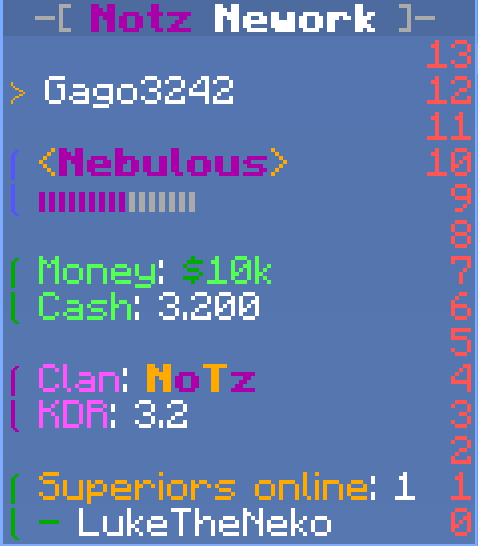
Player example with staff on and off
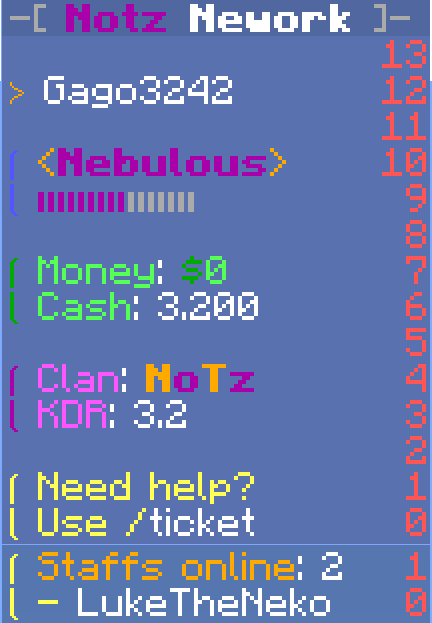
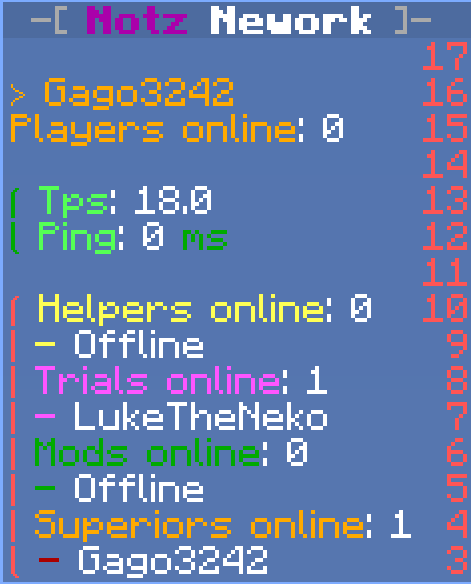
Helper and Trial example
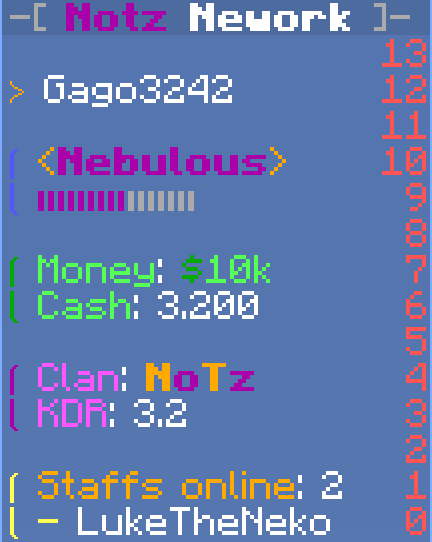
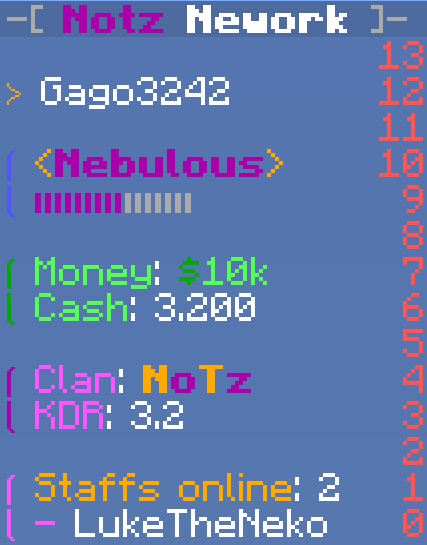
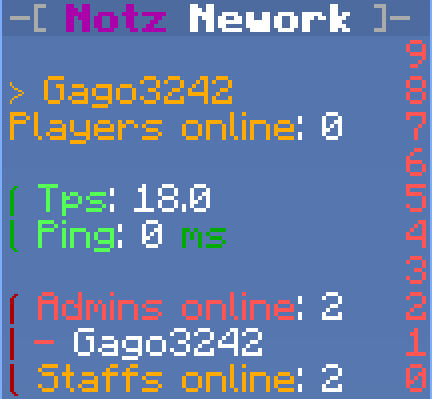
Mod and Admin example
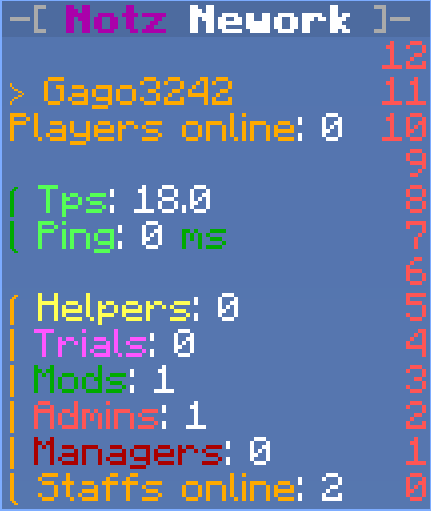
Manager and Owner example
Dependencies
- PlaceholderAPI
Placeholders
{clan}- Clan name (Simpleclans) [PlaceholderAPI]{clan_tag}- Clan tag (Simpleclans) [PlaceholderAPI]{clankdr}- KDR of the clan. (Simpleclans) [PlaceholderAPI]{money}- Player money straight from the Vault. [PlaceholderAPI]{player_name}- Player's name.{player_displayname}- Player display name.{ping}- Player ping. [PlaceholderAPI]{rank}- (yRanks from yPlugins) It uses the tag as the color and then the name. [PlaceholderAPI]{status_rankup}- (yRanks from yPlugins) It uses the tag as the color and then the status. [PlaceholderAPI]{tps}- TPS of the server. [PlaceholderAPI]{staff}- Get the nick of one of the online players in the visible groups for that group. - Number of players online in the visible groups for that group.{supstaff}- Same thing as {staff}, but returns an alternative message if the player is offline{staff_list}- Number of players online in the visible groups for that group.{staff_'group'}- Get one of the players in that group.{'group'_list}- Gets the number of players online in that group.
Permissions
notzscoreboard.admin- Enables the player to use the /notzsb admin command.
Commands
/notzsb
cleanOldDatabase- Deletes the old database;convert<all/> - Convert all the old players and all or a specifically one of the old Scoreboards;create<name> <display> (header) (template) (footer) - Creates the scoreboard with the option of already setting the templates.delete<scoreboard> - Deletes a scoreboard.list- Lists all the scoreboards created.players- Lists all registered players and their respective scoreboards.reload- Reloads parts of the plugin.reset<player> - Resets the player's scoreboard to the default scoreboard.set<scoreboard> - Sets the scoreboard itself.update- Updates all scoreboards.<scoreboard>addplayer- Adds a player to the scoreboard.addgroup- Adds a group to the scoreboard's VisibleGroups.clearheader- Clears the scoreboard header.clearfooter- Clears the footer of the scoreboard.cleartemplate- Clears the scoreboard template.pause(minutes) - Pause the scoreboard update for X minutes (by default it is paused for 1 minute).players- View the players registered on the scoreboard.remplayer<player> - Remove a player from the scoreboard.remgroup<group> - Remove a VisibleGroups group from the scoreboardsetcolor<color> - Sets a new color for the scoreboard.setdisplay<display> - Sets a new display on the scoreboard.setheader<template> - Set a new header on the scoreboard.setfooter<template> - Set a new footer on the scoreboard.settemplate<template> - Sets a new template on the scoreboard.view- View the scoreboard without having to set it.visiblegroups- View the visible groups inserted in the group.
| <> required argument. | ( ) optional argument. |
Tested versions: 1.8 - 1.21.11