
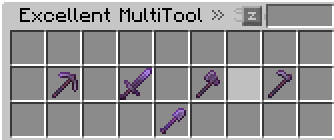

PluginApache-2.0
Multi-Tool
A fully configurable, modular multi-mode tool plugin. One item, unlimited modes — each with its own material, name, lore, enchantments, attributes, NBT, sounds, and titles.
59
Downloads
2
Followers
3 months ago
Updated
📦
1
Versions
📖About Multi-Tool
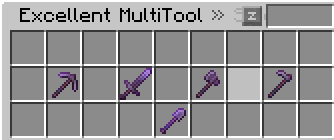
MultiTool
Paper 1.21 – 1.21.11 Plugin
Author: MrSilent | Version: 1.0.0 | API: Paper 1.21 – 1.21.11
A fully configurable, modular multi-mode tool plugin. One item, unlimited modes — each with its own material, name, lore, enchantments, attributes, NBT, sounds, and titles.
Features
- ✅ Unlimited multitools via
items/*.yml - ✅ GUI mode selector (Sneak + Right-Click)
- ✅ Per-type materials, names, lore, enchants, attributes, NBT
- ✅ Full flag system (12 flags)
- ✅ PlaceholderAPI integration (
%multitool_id%,%multitool_type%, etc.) - ✅ ExcellentEnchants — reflection-based, zero hard dependency
- ✅ Hex colour + MiniMessage support (
&#RRGGBB,&X) - ✅ Switch titles, subtitles, sounds per type
- ✅ Zero interference with other plugins (ExcellentShop, ExcellentCrates, Auction GUIs, chest GUIs)
- ✅
/multitool reloadrebuilds held tools for all online players
Installation
- Drop
MultiTool-1.0.0.jarinto yourplugins/folder. - (Optional) Install PlaceholderAPI and/or ExcellentEnchants.
- Start/restart your server.
- Edit
plugins/MultiTool/config.ymlandplugins/MultiTool/items/*.yml. - Run
/multitool reload.
Commands
| Command | Description | Permission |
|---|---|---|
/multitool give <id> [player] |
Give a multitool | multitool.give |
/multitool list |
List loaded tools | multitool.list |
/multitool reload |
Reload config & items | multitool.reload |
/multitool create <id> |
Create template YAML | multitool.create |
/multitool export excellentshop <id> |
Export for ExcellentShop | multitool.export |
/multitool export excellentcrates <id> |
Export for ExcellentCrates | multitool.export |
Alias: /mt
Permissions
| Permission | Default | Description |
|---|---|---|
multitool.admin |
OP | All admin commands |
multitool.use |
true | Use any multitool |
multitool.use.<id>.<type> |
true | Use a specific mode |
multitool.give |
OP | Give multitools |
multitool.reload |
OP | Reload plugin |
Flags
| Flag | Effect |
|---|---|
REQUIRE_PERMISSION |
Needs multitool.use.<id>.<type> to switch |
NO_SWITCH |
Mode cannot be selected in GUI |
ONLY_SNEAK_SWITCH |
GUI only opens while sneaking |
UNSTACKABLE |
Forces amount = 1 |
PRESERVE_AMOUNT |
Keeps current stack size on switch |
NO_PLUGIN_GUI_BLOCK |
Doesn't cancel interact event (lets other GUIs also fire) |
NO_DOUBLE_CHEST_PROTECT |
Doesn't block double-chest opening |
HIDE_ATTRIBUTES |
Hides attribute tooltip lines |
NO_ENCHANTS |
Skips all enchant application |
KEEP_CUSTOM_MODEL_DATA |
Preserves CustomModelData on switch |
NO_BREAK |
Prevents block breaking |
NO_PLACE |
Prevents block placing |
PlaceholderAPI Placeholders
| Placeholder | Returns |
|---|---|
%multitool_id% |
ID of held multitool |
%multitool_type% |
Current mode/type key |
%multitool_owner% |
Player name who was given the tool |
%multitool_has% |
true / false |
Item YAML Structure
multitool:
  id: "my_tool"
  display-name: "&#FFD700My Tool"
  material: NETHERITE_PICKAXE
  unbreakable: true
  lore:
    - "&7A cool tool"
  enchants:
    - "mending:1"
  excellent-enchants:
    - "veinminer:3"
  flags:
    - "UNSTACKABLE"
    - "ONLY_SNEAK_SWITCH"

  gui:
    rows: 2
    title: "&bSelect Mode"

  types:
    pickaxe:
      name: "&bMining Mode"
      material: NETHERITE_PICKAXE
      slot: 10
      enchants:
        - "efficiency:8"
      attributes:
        GENERIC_ATTACK_DAMAGE: 4.0
      nbt:
        mode: "pickaxe"
      switch-title: "&bMining Mode"
      switch-subtitle: "&7VeinMiner Active"
      sound: BLOCK_AMETHYST_BLOCK_RESONATE
[GitHub] - (https://github.com/Craft-Void/MultiTool/)
**Soft dependencies** (not required to compile or run):
- PlaceholderAPI
- ExcellentEnchants (reflection-only; no compile dependency)

---

## Compatibility

- Paper 1.21 – 1.21.11 (1.21.1 – 1.21.4)
- ExcellentShop, ExcellentCrates, Auction GUIs: **fully compatible** — the plugin **never** cancels events unless the player is sneaking + right-clicking while holding a multitool.