

MoeTeleport
MoeTeleport is an open source delivery plugin that contains several features and will be updated to add new features based on users' requirements.
📖About MoeTeleport
   __  ___       ______    __                  __
  /  |/  /__  __/_  __/__ / /__ ___  ___  ____/ /_
 / /|_/ / _ \/ -_) / / -_) / -_) _ \/ _ \/ __/ __/
/_/  /_/\___/\__/_/  \__/_/\__/ .__/\___/_/  \__/
                             /_/
README LANGUAGES [ 中文 | English ]
MoeTeleport


MoeTeleport is an open source delivery plugin that contains several features and will be always updated to add new features based on users' requirements.
The project code conforms to the development specifications and is suitable for new developers to learn Bukkit and make their own plugins.
Functions and advantages
Current functions
- Multiple storage formats, select on demand.
- Support YAML, JSON and MySQL/MariaDB storage
- Support direct call EssentialsX/CMI data, Seamless switching
- Clickable messages (such as "Click-Agree")
- Based on the MineDown syntax, Customizable configuration
- Teleport requests between players
- Support to specify handling a player's request
- Set warp locations
- Support to set a different number of warp locations as VIP add-on content based on permissions
- Set home locations (understood as private warps)
- Support setting different number of homes according to permissions as VIP add-on content
- Return to the place of death and the last location
Advantages
- Lightweight plugin. Suitable for small servers, simple and convenient configuration.
- Specification development. Plugin architecture conforms to development specifications, suitable for new developers to learn.
- EasyPlugin has been used since 3.0.0 and may be somewhat different from other mainstream plugin structures.
- Continuous maintenance. All new functional requirements can be submitted, which is likely to be supported in the subsequent development.
- Functional requirements please submit Issues , do not submit in the post!
- Submitting requests associated with "teleport" will most likely be updated and supported.
Dependencies
- [Necessary] The plugin is based on Spigot-API 、BukkitAPI.
- [Included] Message format is based on MineDown.
- All messages.yml support MineDown syntax。
- [Recommended] The variable part is based on PlaceholderAPI.
Read this if you need more details. Dependencies.
Commands
The main command is /MoeTeleport or /mt.
All commands in this plugin support configuration of "simplified commands",
such as allowing the player to directly input '/back' and execute '/MoeTeleport back', see configuration related content.
- Required parameter '< Parameter >'
- Optional parameter '[parameter]'
# reload
@ Admin command (MoeTeleport.admin)
- Reload the plugin configuration file.

# back
- Return to the last location.

----- [Teleport commands] -----

# teleport to <target player>
- Request to teleport to target player's location.

# teleport here <target player>
- Request the target player to teleport to their location.

# teleport accept [target player]
- Grant a teleport request (player requests can be specified).

# teleport deny [target player].
- Reject a teleport request (player requests can be specified).

----- [Home commands] -----

# home to [home name]
- Send to the specified home.
- If you do not fill in the specific home, return to the first set of home.
- If there is a home named "home", return to "home" preferentially.

# home list
- List all the home names.

# home set [home name]
- Set a home location.
- If you do not specify the name of home, the default value is "home".

# home delete [home name]
-Delete a home location


----- [Warp commands] -----

# warp to <warp name>
- Teleport to the specified location.

# warp list
- List all current warp locations.

# warp set <warp name>
- Set a warp location.
- If the warp already exists and you are the owner (or the server administrator) of the warp,
- the old warp point will be overwritten.

# warp delete <Warp name>
- Delete one of your own warps
Config
Plugin configuration file (config.yml)
Read source file for more details.
Message configuration file (messages.yml)
Support MineDown syntax
Read source file for more details.
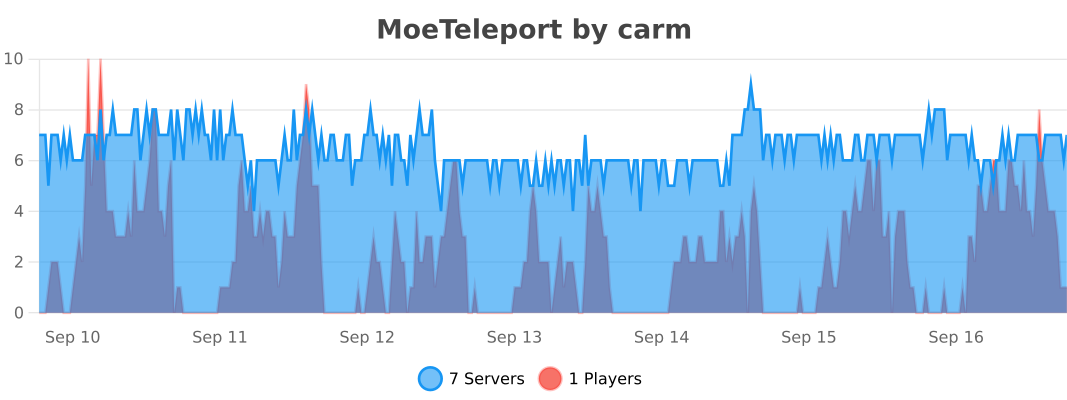
Usage statistics
Support and donate
If you find this plugin helps, you can donate to support me. Thank you for being a supporter of this open source project!
Sincere thanks to the following friends who support the development of this project:
- This plugin is entrusted by **璎珞 ** server , authorized already.
- Thank you to XingMC(MagicMC server developer) for funding the subsequent development of this plugin.
Many thanks to Jetbrains for kindly providing a license for me to work on this and other open-source projects.
Open source agreement
The source code of this project uses GNU General Public License v3.0 License.