Logo
MINECRAFTBIBLE
Items
Items

All game items

Blocks
Blocks

Building blocks

Mobs
Mobs

Creatures & monsters

Biomes
Biomes

World biomes

Structures
Structures

Generated structures

Recipes
Recipes

Crafting guides

Advancements
Advancements

Achievements

Loot Tables
Loot Tables

Drop rates

Tags
Tags

Item groupings

All Versions
View all data →
Capes
Cape ArchiveNEW

Browse rare Minecon capes, OptiFine capes, and custom capes from players worldwide

Browse

Player Database
Player DatabasePopular

Search any player

Skin Browser
Skin Browser

Browse & download skins

Cape Gallery
Cape GalleryNEW

Minecon & OptiFine capes

Seed Vault
Seed Vault

Curated seeds

Learn

Guides
GuidesNew

Tutorials & tips

Blog
Blog

News & updates

Community

Community Hub
Community HubHub

Posts, discussions & more

All Versions
View community →
Seed Analyzer
Seed Analyzer

World seed analysis

Loot Explorer
Loot Explorer

Drop rates

Crafting Calculator
Crafting Calculator

Material planning

Enchant Calculator
Enchant Calculator

Probability math

Redstone Lab
Redstone Lab

Signal timing

Trading Profit
Trading Profit

Villager ROI

All Versions
View all tools →
Mods
Mods

Browse all mods

Plugins
Plugins

Server plugins

Resource Packs
Resource Packs

Textures & sounds

Shaders
Shaders

Visual enhancements

Datapacks
Datapacks

World logic

Scanner
Mod Intelligence

Scan & analyze any mod

All Versions
View all mods →
Loading...
IntroductionIntroductionVersion HistoryVersion HistoryGuidesGuidesBlog & NewsBlog & News
ItemsItemsBlocksBlocksMobsMobsRecipesRecipesBiomesBiomesStructuresStructuresAdvancementsAdvancementsLoot TablesLoot TablesTagsTags
ModsModsPluginsPluginsResource PacksResource PacksShadersShadersDatapacksDatapacks

MinecraftBible

The Ultimate Wiki

Logo
MINECRAFTBIBLE

The ultimate Minecraft reference. Every item, block, mob, and recipe documented with precision.

Community

  • Skin Browser
  • Cape Gallery
  • Seed Vault
  • Blog
  • Guides

Database

  • Items
  • Blocks
  • Mobs
  • Recipes
  • Biomes
  • Structures

Tools

  • Seed Analyzer
  • Mod Intelligence
  • Crafting Calculator
  • Enchant Calculator

Mods & Packs

  • Mods
  • Plugins
  • Resource Packs
  • Shaders
  • Datapacks

Site & Legal

  • About
  • Authors
  • Editorial Policy
  • Corrections
  • Contact
  • Privacy Policy
  • Terms of Service
  • DMCA
  • Sitemap

© 2026 MinecraftBible. Not affiliated with Mojang or Microsoft.

PrivacyTermsContact
MinecartCollisions
PluginGPL-3.0-only

MinecartCollisions

Automatically moves mobs out of the way of minecarts

243
Downloads
3
Followers
1 years ago
Updated
📦
1
Versions
mobstransportationbukkitpaperspigot
Download Latestv2.03View on Modrinth

📖About MinecartCollisions

Description

MinecartCollisions allows players to ride in minecarts without being stopped by monsters, animals, villagers, or abandoned minecarts on the tracks. No configuration is required. Just drop it in your plugins folder and restart your server. Then enjoy riding on your minecart system!

This plugin works with CraftBukkit/Spigot 1.12.2, 1.13.2 and beyond. For older versions of CraftBukkit/Spigot, see the version on the Bukkit site.

Details

If a player is riding in a minecart and encounters a monster, animal, or non-player entity (like a villager), and the mob is not in its own minecart, the mob will be teleported out of the way, and the player's minecart will continue unimpeded. The teleport may move the mob inside a block, so it may die as a result.

If the player encounters an empty minecart, the minecart will be removed.

Note that other players standing on the tracks or mobs riding in their own minecarts will not be affected.
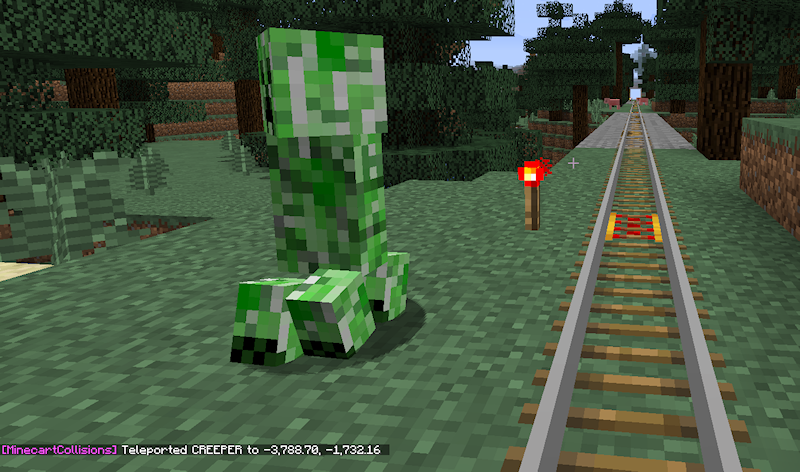
Screenshot showing teleported creeper with debug message enabled
Screenshot showing teleported creeper with debug message enabled.

Permissions

This plugin will work as described above without having to grant any special permissions. You can fine-tune the plugin with the following optional permissions:

minecartcollisions.exempt - Give this permission to a player if you want to disable the plugin for that player and have the vanilla behavior. You could use this to enable the plugin for only some ranks.

minecartcollisions.debug - Prints a debug message to the player's chat when a mob is teleported or a minecart is removed. Normally only an administrator would want this permission.

Note that if you give yourself the '*' permission, you will need to set minecartcollisions.exempt to false for this plugin to work for you.

Commands/Configuration

None.

Miscellaneous

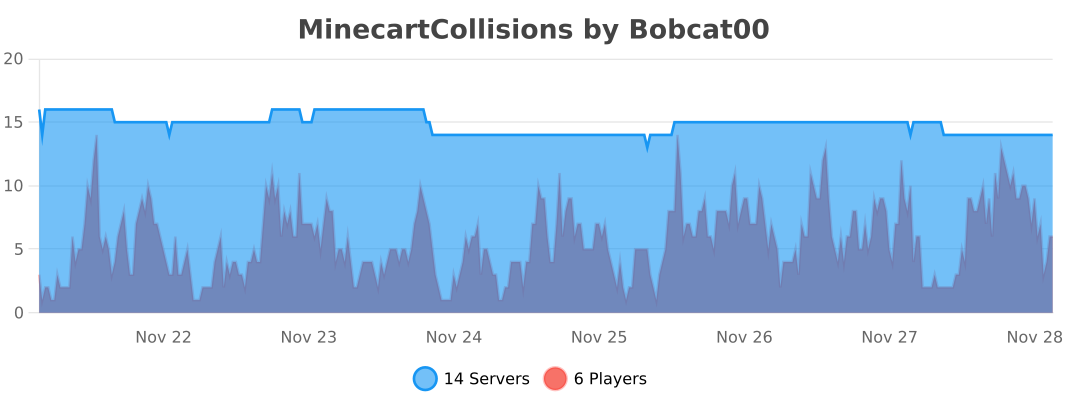
This plugin uses the bStats metrics system to provide anonymous usage data. You may opt-out globally by changing plugins/bStats/config.yml. The metrics are available at https://bstats.org/plugin/bukkit/MinecartCollisions
👥 Team & Contributors

Bobcat00
Bobcat00Owner

⚙️ Compatibility

Environment
🖥️ Server-side
Loaders
bukkitpaperspigot
Minecraft Versions
1.121.12.11.12.21.131.13.11.13.21.141.14.1+41 more

🔗 Links

Modrinth Page