Logo
MINECRAFTBIBLE
Items
Items

All game items

Blocks
Blocks

Building blocks

Mobs
Mobs

Creatures & monsters

Biomes
Biomes

World biomes

Structures
Structures

Generated structures

Recipes
Recipes

Crafting guides

Advancements
Advancements

Achievements

Loot Tables
Loot Tables

Drop rates

Tags
Tags

Item groupings

All Versions
View all data →
Capes
Cape ArchiveNEW

Browse rare Minecon capes, OptiFine capes, and custom capes from players worldwide

Browse

Player Database
Player DatabasePopular

Search any player

Skin Browser
Skin Browser

Browse & download skins

Cape Gallery
Cape GalleryNEW

Minecon & OptiFine capes

Seed Vault
Seed Vault

Curated seeds

Learn

Guides
GuidesNew

Tutorials & tips

Blog
Blog

News & updates

Community

Community Hub
Community HubHub

Posts, discussions & more

All Versions
View community →
Seed Analyzer
Seed Analyzer

World seed analysis

Loot Explorer
Loot Explorer

Drop rates

Crafting Calculator
Crafting Calculator

Material planning

Enchant Calculator
Enchant Calculator

Probability math

Redstone Lab
Redstone Lab

Signal timing

Trading Profit
Trading Profit

Villager ROI

All Versions
View all tools →
Mods
Mods

Browse all mods

Plugins
Plugins

Server plugins

Resource Packs
Resource Packs

Textures & sounds

Shaders
Shaders

Visual enhancements

Datapacks
Datapacks

World logic

Scanner
Mod Intelligence

Scan & analyze any mod

All Versions
View all mods →
Loading...
IntroductionIntroductionVersion HistoryVersion HistoryGuidesGuidesBlog & NewsBlog & News
ItemsItemsBlocksBlocksMobsMobsRecipesRecipesBiomesBiomesStructuresStructuresAdvancementsAdvancementsLoot TablesLoot TablesTagsTags
ModsModsPluginsPluginsResource PacksResource PacksShadersShadersDatapacksDatapacks

MinecraftBible

The Ultimate Wiki

Logo
MINECRAFTBIBLE

The ultimate Minecraft reference. Every item, block, mob, and recipe documented with precision.

Community

  • Skin Browser
  • Cape Gallery
  • Seed Vault
  • Blog
  • Guides

Database

  • Items
  • Blocks
  • Mobs
  • Recipes
  • Biomes
  • Structures

Tools

  • Seed Analyzer
  • Mod Intelligence
  • Crafting Calculator
  • Enchant Calculator

Mods & Packs

  • Mods
  • Plugins
  • Resource Packs
  • Shaders
  • Datapacks

Site & Legal

  • About
  • Authors
  • Editorial Policy
  • Corrections
  • Contact
  • Privacy Policy
  • Terms of Service
  • DMCA
  • Sitemap

© 2026 MinecraftBible. Not affiliated with Mojang or Microsoft.

PrivacyTermsContact
MimiKoth
PluginLicenseRef-All-Rights-Reserved

MimiKoth

A Koth plugin that has everything you need!

16
Downloads
1
Followers
1 weeks ago
Updated
📦
5
Versions
game-mechanicsminigamesocialpaper
Download Latestv1.15.3View on Modrinth

📖About MimiKoth

About MimiKoth

MimiKoth is a fully configurable KOTH (King of the Hill) plugin designed for Paper servers.

Originally, MimiKoth was developed exclusively for my own Minecraft network. The goal was to create a KOTH system that was flexible, performant, easy to configure, and capable of supporting different playstyles and server types. Over time, the plugin evolved far beyond its original purpose, gaining multiple game modes, advanced scheduling, database support, integrations, and many quality-of-life features.

Although the network it was originally created for is no longer online, I decided to continue developing and releasing MimiKoth for the community. Instead of letting the project disappear, I wanted server owners and developers to benefit from the work that had already been invested into it.

Today, MimiKoth aims to provide a modern and highly customizable KOTH experience while remaining lightweight, reliable, and easy to use. Whether you're running a small community server or a large network, the plugin is designed to adapt to your needs through extensive configuration options and modular features.

https://github.com/casqidev/MimiKoth/wiki

Compatible Versions

Supported target:

  • Paper 1.20 - 1.26.x
    (For now it is only for paper, support for other software will be added soon)

Features

  • Designed exclusively for Paper servers.
  • Supports Paper 1.20.x through the latest supported versions.
  • Intended long-term compatibility with future Paper releases.
  • Multiple KOTH game modes:
    • Capture
    • King
    • Points
  • Unlimited KOTH arenas.
  • Individual configuration files for every KOTH.
  • Region selection wand.
  • Built-in scheduler system.
  • Fully configurable rewards.
  • Fully configurable points system.
  • Optional points shop.
  • Optional scoreboard system.
  • Optional BossBar support.
  • Optional native TextDisplay holograms.
  • DiscordSRV integration.
  • PlaceholderAPI support.
  • Multiple storage providers:
    • YAML
    • SQLite
    • MySQL
    • MariaDB
  • Public developer API.
  • Custom Bukkit events.
  • bStats metrics integration.
  • Modular architecture with optional features.
  • Extensive configuration options.
  • Performance-focused design.
  • Suitable for both small servers and large networks.

Commands

MimiKoth has a series of commands and permissions, so that certain people can do all kinds of things. It has a wide variety of commands, thus allowing great administration of the plugin when wanting to perform certain actions.

  • /koth help - Shows command help.
  • /koth wand - Gives the selection wand.
  • /koth create <name> - Creates a KOTH from the current selection.
  • /koth move <name> - Moves an existing KOTH to the current selection.
  • /koth tp <name> - Teleports to a KOTH.
  • /koth delete <name> - Deletes a KOTH.
  • /koth start <name> - Starts a KOTH.
  • /koth stop <name> - Stops a KOTH.
  • /koth stopall - Stops all KOTHs.
  • /koth time <name> - Shows active or scheduled time for a KOTH.
  • /koth stats - Opens the player stats menu.
  • /koth list - Lists all KOTHs.
  • /koth points - Shows the player's KOTH points.
  • /koth points give <player> <amount> - Gives KOTH points.
  • /koth points take <player> <amount> - Removes KOTH points.
  • /koth points clear <player> - Clears KOTH points.
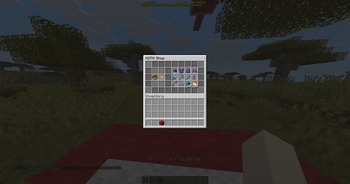
  • /koth shop - Opens the KOTH shop.
  • /koth reload - Reloads configuration files.

Permissions

  • mimikoths.admin - Access to admin commands.
  • mimikoths.use - Access to basic player commands.

👥 Team & Contributors

C
casqiOwner

⚙️ Compatibility

Environment
🖥️ Server-side
Loaders
paper
Minecraft Versions
1.201.20.11.20.21.20.31.20.41.20.51.20.61.21+14 more

🔗 Links

Modrinth Page