Logo
MINECRAFTBIBLE
Items
Items

All game items

Blocks
Blocks

Building blocks

Mobs
Mobs

Creatures & monsters

Biomes
Biomes

World biomes

Structures
Structures

Generated structures

Recipes
Recipes

Crafting guides

Advancements
Advancements

Achievements

Loot Tables
Loot Tables

Drop rates

Tags
Tags

Item groupings

All Versions
View all data →
Capes
Cape ArchiveNEW

Browse rare Minecon capes, OptiFine capes, and custom capes from players worldwide

Browse

Player Database
Player DatabasePopular

Search any player

Skin Browser
Skin Browser

Browse & download skins

Cape Gallery
Cape GalleryNEW

Minecon & OptiFine capes

Seed Vault
Seed Vault

Curated seeds

Learn

Guides
GuidesNew

Tutorials & tips

Blog
Blog

News & updates

Community

Community Hub
Community HubHub

Posts, discussions & more

All Versions
View community →
Seed Analyzer
Seed Analyzer

World seed analysis

Loot Explorer
Loot Explorer

Drop rates

Crafting Calculator
Crafting Calculator

Material planning

Enchant Calculator
Enchant Calculator

Probability math

Redstone Lab
Redstone Lab

Signal timing

Trading Profit
Trading Profit

Villager ROI

All Versions
View all tools →
Mods
Mods

Browse all mods

Plugins
Plugins

Server plugins

Resource Packs
Resource Packs

Textures & sounds

Shaders
Shaders

Visual enhancements

Datapacks
Datapacks

World logic

Scanner
Mod Intelligence

Scan & analyze any mod

All Versions
View all mods →
Loading...
IntroductionIntroductionVersion HistoryVersion HistoryGuidesGuidesBlog & NewsBlog & News
ItemsItemsBlocksBlocksMobsMobsRecipesRecipesBiomesBiomesStructuresStructuresAdvancementsAdvancementsLoot TablesLoot TablesTagsTags
ModsModsPluginsPluginsResource PacksResource PacksShadersShadersDatapacksDatapacks

MinecraftBible

The Ultimate Wiki

Logo
MINECRAFTBIBLE

The ultimate Minecraft reference. Every item, block, mob, and recipe documented with precision.

Community

  • Skin Browser
  • Cape Gallery
  • Seed Vault
  • Blog
  • Guides

Database

  • Items
  • Blocks
  • Mobs
  • Recipes
  • Biomes
  • Structures

Tools

  • Seed Analyzer
  • Mod Intelligence
  • Crafting Calculator
  • Enchant Calculator

Mods & Packs

  • Mods
  • Plugins
  • Resource Packs
  • Shaders
  • Datapacks

Site & Legal

  • About
  • Authors
  • Editorial Policy
  • Corrections
  • Contact
  • Privacy Policy
  • Terms of Service
  • DMCA
  • Sitemap

© 2026 MinecraftBible. Not affiliated with Mojang or Microsoft.

PrivacyTermsContact
MashStrikeDrops
PluginLicenseRef-All-Rights-Reserved

MashStrikeDrops

The plugin is aimed at event servers, crates-style mob encounters, grind zones, boss-lite content, and custom reward systems without needing MythicMobs or a larger RPG stack.

15
Downloads
1
Followers
2 months ago
Updated
📦
1
Versions
game-mechanicsmanagementmobsbukkitpaperspigot
Download Latestv1.0.0View on Modrinth

📖About MashStrikeDrops

MashStrikeDrops

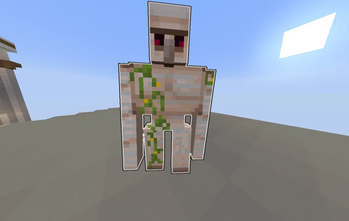
MashStrikeDrops is a Paper plugin for building custom "strike mobs" that players hit repeatedly for rewards.

Instead of normal combat, each configured mob acts like an event target:

  • every successful hit can give an item reward
  • every successful hit can run server commands
  • the final hit can give a separate reward pool
  • the final hit can run a separate command pool
  • mobs can broadcast spawn and death messages
  • admins can create and edit mobs entirely in-game

The plugin is aimed at event servers, crates-style mob encounters, grind zones, boss-lite content, and custom reward systems without needing MythicMobs or a larger RPG stack.

Features

  • Create reusable mob templates with /sd create
  • Spawn strike mobs at your location or fixed coordinates
  • Configure hit count, entity type, scale, AI, knockback, and cooldown
  • Add per-hit item rewards from the item in your hand
  • Add final-hit item rewards from the item in your hand
  • Add grouped command pools for hit rewards and final-hit rewards
  • Configure optional spawn messages and death messages
  • Support for several entity-specific settings:
    • slime size
    • sheep color
    • villager profession
    • baby/adult state for ageable mobs
  • Optional top-hitter broadcast on death
  • Optional persistence for active mobs across reload/disable
  • Clickable active mob admin controls in /sd listactive

Requirements

  • Server software: Paper 1.21.x
  • Java: 21

Paper-compatible forks may also work, but the plugin is built against the Paper API.

Installation

  1. Download MashStrikeDrops-1.0.0.jar
  2. Place it in your server's plugins/ folder
  3. Start the server once
  4. Stop the server if you want to edit the generated config first
  5. Start the server again and configure mobs with commands or YAML files in plugins/MashStrikeDrops/Mobs

Commands

Permission: mashstrikedrops.admin

  • /strikedrops
  • /sd help
  • /sd reload
  • /sd list
  • /sd listactive
  • /sd create <id> <name>
  • /sd clone <id> <new-id>
  • /sd spawn <id>
  • /sd spawn <id> <world|current> <x> <y> <z> [north|south|east|west]
  • /sd delete <id>
  • /sd modify <id> hits <amount>
  • /sd modify <id> display set <name>
  • /sd modify <id> display reset
  • /sd modify <id> entity <type>
  • /sd modify <id> changeid <new-id>
  • /sd modify <id> deathmessage set <message>
  • /sd modify <id> deathmessage reset
  • /sd modify <id> spawnmessage set <message>
  • /sd modify <id> spawnmessage reset
  • /sd modify <id> nbt common <key> <true|false|reset>
  • /sd modify <id> nbt <turtle|slime|sheep|villager> <key> <value|reset>
  • /sd modify <id> scale <value>
  • /sd modify <id> knockback <true|false>
  • /sd modify <id> ai <true|false>
  • /sd modify <id> cooldown <seconds>
  • /sd modify <id> command <add|delete|list> ...
  • /sd modify <id> drops <add|remove|list> ...
  • /sd modify <id> finaldrop command <add|list|delete> ...
  • /sd modify <id> finaldrop item <add|list|delete> ...
  • /sd active tp <active-id>
  • /sd active tphere <active-id>
  • /sd active kill <active-id>

Quick Start

Create a basic strike mob:

/sd create zombieboss &6Zombie Boss
/sd modify zombieboss hits 25
/sd modify zombieboss entity zombie
/sd modify zombieboss scale 1.5
/sd modify zombieboss cooldown 0.4
/sd spawn zombieboss

Add per-hit rewards:

  1. Hold the reward item in your main hand
  2. Run /sd modify zombieboss drops add

Add a final-hit reward:

  1. Hold the final reward item in your main hand
  2. Run /sd modify zombieboss finaldrop item add

Add a per-hit command pool:

/sd modify zombieboss command add coins eco give %player% 25

Add a final-hit command pool:

/sd modify zombieboss finaldrop command add jackpot crate key give %player% rare 1

Configuration Notes

Main config file: plugins/MashStrikeDrops/config.yml

Notable settings:

  • drops.give-directly: gives rewards straight to the player inventory instead of throwing them from the mob
  • hit-message.enabled: sends hit progress messages
  • active-mobs.persist-on-disable: keeps active mobs through plugin disable/server stop
  • active-mobs.persist-on-reload: keeps active mobs through /sd reload
  • sounds.hit, sounds.death, sounds.spawn: sound effects
  • top-hitters.enabled: announces the top hitters when a mob dies
  • global-hit-commands: commands that run on every successful hit

Mobs are stored as separate YAML files in plugins/MashStrikeDrops/Mobs/.

Placeholders

Supported placeholders in messages and commands include:

  • %player%
  • %mob%
  • %drop%
  • %hits%
  • %pos%

Notes

  • Strike damage is handled by the plugin, so normal combat damage against active strike mobs is cancelled.
  • Environmental damage to active mobs is also cancelled and cleaned up by the plugin.
  • Active mobs use persistent data so they can optionally be restored after reload/disable, depending on config.

👥 Team & Contributors

Mashrafi
MashrafiOwner

⚙️ Compatibility

Environment
🖥️ Server-side
Loaders
bukkitpaperspigot
Minecraft Versions
1.211.21.11.21.21.21.31.21.41.21.51.21.61.21.7+4 more

🔗 Links

Modrinth Page