
MINECRAFTBIBLE
Loading...
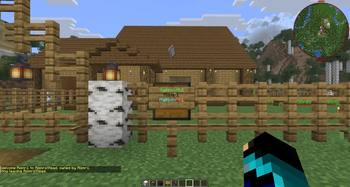

A complete GUI-based mail system for Minecraft servers with physical mailboxes, letters, packages, Cash-On-Delivery, package experience, money mail, Post Office boxes, NPC support, offline delivery, admin tools, and YAML/SQLite/MySQL storage.

Spigot / Paper / Purpur 1.18.2 - 1.21.11 + 26.1.x / 26.2.x
MailboxGUI is a complete GUI-based mail system for Minecraft servers. Players and admins can send Classic Letters, Book Letters, packages, Cash-On-Delivery packages, item-currency COD packages, package experience, and money mail through physical mailboxes, public Post Office boxes, Citizens NPCs, commands, and a public API.
MailboxGUI can be used as a full economy-connected mail system with Vault, or as a simple immersive mailbox system without economy features. If Vault or an economy plugin is not installed, MailboxGUI automatically adapts by hiding money and COD options while keeping letters, Book Letters, packages, public mail access, and mailbox gameplay available.
MailboxGUI 5.1.1 continues the 5.x network-ready release line with Vault2.0 custom currency support, improved money/COD chat-input parsing, updated Chinese language support, the new zh_hk language file, and all 5.1.0 Book Letter, COD item-currency, API, admin inbox, network, and Paper/Purpur 26.2.x compatibility features.
Watch MailboxGUI in action, including physical player mailboxes, public Post Office boxes, Citizens NPC access, Classic Letters, Book Letters, item packages, package experience, Cash-On-Delivery packages, item-currency COD packages, money mail, admin tools, and more.
This table is a feature-scope comparison between MailboxGUI by Rismr1 and MailBox by ikafly144. It is meant to help server owners quickly understand which plugin best fits their setup.
| Feature / Area | MailboxGUI by Rismr1 | MailBox by ikafly144 |
|---|---|---|
| Main focus | ✅ Yes — full physical mailbox, package, letter, economy, admin, API, Discord-addon, and network-ready mail system | ✅ Yes — Paper GUI mail plugin with inbox/send menus, templates, and attachments |
| Server compatibility target | ✅ Yes — Spigot/Paper/Purpur 1.18.2 through 1.21.11, plus 26.1.x and 26.2.x | ✅ Yes — Paper 1.21.6+ target |
| Folia support | ❌ No — standard Spigot/Paper/Purpur target; Folia is not listed as supported | ✅ Yes — declares Folia support |
| Physical player mailboxes | ✅ Yes — chest/barrel/sign mailbox access | ❌ No — focuses on GUI mail access |
| Public Post Office boxes | ✅ Yes — shared public access points for each player’s own inbox | ❌ No — public Post Office boxes are not part of the feature set |
| Citizens Post Office NPCs | ✅ Yes — optional Citizens NPC mail access | ❌ No — Citizens Post Office NPCs are not part of the feature set |
| GUI inbox and send menus | ✅ Yes — player and admin GUI mail workflows | ✅ Yes — GUI inbox and sending workflows |
| Classic text letters/messages | ✅ Yes — Classic Letters, admin/server letters, timestamps, and reply flow | ✅ Yes — message-based mail with subject/content support |
| Book and Quill mail | ✅ Yes — Book Letters added in 5.1.0 | ❌ No — Book and Quill mail is not part of the feature set |
| Item packages / item attachments | ✅ Yes — item packages preserve Bukkit item metadata | ✅ Yes — item attachments are supported |
| Command attachments | ❌ No — claimable command attachments are not part of the feature set | ✅ Yes — mail attachments can run commands when claimed |
| Message attachments | ✅ Yes — Classic Letters and Book Letters cover player/admin message delivery | ✅ Yes — message attachments are supported |
| Per-attachment expiration | ❌ No — delayed mail and draft/session safety are supported, but individual attachment expiration is not part of the feature set | ✅ Yes — attachments can have expiration durations |
| Custom attachment display icon/name | ❌ No — package display is type/item based, not a general per-attachment custom icon/name system | ✅ Yes — attachments can define display names and preview icons |
| Package XP | ✅ Yes — XP can be added directly into packages | ❌ No — package XP is not part of the feature set |
| Vault economy support | ✅ Yes — money mail and Vault-money COD prices | ✅ Yes — Vault economy value support |
| COD package flow | ✅ Yes — preview, accept/decline, returned state, and return-recipient behavior | ❌ No — full COD package accept/decline/return workflow is not part of the feature set |
| Item-currency COD pricing | ✅ Yes — supports item currency, XP currency, saved templates, and combined prices | ❌ No — item-currency COD pricing is not part of the feature set |
| Admin mass mail | ✅ Yes — all players, online players, offline players, and selected recipients | ✅ Yes — template/send command workflow |
| Mail templates | ✅ Yes — item templates for package/admin rewards | ✅ Yes — mail templates and template editing |
| Recurring/auto-send templates | ❌ No — one-time delayed mail is supported, but recurring auto-send templates are not part of the feature set | ✅ Yes — templates can support auto-send timing with start, end, interval, and permission settings |
| Storage | ✅ Yes — YAML legacy support, SQLite default, MySQL support, and safe conversion tools | ✅ Yes — H2 and MySQL storage |
| H2 local database | ❌ No — SQLite is the local default database | ✅ Yes — H2 local storage is supported |
| Network mode | ✅ Yes — MySQL + Redis network mode for multi-backend / Velocity-style setups | ❌ No — Redis-backed multi-backend network mode is not part of the feature set |
| Discord notifications | ✅ Yes — optional MailboxGUI-DiscBridge addon with LOCAL and NETWORK_NODE modes | ❌ No — Discord notification addon support is not part of the feature set |
| Public API | ✅ Yes — MailboxGUI API 5.1.0 | ✅ Yes — public API support |
| PlaceholderAPI support | ✅ Yes — optional MailboxGUI placeholders | ✅ Yes — PlaceholderAPI support |
| Built-in update commands | ✅ Yes — website-powered update check/staging commands | ❌ No — built-in staged update commands are not part of the feature set |
| Language files | ✅ Yes — 15 bundled languages with upgrade-aware synchronization, including zh_cn, zh_hk, and zh_tw |
❌ No — full bundled multi-language file set is not part of the feature set |
| Best fit | ✅ Yes — best for servers wanting physical mailboxes, Book Letters, packages, COD, economy mail, Post Offices, NPCs, Discord notifications, API integrations, and network mode | ✅ Yes — best for servers wanting a lighter Paper/Folia mail GUI with templates, attachments, command attachments, and auto-send template options |
This comparison is not meant to put down another project. MailBox has useful strengths such as Folia support, command attachments, per-attachment expiration, custom attachment icons/names, H2 storage, and recurring/auto-send templates. MailboxGUI is built for servers that want a larger physical mailbox, package, COD, admin, API, Discord-addon, and network-ready mail system.
MailboxGUI 5.1.1 is the Vault2.0 Custom Currency and Language Update.
cancel, off, XP amounts, COD amounts, money amounts, typed recipient input, Book Letter drafts, admin prompts, and Post Office name prompts.zh_cn) language file.zh_hk) language support.file-version: 14.zh_cn values can upgrade to the new bundled translation while preserving server-owner custom edits./mba clean so newer MailboxGUI-generated backup folders can be cleaned after the admin confirms the plugin is working correctly.MailboxGUI 5.1.0 was the Book Letters, COD Item Currency, API & 26.2 Support Update.
/mba sla for admin/server Book Letter sending./mba tools inbox check Book Letter and package management behavior.config-version: 12.data-version: 5.zh_cn and new zh_hk language files.MailboxGUI 5.1.1 improves compatibility with Vault2.0 custom currency names. If a server renames its Vault2.0 currency, MailboxGUI now cleans and normalizes the chat amount input before parsing it.
This helps money mail and Vault-money COD prompts accept values like:
12
12 Coins
12 Dollars
12 <custom currency name>
$12
12.50
1,000
This update also improves cancel and off handling in chat-input prompts, including money mail, COD, XP, typed recipient, Book Letter draft, admin prompt, and Post Office name input flows.
MailboxGUI 5.0.x added optional multi-backend network support with MySQL/MariaDB and Redis, network-aware admin tools, safer shared mail handling, player mailbox management, update commands, and MailboxGUI-DiscBridge support.
/mba networkindex to index backend playerdata into shared network lookup./mailbox unregister GUI with Selection Mode and Manage Personal Mailboxes./mailbox open and /mb open command access.offlineplayers admin recipient targeting.GitHub:
https://github.com/Rismr1/MailboxGUI
Discord Support:
https://discord.gg/kggbGwRt42
Issues / Feature Requests:
https://github.com/Rismr1/MailboxGUI/issues
For detailed setup, commands, permissions, configuration, storage conversion, Book Letter usage, COD item-currency usage, API usage, screenshots, troubleshooting, and network setup examples, please use the official wiki:
https://plugins.imagine-craft.net/mailboxgui/wiki/
Network Setup Note: If you are using MailboxGUI on a Velocity-style network or multiple backend servers, use the wiki’s Network Configuration section. Network mode requires MySQL/MariaDB shared storage and Redis. Storage should be converted to MySQL before enabling network mode.
MailboxGUI is actively maintained. If you need help, find a bug, or want to request a feature, join the Discord support server or open a GitHub ticket.
If MailboxGUI has been useful for your server and you love the plugin, please consider giving it a heart on Modrinth. It helps other server owners discover the project and supports continued development.
Spigot/Paper/Purpur 1.18.2 through 1.21.11
Spigot/Paper/Purpur 26.1.x
Spigot/Paper/Purpur 26.2.x
Important 26.2 Note: MailboxGUI 5.1.0 or newer is required for Paper/Purpur 26.2.x compatibility. Older versions, including MailboxGUI 5.0.1, do not support 26.2.x sign updating correctly. Use MailboxGUI 5.1.1 or newer if you also need Vault2.0 custom currency support.
%mailboxgui_*% placeholders.Important Dynmap Note: Dynmap marker support is currently not supported on 26.1.x or 26.2.x. MailboxGUI itself still works without Dynmap, and all core mailbox, inbox, Book Letter, package, COD, money mail, storage, API, and network features remain available.
Important: Multiverse-Core is not required. MailboxGUI uses Bukkit world/location handling and includes safe checks for missing or unloaded worlds.
Players can register physical mailbox locations in the world.
A standard player mailbox uses:
Fence Post
Normal Single Chest OR Barrel placed on top
Sign attached to the front face of the chest/barrel
The sign must be attached to the front face of the chest or barrel. Players can register by clicking the sign or container during registration mode.
MailboxGUI supports multiple mailboxes per player with configurable limits. Default signs use clear MailboxGUI branding and Personal Mail wording.
Players can use /mailbox unregister to open an unregister menu with:
MailboxGUI primarily uses physical access points. Players normally access mail through a registered mailbox, a public Post Office box, or a Post Office NPC. Servers can also enable optional command-based access with
/mailbox openor/mb openfor backend servers or network setups where physical access points are not available.
Post Office boxes are public mailbox access points for spawn areas, towns, cities, hubs, and shared mailrooms.
A Post Office box uses:
Normal Single Chest OR Barrel
Sign attached to the front face of the chest/barrel
Post Office boxes do not require a fence-post base. They are not registered to one specific player and they are not shared inventories. They are shared access points that allow any permitted player to access their own personal mail menu. Default signs use clear Public Access wording.
In network mode, admin tools can show which backend server and world a Post Office box belongs to.
MailboxGUI supports optional Citizens Post Office NPCs. Admins can mark Citizens NPCs as Post Office NPCs, allowing players to right-click them to open MailboxGUI access.
Citizens is optional. If Citizens is not installed, MailboxGUI continues working normally.
MailboxGUI 5.1.0 adds Book Letters alongside Classic Paper Letters.
Players can send Book Letters through:
/mailbox
Send Mail
Letter
Book Letter
Select Recipient
Admins can send Book Letters through:
/mailbox admin tools
Send Mail
Letter
Book Letter
Book Letter features:
cancel.Admin/server Book Letter command:
/mba sla <recipient[,recipient2]|allplayers|onlineplayers> '<message>' --title <title> [--from <sender>] [--delay <seconds>]
Economy features are optional and require Vault plus a compatible economy plugin.
When available, MailboxGUI supports:
/mba scod.MailboxGUI 5.1.1 can safely parse plain numbers and formatted currency input such as:
12
12 Coins
12 Dollars
12 <custom currency name>
$12
12.50
1,000
Example COD price formats:
100
diamond:4,gold_nugget:2,xp:100
100,diamond:3
t:rare_sword:1,xp:250
When Vault/economy support is unavailable, MailboxGUI automatically hides economy-only GUI options and continues functioning as a non-economy mailbox and package system.
MailboxGUI supports offline mail delivery alerts and online delivery notifications.
Offline summary modes:
Players can also control online mail sound alerts:
/mailbox settings notification soundalert <on|off>
MailboxGUI can show a floating new-mail paper icon above registered player mailboxes, including barrel mailboxes.
MailboxGUI 5.x includes optional network mode for multi-backend server setups.
Network mode is useful for:
MailboxGUI is installed on the backend servers that use mail. It does not need to be installed on the Velocity proxy itself.
Network mode requires:
MySQL/MariaDB shared storage
Redis
Unique server-id per backend
Same MailboxGUI version on each backend
Redis is used for cross-server refreshes, player presence, inbox state updates, paper notification updates, admin tool sync, reload requests, network notification payloads, and distributed safety locks.
Single-server servers should leave network mode disabled.
For full setup instructions, use the wiki:
https://plugins.imagine-craft.net/mailboxgui/wiki/
In network mode, admin tools can show:
Status examples:
Admin removals, inbox edits, mail checks, signs, paper notifications, delayed mail, Book Letter flows, and COD item-currency flows sync safely across backend servers.
Typed recipient lookup is network-aware.
In network mode, MailboxGUI can use:
Use:
/mba networkindex
on backends that have older local playerdata. This helps typed recipient lookup find legacy players who have not logged in since MailboxGUI network mode was installed.
MailboxGUI-DiscBridge is the official DiscordSRV notification addon for MailboxGUI.
DiscBridge is available on SpigotMC and Modrinth for servers that want DiscordSRV-powered MailboxGUI mail notifications.
It can send Discord notifications when MailboxGUI mail is delivered.
MailboxGUI 5.1.x Compatibility: For MailboxGUI 5.1.x, use MailboxGUI-DiscBridge 1.1.0 or newer. DiscBridge 1.1.0 adds support for Book Letter notifications, COD item-currency payment notifications, MailboxGUI 5.1.x
codPriceTextsupport, localized Discord message files, and player-selectable Discord DM languages. Use MailboxGUI-DiscBridge 1.1.1 or newer for the updatedzh_cnand newzh_hklanguage files.
Features include:
For standalone servers, run MailboxGUI, DiscordSRV, and DiscBridge together on the same backend.
For Velocity-style networks, install MailboxGUI on every mail backend, but install DiscordSRV and DiscBridge on only one backend. Set DiscBridge to:
mode: NETWORK_NODE
DiscBridge does not run on Velocity itself.
| Platform | MailboxGUI-DiscBridge Page |
|---|---|
| SpigotMC | MailboxGUI-DiscBridge on SpigotMC |
| Modrinth | MailboxGUI-DiscBridge on Modrinth |
MailboxGUI supports:
YAML
SQLite
MySQL
Fresh installs default to SQLite.
Legacy YAML installs are detected automatically and kept on YAML unless the admin manually converts storage later. This protects old servers upgrading from previous MailboxGUI versions.
Storage conversion is handled through:
/mailbox admin convert <YAML|SQLITE|MYSQL>
/mba convert <YAML|SQLITE|MYSQL>
Admins can also check the current storage mode with:
/mailbox admin convert current
/mba convert current
In network mode, storage conversion is disabled to protect shared mail data. Convert to MySQL before enabling network mode.
MailboxGUI includes a full admin tools system for managing mailboxes, post offices, inboxes, and server mail.
Admins can:
Open the admin tools menu with:
/mailbox admin tools
Admin Book Letter command:
/mba sla <recipient[,recipient2]|allplayers|onlineplayers> '<message>' --title <title> [--from <sender>] [--delay <seconds>]
Update commands:
/mailbox admin updatecheck
/mba updatecheck
/mba update
/mba update confirm
The update command downloads and stages the new MailboxGUI jar for the next restart. On Velocity-style networks, run the update command on each backend server that has MailboxGUI installed.
MailboxGUI includes a public API for other plugins to send mail through MailboxGUI.
The API can send:
ItemStack package contentsMailboxGUI 5.1.x includes delivery event metadata and network event support used by addon plugins such as MailboxGUI-DiscBridge.
Maven dependency:
<dependency>
    <groupId>io.github.rismr1</groupId>
    <artifactId>mailboxgui-api</artifactId>
    <version>5.1.1</version>
    <scope>provided</scope>
</dependency>
Full API usage and developer documentation are available on the wiki.
PlaceholderAPI is optional. When installed, MailboxGUI registers %mailboxgui_*% placeholders for mailbox status, inbox counts, pending mail counts, storage type, delayed mail queue count, package slot limit, and more.
MailboxGUI still works normally without PlaceholderAPI.
MailboxGUI includes player commands, admin commands, admin/console sending commands, item template commands, and detailed permission nodes.
Optional command mailbox access:
/mailbox open
/mb open
This feature is disabled by default and can be enabled with:
mailbox:
  command-open:
    enabled: true
Required permissions:
mailboxgui.player.use
mailboxgui.player.open
For full commands, permissions, usage examples, screenshots, setup walkthroughs, and configuration details, please visit:
https://plugins.imagine-craft.net/mailboxgui/wiki/
This keeps the project page easier to read while the wiki provides the complete reference.
MailboxGUI includes bundled language files for:
English, Español, Nederlands, Italiano, Français, Deutsch, Svenska, Polski, 日本語, 한국어, Русский, Українська, 中文(简体), 中文(香港繁體), 中文(繁體)
Language files are stored in:
plugins/MailboxGUI/language/
MailboxGUI can automatically use a player's Minecraft client locale when supported.
MailboxGUI 5.1.1 updates active language files to file-version: 14 and adds messages_zh_hk.yml.
Chinese language files now include:
messages_zh_cn.yml
messages_zh_hk.yml
messages_zh_tw.yml
Special thanks to project supporter and contributor nice for providing the updated Simplified Chinese (zh_cn) language file and the new Hong Kong Traditional Chinese (zh_hk) language file.
MailboxGUI includes safe upgrade handling for older installs.
When upgrading from older versions:
/mba clean can clean newer MailboxGUI-generated backup folders after confirming the upgrade is working.You should not need to wipe old mail data when upgrading from supported older versions.
For network setups, follow the wiki setup order before enabling network mode.
MailboxGUI is currently growing on Modrinth, and every download helps the project reach more server owners.
Current Modrinth downloads: 132
Milestones:
If MailboxGUI has been useful for your server, downloading, following, and giving the project a heart on Modrinth helps support continued development and helps other server owners discover the plugin.
Special thanks to project supporter and contributor nice for the updated Simplified Chinese (zh_cn) and new Hong Kong Traditional Chinese (zh_hk) language files for MailboxGUI 5.1.1.
Author: Rismr1