


PluginLicenseRef-All-Rights-Reserved
LuckyDrops
Modernize your server's rewards with a drop system where rarities upgrade as players open them!
3
Downloads
0
Followers
1 months ago
Updated
📦
2
Versions
📖About LuckyDrops

LuckyDrops gives players an item they right-click again and again. Each click has a chance to upgrade its rarity. This plugin turns every reward into a short, suspenseful event that fits Survival, Lifesteal, Skyblock, Prison and Factions equally well, whether you hand drops out as vote rewards, sell them in a store, or drop them from events.
🖱️ Click-To-Upgrade Drop Mechanic Players hold a drop and right-click it. Each click rolls against your configured odds, plays a click or upgrade sound, and visually changes the item as the progress bar fills. The reward is matched to the rarity the player ended up reaching. 📦 Multi-Drop Type Support Every type of Lucky Drop lives in its own file. You can create new drops with its own rarities, odds, rewards, item name, sounds and progress bar. Run a Summer crate, a Vote crate and a Boss crate side by side, with no limit on how many types you define. 💎 Custom Rarities Define as many tiers as you want. Each has its own display name, accent colour, particle effect and head texture. Set the progression order once and the plugin handles the climb from lowest to highest.
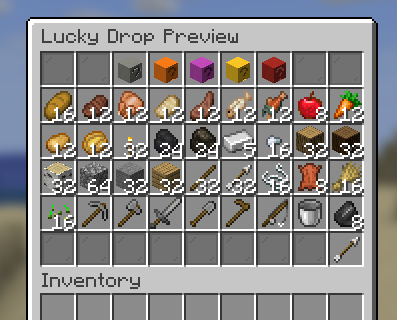
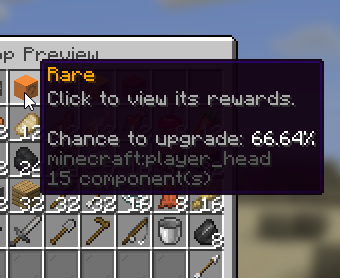
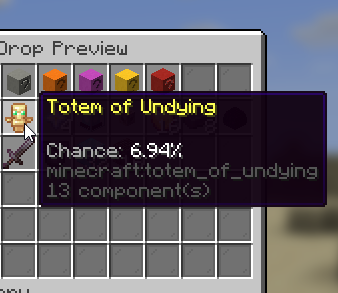
- Simple: Set the overall chance to finish at each rarity and the plugin animates the journey to a destination it rolls up front.
- Advanced: Set the per-click chance to advance one rarity, with optional overrides for specific click numbers.
Commands
Base command: /luckydrops (aliases: /ld, /drops)
- /ld give [rarity] [amount] [-s]
Gives a player one or more Lucky Drops of a chosen type. Optionally start them at a higher rarity and set the stack amount; add -s to give silently with no message to the receiver. Arguments are order-forgiving: a word is read as the rarity, a number as the amount. - /ld preview [player]
Opens the read-only preview menu for that drop. Run it on yourself, or name a player to open it for them. - /ld reload
Reloads config.yml and every drop file, then reports how many drop types loaded and any config issues found.
Permissions
- luckydrops.use - open Lucky Drops. Default: everyone.
- luckydrops.preview - open your own preview menu (/ld preview ). Default: off.
- luckydrops.preview.others - open a preview for another player. Default: op.
- luckydrops.command.give - give Lucky Drops to players. Default: op.
- luckydrops.command.reload - reload the configuration. Default: op.
Documentation
Full setup and configuration docs can be found here.