

PluginMIT
LsSpyGlass
Shows live player info in the action bar while using a spyglass
30
Downloads
0
Followers
4 months ago
Updated
📦
1
Versions
📖About LsSpyGlass
LsSpyGlass
A lightweight spyglass info plugin for Paper 1.21.x servers.
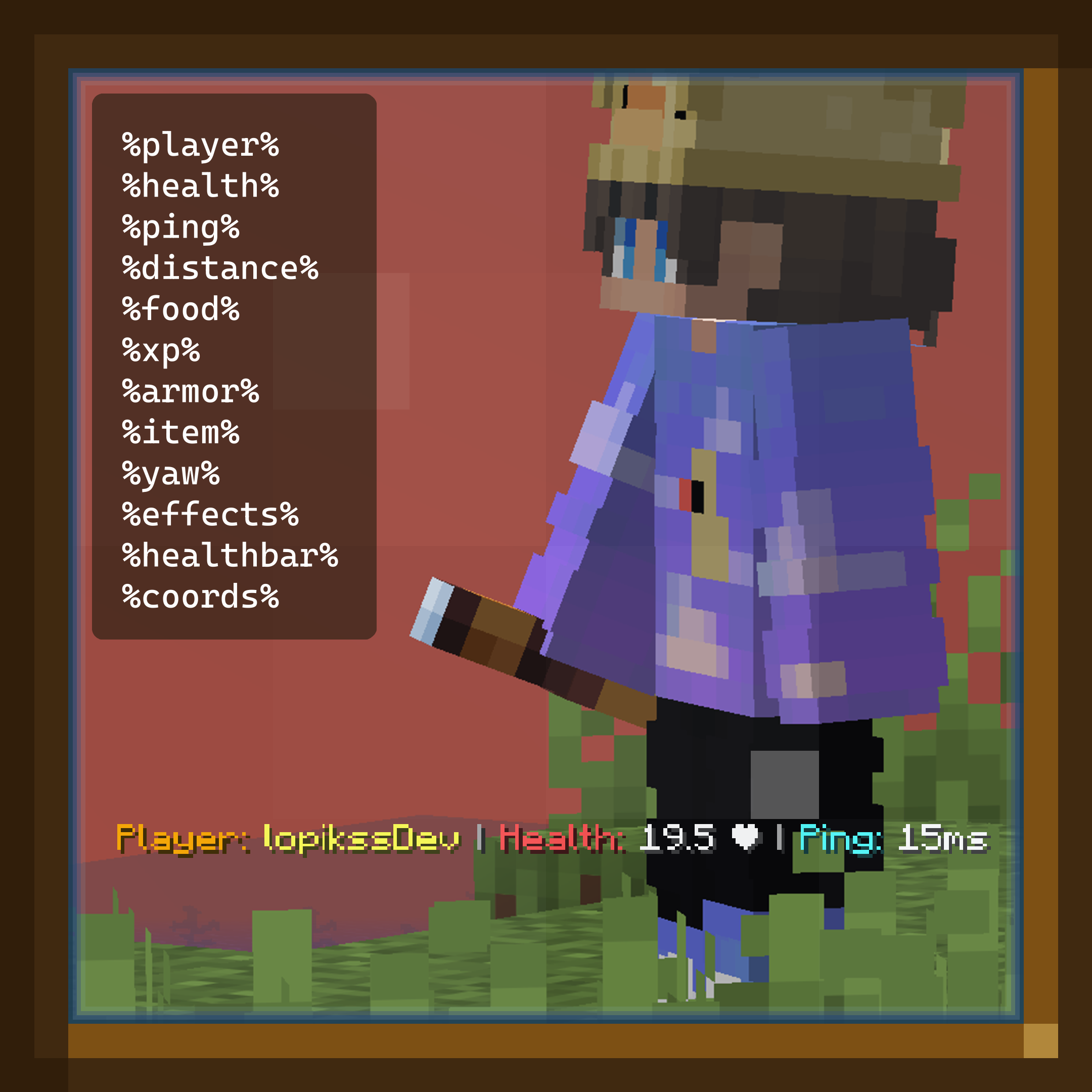
LsSpyGlass displays useful information about the player you're looking at through a spyglass directly in the action bar. It uses ray tracing to accurately detect targets and supports multiple configurable placeholders such as health, ping, distance, armor, food, effects, held item, and coordinates.
Designed to be simple, lightweight, and fully configurable.
Features
- Shows player info in the action bar while using a spyglass
- Uses ray tracing for accurate player detection
- Configurable range, update interval, and ray size
- Optional requirement for active spyglass zoom
- Fully customizable action bar format
- Supports multiple placeholders
- Ignores players in spectator mode
- Respects player visibility (
canSee()) - Lightweight and dependency-free
Commands
/spyglass reload
Reloads the plugin configuration.
Permissions
| Permission | Description | Default |
|---|---|---|
spyglass.use |
Allows using the spyglass info feature | OP |
spyglass.reload |
Allows reloading the plugin configuration | OP |
Configuration
The plugin can be customized through config.yml.
range: 48.0
update-interval-ticks: 2
ray-size: 0.35
require-active-use: true

messages:
  format: "&6Player: &e%player% &7| &cHealth: &f%health% ❤ &7| &bPing: &f%ping%ms"
Placeholders
| Placeholder | Description |
|---|---|
%player% |
Target player name |
%health% |
Player health |
%ping% |
Player ping |
%distance% |
Distance to target |
%food% |
Food level |
%xp% |
XP level |
%armor% |
Armor percentage |
%item% |
Held item |
%yaw% |
Facing direction |
%effects% |
Active potion effects |
%healthbar% |
Visual health bar |
%coords% |
Player coordinates |
Compatibility
- Paper
- Minecraft 1.21.x
- Java 21
Installation
- Download the plugin
- Place it in your server's
pluginsfolder - Restart the server
- Configure
config.ymlif needed