

LsEnderChest
Custom virtual Ender Chest storage with safe and flexible access
📖About LsEnderChest
LsEnderChest
✨ A modern and lightweight Ender Chest plugin for Paper 1.21.x servers.
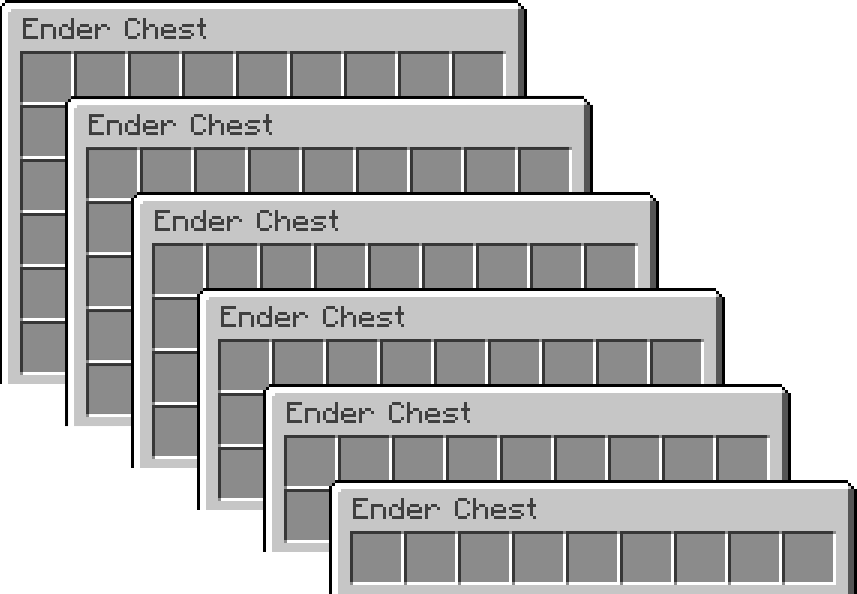
LsEnderChest replaces the vanilla Ender Chest with a permission-based expandable storage system, allowing players to have 1–6 rows depending on their rank.
Built to be simple, fast, and configurable, with support for SQLite and MySQL storage.
Features
📦 Expandable Ender Chests (1–6 rows via permissions)
👤
/lsecto open your Ender Chest🛠️
/lsec <player>to view or edit other players' chests💾 SQLite & MySQL support
🌐 Works with online-mode and offline-mode servers
⚡ Async saving (no lag on close)
👀 Offline player support
🔒 Admin bypass option
🧱 Advanced Item Blocking
🧾 Dual Logging System
🔄 LsEnderChestConverter
Switching from vanilla Ender Chests to LsEnderChest?
Use LsEnderChestConverter to migrate safely.
It automatically converts each player’s Ender Chest when they join, so you don’t have to run any commands.
- ⚡ Automatic conversion on join (one-time per player)
- 🛠️ Optional manual conversion commands
- 🔒 Safe migration — no item loss
Switch to LsEnderChest without players losing their items.
Commands
/lsec
Opens your Ender Chest.
/lsec <player>
Opens another player's Ender Chest (requires permission).
Permissions
| Permission | Description | Default |
|---|---|---|
enderchest.use |
Allows players to open their Ender Chest | true |
enderchest.admin |
Allows opening and editing other players' Ender Chests | op |
enderchest.view.other |
Allows viewing other players' Ender Chests (read-only) | op |
enderchest.bypass |
Allows players to use the vanilla Ender Chest | op |
enderchest.blocked.bypass |
Bypasses item restrictions | op |
enderchest.rows.1-6 |
Allows a 1-6 row Ender Chest | false |
Compatibility
- Paper
- Minecraft 1.21.x
- Java 21
Installation
- Download the plugin
- Place it in your server's
pluginsfolder - Restart the server
- Configure
config.ymlif needed
Please donate if you enjoy my plugin :D