

PluginMIT
Lost-Auction
An auction plugin for Paper 1.21.1+
24
Downloads
0
Followers
2 weeks ago
Updated
📦
7
Versions
📖About Lost-Auction
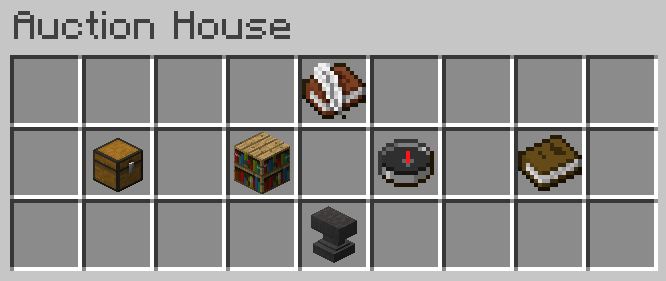
Auction House
a Auction House plugin for Paper 1.21.x
Requirements
- Paper server 1.21.x or ShreddedPaper 1.21.11
- Vault plugin
- EssentialsX
- Java 21+
Features
Core Auction System
- Fixed Price Selling: Sell items at a set price - instant purchase
- Real Auctions: Start with a minimum bid, accept higher bids until time expires
- Auction History: Track all your past auctions and bids
Search & Filtering
- Item Search: Search auctions by item name
- Price Filtering: Filter by Price
- Category Filtering: Browse auctions by categories
Configuration Options
- Max Listings Per Player: Prevent spam with configurable limits
- Categories: Fully configurable auction categories throught
categories.yml
Administrative Tools
- Force End Auctions: Admin command to end auctions early
- View All History: Admin access to complete auction history (WIP)
Category Configuration:
name: The display name shown to playersitem: The Minecraft material used as the button icon- Add/remove categories as needed
- Use any valid material name
Usage
Player Commands
| Command | Permission | |
|---|---|---|
/auction |
Open the auction house GUI | lost.auction |
/auction sell <price> |
Put item in your hand up for fixed-price sale | lost.auction |
/auction auction <starting_price> |
Put item in your hand up for a auction | lost.auction |
/auction history |
View your personal auction history | lost.auction |
/auction search |
Open search and filter interface | lost.auction |
/auction autoclaim |
Toggle autoclaiming auctions | lost.auction |
/auctionadmin |
Open admin panel for auctions | lost.auction.admin |
/auction fullhistory |
View all auction history | lost.auction.fullhistory |
Permissions
lost.auction: Use the auction house and most commands (default: all players)lost.auction.admin: Administrative commands for moderation staff (default: operators)lost.auction.fullhistory: View all auction history (default: operators)
Building and Testing
Use JDK 21 To build.
mvn clean package
Place the jar file in "/target" into your server plugins/ folder, along with Vault and EssentialsX, then start the server.