Logo
MINECRAFTBIBLE
Items
Items

All game items

Blocks
Blocks

Building blocks

Mobs
Mobs

Creatures & monsters

Biomes
Biomes

World biomes

Structures
Structures

Generated structures

Recipes
Recipes

Crafting guides

Advancements
Advancements

Achievements

Loot Tables
Loot Tables

Drop rates

Tags
Tags

Item groupings

All Versions
View all data →
Capes
Cape ArchiveNEW

Browse rare Minecon capes, OptiFine capes, and custom capes from players worldwide

Browse

Player Database
Player DatabasePopular

Search any player

Skin Browser
Skin Browser

Browse & download skins

Cape Gallery
Cape GalleryNEW

Minecon & OptiFine capes

Seed Vault
Seed Vault

Curated seeds

Learn

Guides
GuidesNew

Tutorials & tips

Blog
Blog

News & updates

Community

Community Hub
Community HubHub

Posts, discussions & more

All Versions
View community →
Seed Analyzer
Seed Analyzer

World seed analysis

Loot Explorer
Loot Explorer

Drop rates

Crafting Calculator
Crafting Calculator

Material planning

Enchant Calculator
Enchant Calculator

Probability math

Redstone Lab
Redstone Lab

Signal timing

Trading Profit
Trading Profit

Villager ROI

All Versions
View all tools →
Mods
Mods

Browse all mods

Plugins
Plugins

Server plugins

Resource Packs
Resource Packs

Textures & sounds

Shaders
Shaders

Visual enhancements

Datapacks
Datapacks

World logic

Scanner
Mod Intelligence

Scan & analyze any mod

All Versions
View all mods →
Loading...
IntroductionIntroductionVersion HistoryVersion HistoryGuidesGuidesBlog & NewsBlog & News
ItemsItemsBlocksBlocksMobsMobsRecipesRecipesBiomesBiomesStructuresStructuresAdvancementsAdvancementsLoot TablesLoot TablesTagsTags
ModsModsPluginsPluginsResource PacksResource PacksShadersShadersDatapacksDatapacks

MinecraftBible

The Ultimate Wiki

Logo
MINECRAFTBIBLE

The ultimate Minecraft reference. Every item, block, mob, and recipe documented with precision.

Community

  • Skin Browser
  • Cape Gallery
  • Seed Vault
  • Blog
  • Guides

Database

  • Items
  • Blocks
  • Mobs
  • Recipes
  • Biomes
  • Structures

Tools

  • Seed Analyzer
  • Mod Intelligence
  • Crafting Calculator
  • Enchant Calculator

Mods & Packs

  • Mods
  • Plugins
  • Resource Packs
  • Shaders
  • Datapacks

Site & Legal

  • About
  • Authors
  • Editorial Policy
  • Corrections
  • Contact
  • Privacy Policy
  • Terms of Service
  • DMCA
  • Sitemap

© 2026 MinecraftBible. Not affiliated with Mojang or Microsoft.

PrivacyTermsContact
LobbyHeads
PluginGPL-3.0-only

LobbyHeads

✨ Decorative heads for your server Hub!

603
Downloads
6
Followers
2 years ago
Updated
📦
4
Versions
decorationbukkitpaperpurpurspigot
Download Latestv1.0.3View on Modrinth

📖About LobbyHeads

LobbyHeads

Supported by Paper
Supported by Spigot

Patreon
Official Website
Join Our Discord

Built with Gradle
Built with Java

About LobbyHeads

LobbyHeads is a Minecraft server hub plugin, designed to adorn your hub spaces with decorative heads. Designed to be highly configurable, it allows designated players to replace these decorative heads with their own, displaying a holographic nickname and skin for personalized flare. This adds an extra layer of cosmetic reward for patrons and special rank holders.

Built to be compatible with Minecraft versions 1.17.1 through 1.20.2, LobbyHeads should function seamlessly with other Minecraft versions too. Always ensure your server is using Java 17 or later for the smoothest experience.

If you find any bugs, issues or inconsistencies, kindly report them here.

Plugin Preview

How do the heads work? (You can use this example for premium ranks on your server!)
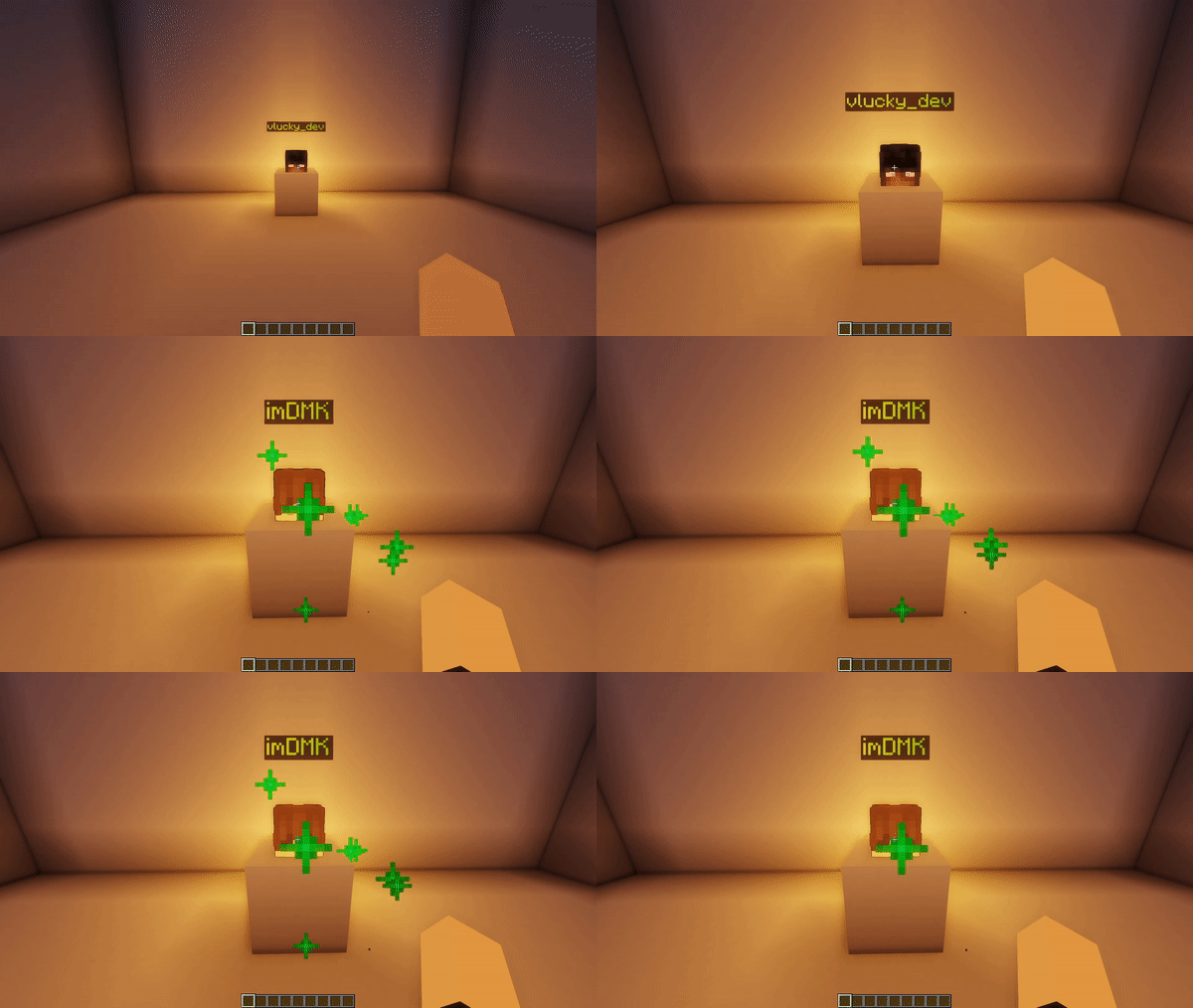
gif

How to set up heads? (/heads add command)
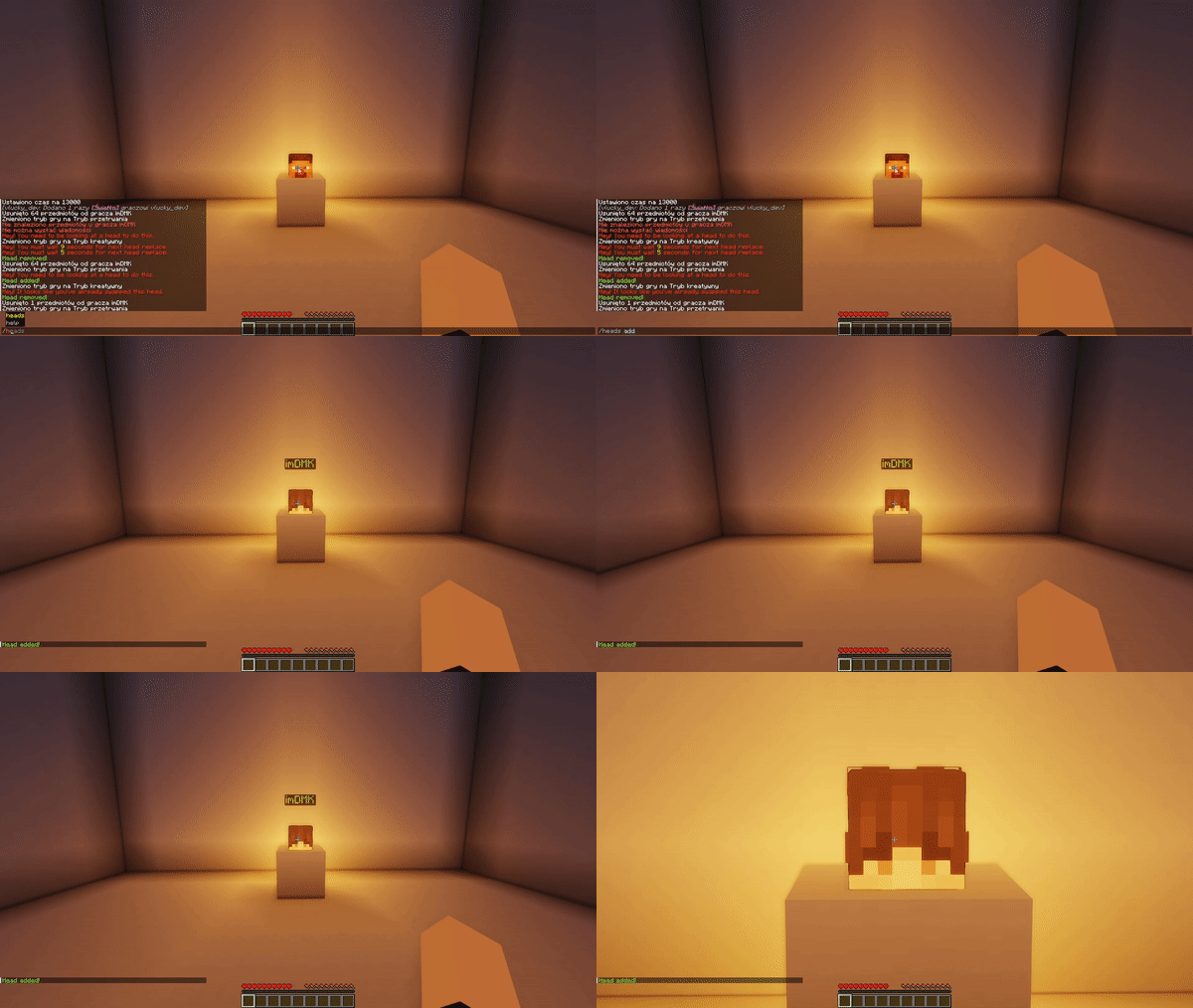
gif

Permission Assignments

LobbyHeads offers two permissions for administrators to assign:

Permission Description
lobbyheads.replace Allows the user to replace decorative heads whenever they want.
lobbyheads.admin Grants the user permission to add or remove decorative heads.
lobbyheads.receiveupdates Grants the user permission to receive updates about new versions of the plugin.

Usage Guidelines

Follow the steps below to use LobbyHeads:

  1. Acquire a player head via game mode and place.
  2. Looking at placed head, type /heads add to place the player head.
  3. If you wish to remove a head, stand in front of it and type /heads remove.

Issue Reporting

Experiencing an issue with the plugin? Report it under our Issues tab. Be sure to provide maximum information, such as your Minecraft version, plugin version, and relevant error messages or logs for an efficient diagnosis.

👥 Team & Contributors

No authors recorded.

⚙️ Compatibility

Environment
🖥️ Server-side
Loaders
bukkitpaperpurpurspigot
Minecraft Versions
1.131.13.11.13.21.141.14.11.14.21.14.31.14.4+24 more

🔗 Links

Modrinth Page