
MINECRAFTBIBLE
Loading...
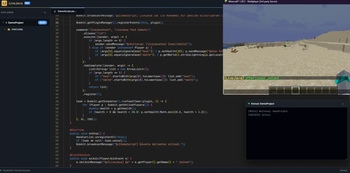

a VS Code-powered Web IDE that lets you build multi-class, hot-swappable native Java plugins instantly with zero reloads and automatic dependency injection.
Say goodbye to restarts, reloading times, and limited scripting languages. Meet LiveJava—the ultimate bridge between professional development and server management.
LiveJava embeds a secure, VS Code-powered Web IDE directly into your Minecraft server. It allows you to write, compile, and execute Native Java code in real-time. No more reload commands, no more heavy third-party scripting engines—just pure, high-performance Java.
Vault or WorldEdit? Just import them and start using their APIs immediately!| Feature | Skript | LiveJava |
|---|---|---|
| Execution | Interpreted (Slow) | Compiled (Native JVM Speed) |
| Language | Limited Custom Syntax | Pure, Standard Java |
| IDE Experience | Notepad / Basic Text | Advanced Web IDE (VS Code) |
| Dependencies | Requires Add-ons | Auto-links all local plugins |
We know "remote code execution" sounds scary. That's why LiveJava is built with a "Loopback-Only" policy. The editor is isolated and accessible only via the specific IP and secure key combination you define in the configuration.
config.yml.http://your-server-ip:port/your-secret-key.LiveJava is 100% Free and Open Source. If you love the project, consider leaving a star on GitHub!